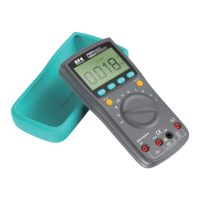
Measure AC/DC Voltage
1. Connect the black test lead to the COM Terminal and
connect the red test lead to the VHz Terminal;
2. Turn the rotary switch to the AC Voltage (V) Mode, the DC
Voltage (V) Mode, or the Voltage (mV) Mode;
3. Press SELECT to toggle between AC/DC;
4. Touch the probes to the correct test points of the circuit to
measure the voltage;
5. Read the measured voltage on the display.
Measure AC/DC Curren
Caution:
a. Do not measure voltage that exceeds the MAX Value as indicated in the
Specifications;
b. Do not touch high voltage circuit during measurements.
1. Connect the black test lead to the COM Terminal and
connect the red test lead to the 20A Terminal or the mA/μA
Terminal (choose based on the value of current) ;
2. Turn the rotary switch to the AC/DC Current (A) Mode, the
AC/DC Current (mA) Mode, or the AC/DC Current (μA)
Mode;
3. Press SELECT to toggle between AC/DC;
4. Break the circuit path to be measured. Then connect the
test leads across the break and apply power;
5. Read the measured current on the display.
Caution:
a. Do not measure current that exceeds the MAX Value as indicated in the
Specifications;
b. Use the 20A Terminal and the Current-A Mode when you are measuring an
unknown current. Then switch to the mA/μA Terminal and the smaller Current
Mode if necessary.
Do not input voltage exceeds 36V DC or 25V AC
when you are at the setting of measuring current.


 To Next Page
 Loading...