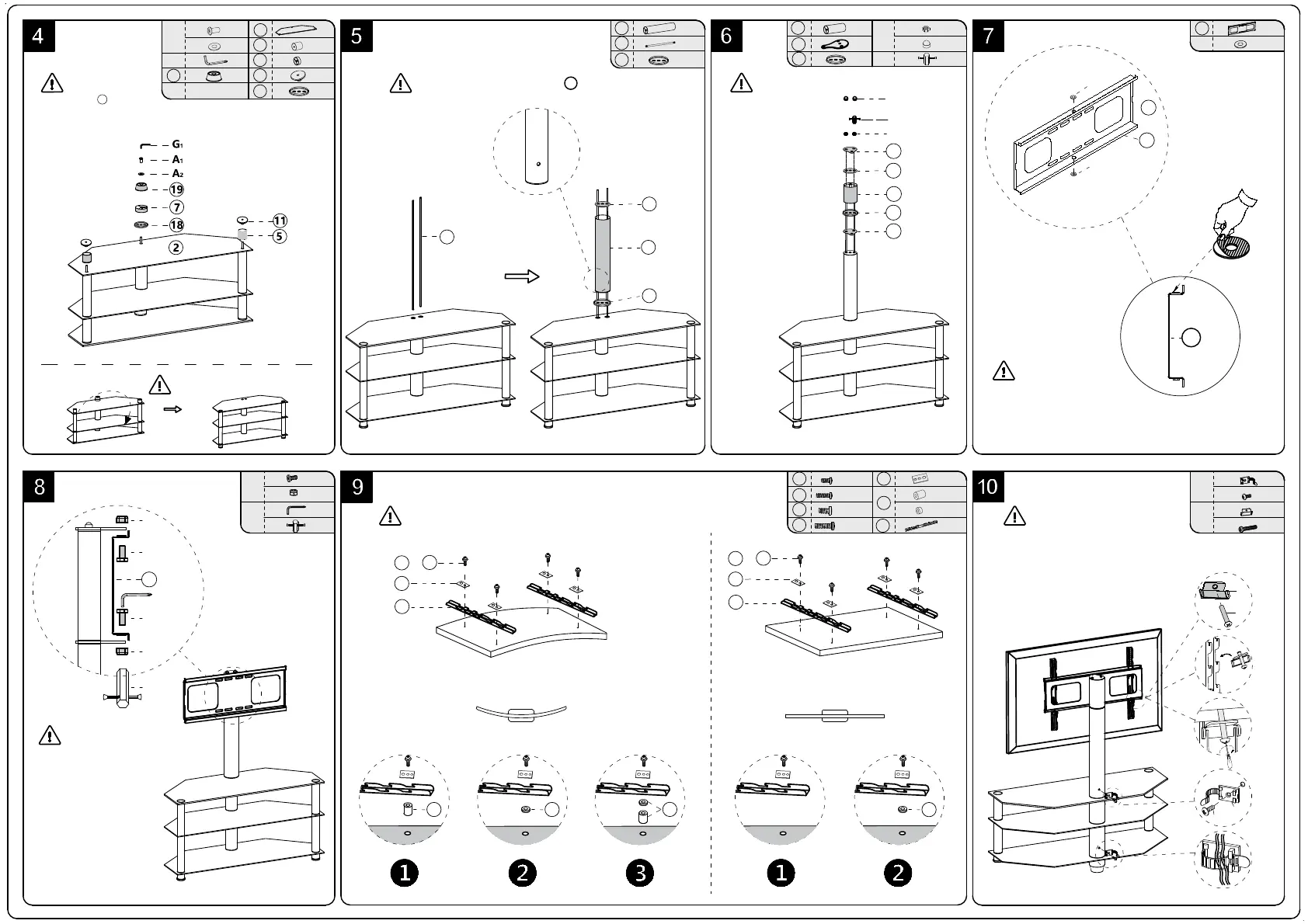
Make Sure part 2 the matt
surfaceface upward during
assembling.
Make Sure the small hole on Part 8 face backward.
Please don't fully
tighten until Step 8
to fix all the screws
in the right holes.
Side View
Stick B1 on top and bottom
center of steel bracket.
Make Sure fully tighten all
screws before putting on
your TV.
X2
X2
X2
F
F2
F1
E1
E2
X2
F1
F2
E1
E2
13
x2
S1
x4
M6
S2
x4
M6
S3
x4
M8
S4
x4
M8
S5
x4
S6
x4
x8
13
S5
S1 -- S4
S6 S6
S6
S6
TV
TV TV
TV
TV
OR OR OR
S5
S1 -- S4
E
13
X2
X2
D
D1
D2
G1
G
G2
X1
X2
B
B1
12
D2
D1
G2
D1
D2
12
12
17
Important: Lock your TV before using
Side View
Variant screws and spacers provided to fit your TV ,however not for all brands .
Maybe you need to use the original screws comes with your TV or buy the
special screws by yourself .
Flat Panel TV
Curved or Recessed TV
Turn Over
B1
A
A1
G
G1
x1
x1
x2
5
2
x1
x1
18
7
x2
11
19
x1
A2
x1
8
18
C1
14
C2
G3
18
9
18
14
14 X2
9
X1
x2
C
C1
G3
G
x2
C2
18
X2
17
X2
8 X1
18
X2
18
12
B1
B1
12


 To Previous Page