Need help?
Do you have a question about the Rfiver UT5002 and is the answer not in the manual?
Contact details and required information for reporting missing or damaged parts.
Essential safety precautions and guidelines for proper installation and furniture handling.
Explanation of the VESA standard for attaching flat screens to mounts.
Guide on measuring horizontal and vertical screw hole distances for compatibility.
Instruction to delay full tightening until screws are in the correct holes.
Guidance on choosing the correct screw diameter for your TV's mounting holes.
Ensuring adequate thread engagement for secure TV attachment.
Covers flat back, curved, bumpy, and cable-blocked TV mounting scenarios.
Ensuring the safety screw is fully driven after the TV is settled on the stand.
Using included clips for organizing power and AV cords neatly.
Procedure for selecting and setting the desired height for the TV plate.
Impact of bracket hole selection on the overall TV stand height.
Instructions for swiveling the TV plate left and right for optimal viewing.
Contact information for customer service, including phone and email.
This document provides installation instructions and user guidelines for a TV stand, Model No. UT5002, Series No. YL-2206.
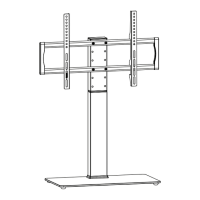
This TV stand is designed to securely hold flat-screen TVs, LCDs, or monitors, offering height adjustment and swivel capabilities for optimal viewing angles. It includes cable management features to keep power and AV cords organized.

 To Next Page
 General