1312
USERS GUIDELINE
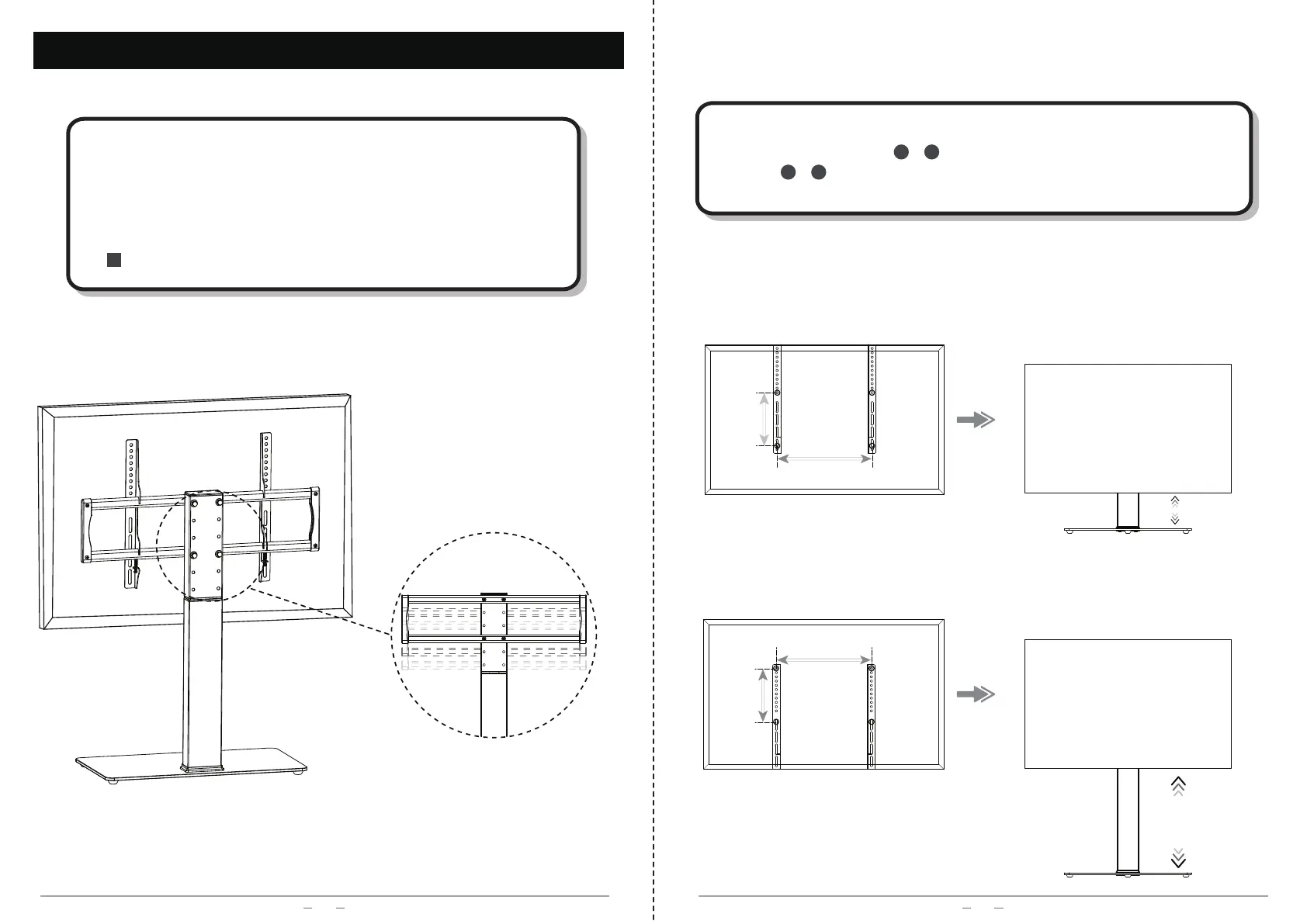
TV plate -
3 levels optional for height adjustment
H
H
W
W
Back of TV
Back of TV
Stand Height Adjustment - Holes Selection of Brackets
When attaching brackets 、 to the TV, different holes selection of
brackets 、 will result different TV raise height as below diagrams
show.
98
98
Stand Height Adjustment - TV Plate
1、Please take off the TV from the stand then select the proper height
by yourself.
2、Each level adjustment distance for TV plate is 50 mm (2 inch).
3、Attach the TV to the TV plate again and tighten the safety screws
on the bottom of brackets to secure the TV to the stand.
e


 To Next Page