EasyManua.ls Logo

RFRemotech SuperbFire C32QS - User Manual

RFRemotech SuperbFire C32QS
6 pages
Print Icon
To Next Page IconTo Next Page
Loading...
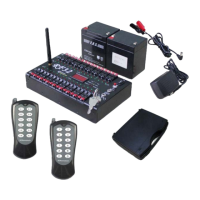
SuperbFire C32QS
Wireless Radio Firing System V2.0
For Fireworks
RFRemotech Radio Frequency Remote Technology
Remote Control Products, Remote Controllable Service
Warning:
1. Only the person who has Fireworks licence is allowed to purchase the product, or the person of whom
there isn’t fireworks purchase limit in his/her country or district is allowed to purchase the product.
E-MadeinCHN is not with responsibility for any illegal usage.
2. If Channel Fire LED #6 keeps turned on when receiver is powered whenever Rocker Switch #15 is in any
position and in the same time Channel Test LED #5 is always off, the channel has been shorted out, don’t
use the channel any more, the receiver will fire e-match or igniter without any operation. It is dangerous
and may do damage to body!
Page 1 of 6
Question and Answer IconNeed help?

Do you have a question about the RFRemotech SuperbFire C32QS and is the answer not in the manual?

Summary

General Warning

Receiver Description

Component Identification

System Operation Modes

Instant Firing Mode

Explains how Transmitter A operates with the receiver for instant firing.

Firing-In-Sequence Mode

Details how Transmitter B works with the receiver for sequential firing.

Before Use Procedures

Power Connection

Instructions for connecting inner and external power sources.

System Check

Steps to verify receiver functionality and LED indicators.

Transmitter Learning

Procedure for clearing codes and learning transmitters A and B.

Operational Guide

Test Functionality

How to test continuity with e-match or igniter connections.

Fire Command

Instructions for sending signals and firing cues.

RFRemotech SuperbFire C32QS Specifications

General IconGeneral
BrandRFRemotech
ModelSuperbFire C32QS
CategoryRadio
LanguageEnglish