Need help?
Do you have a question about the Rhythm Healthcare P2 and is the answer not in the manual?
Introduction to the P2, emphasizing setup simplicity and user manual importance.
Detailed steps for placing, connecting battery and power, and turning on the P2.
Instructions for attaching the nasal cannula and adjusting flow rate settings.
Procedure for safely powering down the P2 concentrator.
Notes on unit behavior during adapter/battery connection and disconnection.
Guidance on replacing the intake filter for optimal air quality.
Instructions for battery care, precautions, and replacement procedure.
Labeled diagram identifying key components of the P2 concentrator.
Chart detailing battery life at different flow rate settings.
Recommendations for storing batteries to maintain performance and longevity.
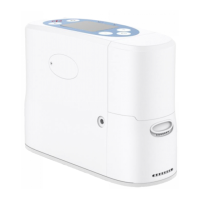
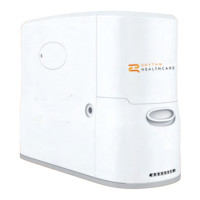
The Rhythm Healthcare P2 is a portable oxygen concentrator designed to provide supplemental oxygen to individuals. Its compact and lightweight design makes it suitable for use at home or while traveling, offering users increased independence.
The P2 operates by drawing in ambient air, filtering out nitrogen, and delivering concentrated oxygen to the user through a nasal cannula. It features a breath detection light, indicating when a breath is detected, and allows users to adjust the oxygen flow rate according to their physician's or clinician's prescription. The device includes an ON/OFF button for easy operation and an audible alarm button for alerts. A display screen provides system information, including the current flow setting and battery status. The unit is powered by a Lithium Ion Battery, which can also be charged via an AC power cord connected to an electrical outlet.
Setting up the P2 is a quick and simple process. Users should first find a well-ventilated location for the device, ensuring that the intake and exhaust fans are clear and unobstructed. The battery is then slid into place until it clicks, and the AC cord is plugged into an electrical outlet. The device is turned on by pressing the ON/OFF button for one second, after which it will beep, and the indicator light will flash. A two-minute warm-up period is required before use. Once warmed up, the user can connect the nasal cannula to the nozzle fitting, ensuring it is not pinched or kinked to maintain proper oxygen flow. The oxygen flow rate can be adjusted using the '+' or '-' setting buttons on the control panel to match the prescribed rate. The device provides visual feedback on its display, showing the current setting and other relevant information. To shut down the P2, the ON/OFF button should be pressed and held for three seconds. The device also provides power supply information on its display and beeps when the adapter is connected/disconnected or the battery is installed/uninstalled.
Regular maintenance is crucial for the optimal performance and longevity of the P2. The intake filter, which ensures clean air enters the compressor, should be replaced approximately every six months under normal use conditions. If the device is used in dusty or dirty environments, the filter should be checked more frequently and replaced if it appears grey or brown. Replacing the intake filter involves unscrewing the bottom of the pre-filter with a Philips screwdriver, lifting and removing the pre-filter, removing the intake filter from its chamber, inserting a new intake filter, and then reinstalling the pre-filter. Replacement pre-filters and intake filters can be purchased from the equipment provider.
The P2 Lithium Ion Battery also requires special care. Only P2 batteries (P2BY001-1 for Lifestyle logo compatible and P2BY001-2 for Rhythm logo compatible) should be used with the concentrator. To replace the battery, the latch is pressed down, and the battery is slid out. A new battery is inserted by sliding it into place until the latch returns to the upper position. It is important to keep liquids away from the batteries; if a battery becomes wet, use should be stopped immediately, and the battery disposed of properly. For storage, batteries should be kept in a cool, dry place with a charge of 40-50% and should not be left dormant for more than 90 days at a time to maintain their performance and lifespan.
 General
| Therapy Modes | CPAP, Auto CPAP |
|---|---|
| Pressure Range | 4-20 cmH2O |
| Data Storage | SD Card |
| Warranty | 2 years |
| Ramp Time | 0-45 minutes |
| Sound Level | < 30 dB |
| Altitude Compensation | Automatic |
| Oxygen Output | Not applicable |
| Noise Level | < 30 dB |
| Operating Conditions | 5-35°C |
| Battery Life | External battery pack available (optional) |

 To Next Page