| 16 | | 17 |
ENEN
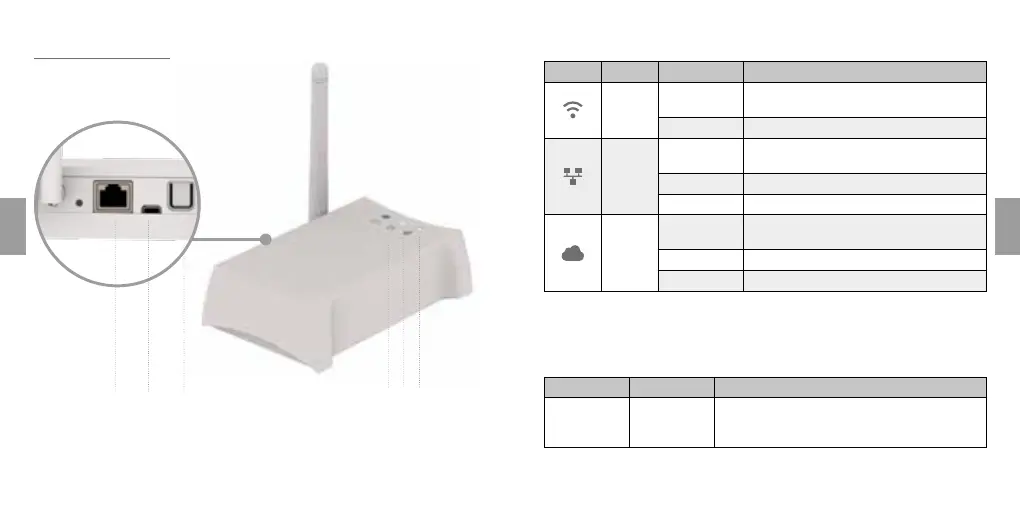
Rialto WhiteBox
4 5 61 2 3
1. Ethernet port
2. MicroUSB input
3. App enable button
4. Radio communication (ZigBee)
5. Ethernet connection to local
network
6. Internet connection
Response of indicator Leds (table 1)
Icon Colour Status Meaning
Blue
Permanently
alight
WhiteBox connected to at least one device
Blink Search for device or communication in progress
White
Permanently
alight
WhiteBox connected to router
Blink WhiteBox communicating with router
Off WhiteBox not connected to router
White
Permanently
alight
WhiteBox connected to internet server
Blink WhiteBox communicating with internet server
Off WhiteBox not connected to internet server
NOTE: The Leds do not provide any indication as to the quality of the wire-
less radio communication between WhiteBox control unit and Rialto devices.
Operation of button (table 2)
Function Command Meaning
First
configuration
Press briefly
(1 second
approx)
Pairing of WhiteBox and mobile device



 To Next Page