CS-600B OPERATION MANUAL V1.1
Page 5 of 15
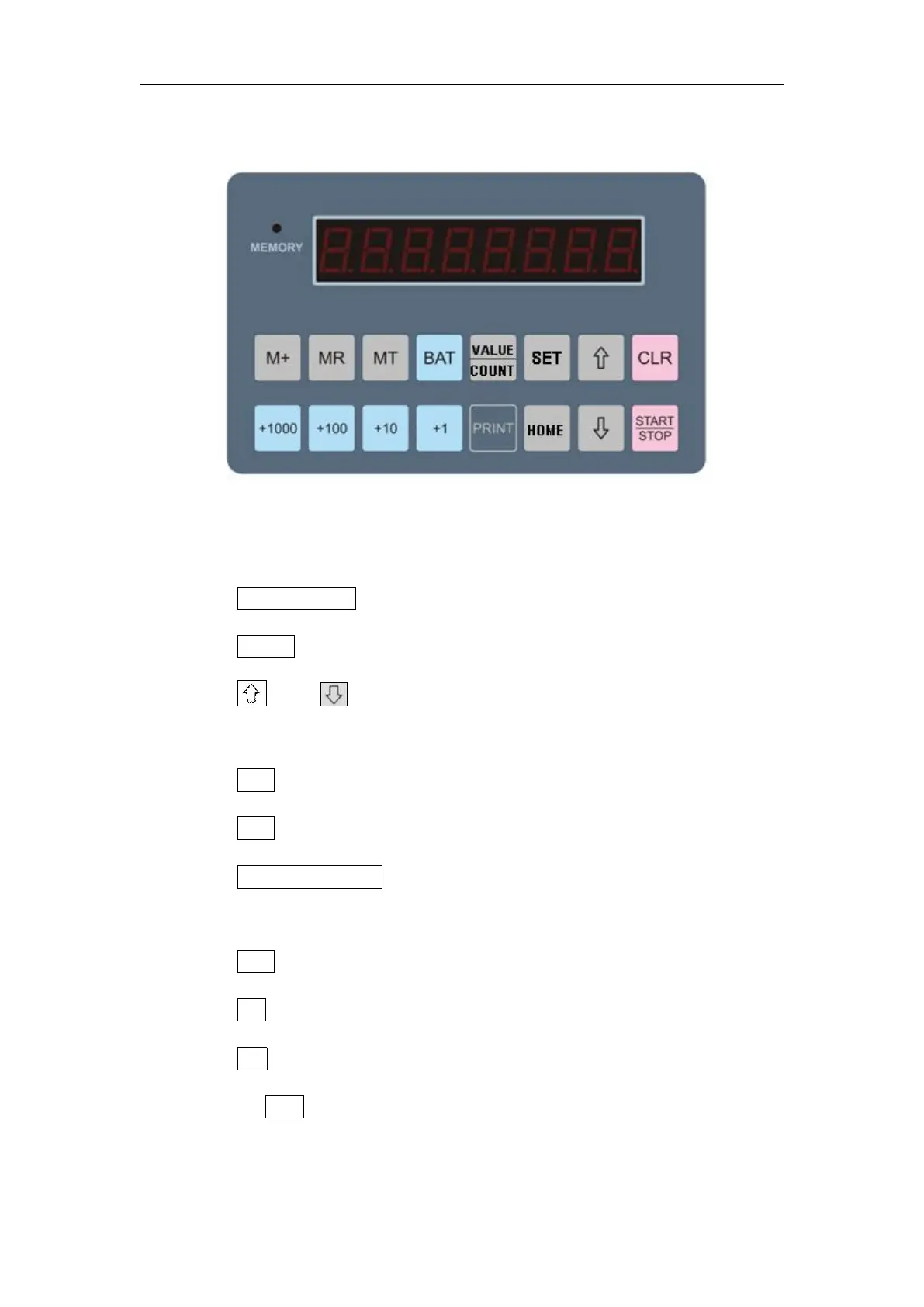
Key Panel
Key Function:
1) START/STOP:Start and Stop
2) HOME:Back to main interface
3) and :Select the list of different Channels / memory
units
4) CLR:Clear
5) SET:Debug reserve key
6) VALUE/COUNT : To switch the display mode between
quantity and amount
7) BAT:Batch setting
8) MT:Memory
9) MR:Memory Reading
10) M+ : Accumulate the current counted number with
previous data and save


 To Next Page