CS-600B OPERATION MANUAL V1.1
Page 7 of 15
Operating Procedures
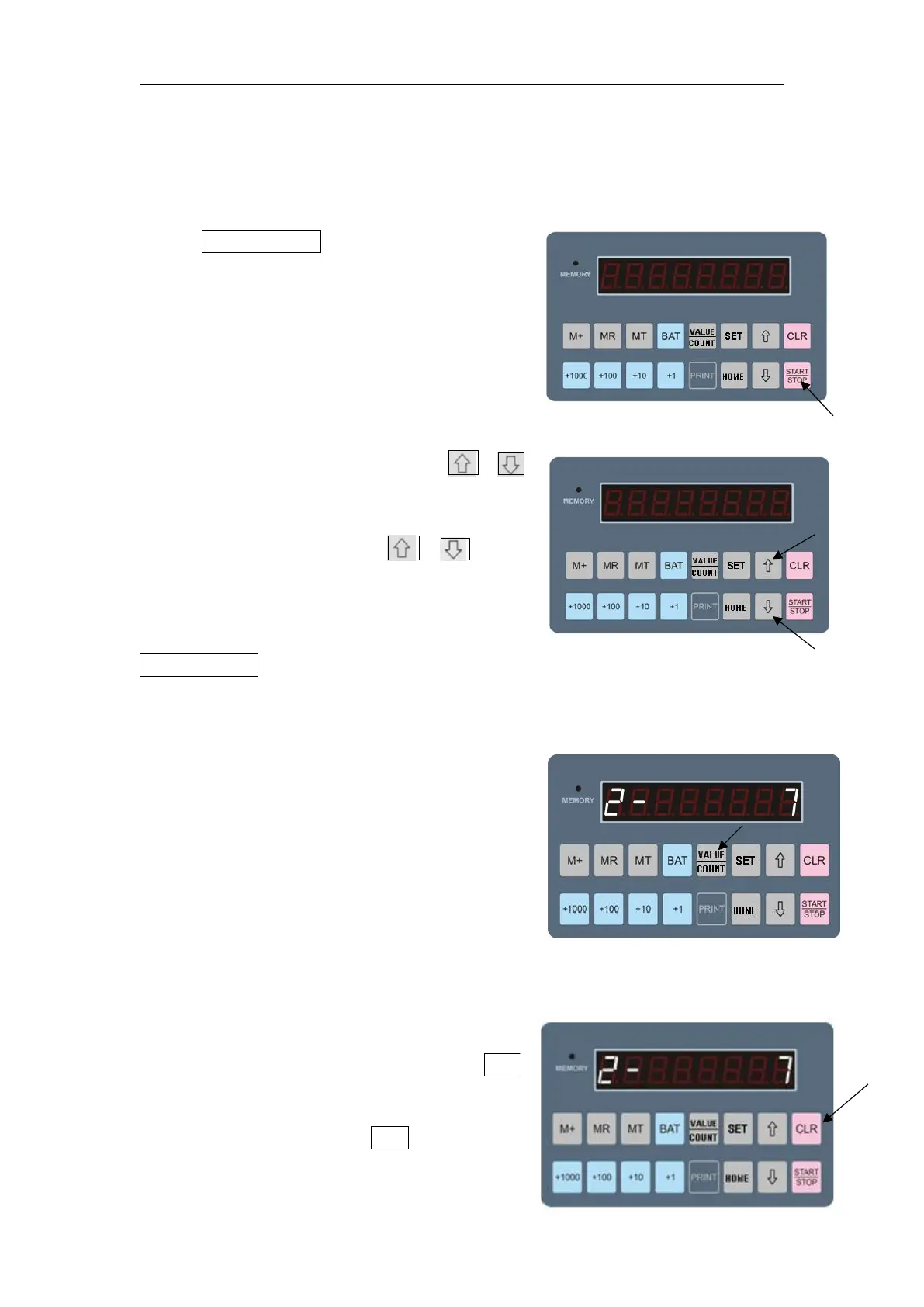
·Turn on the power switch,the display shows the amount as right
picture, with decimal point.
·Press START/STOP to start, the machine
automatically enters into amount
display mode, with decimal point. After
start, the motor rotates and counting
starts.
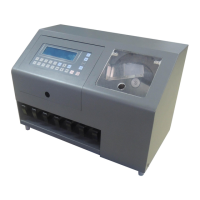
·In Single channel modes, press 、
key to select different channels. In
Amount display modes, 、 keys
are void.
·In single channel modes, press
START/STOP key to return to quantity display and motor rotates and
starts to count.
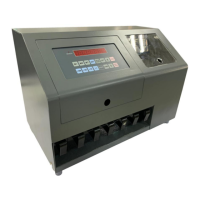
·Press VAL key to switch between amount
and quantity.
Data clearance:
· In single channel modes, press CLR
to clear the data of this channel only;
·In total mode, press CLR key to clear
all the data


 To Next Page