Richcomm System Technologies Co.,Ltd
Tel:+86 20 6685 4299
Fax: +86 20 8230 6916
www.richcomm.com.cn/e
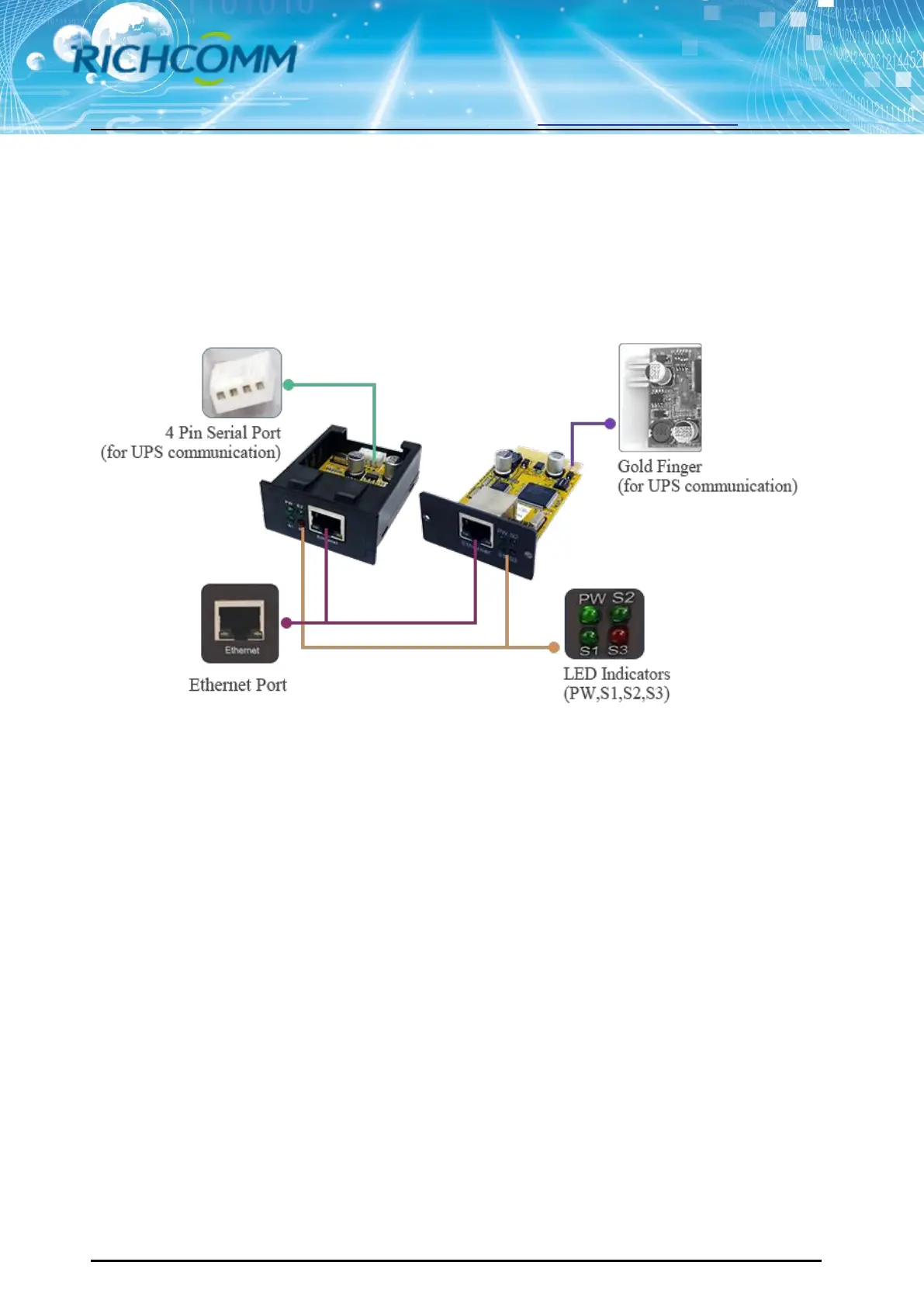
⑧ Gold Finger: Insert in UPS internal slot;
NetmateLite Mini1/NetmateLite Mini2 Available
① Ethernet Port: UTP 10/100M RJ45 Ethernet port.
② PW (Red): Power status indicator, often light shows device power is connected, no light
means not connect power.
③ S1 (Green): Running indicator, slow flash normal;
④ S2 (Green): SNMP running indicator, flash normal, flash frequency is determined by
SNMP inquire cycle;
⑤ S3 (Red): Device status indicator (red), continuous on shows connected well with UPS and
have communication, flash shows device disconnected or communication failed;
⑥ 4 Pin Serial Port: Connect with UPS;
⑦ Gold Finger: Insert in UPS internal slot;



 To Next Page