162
MO-C1 Training
Slide 162
Overview
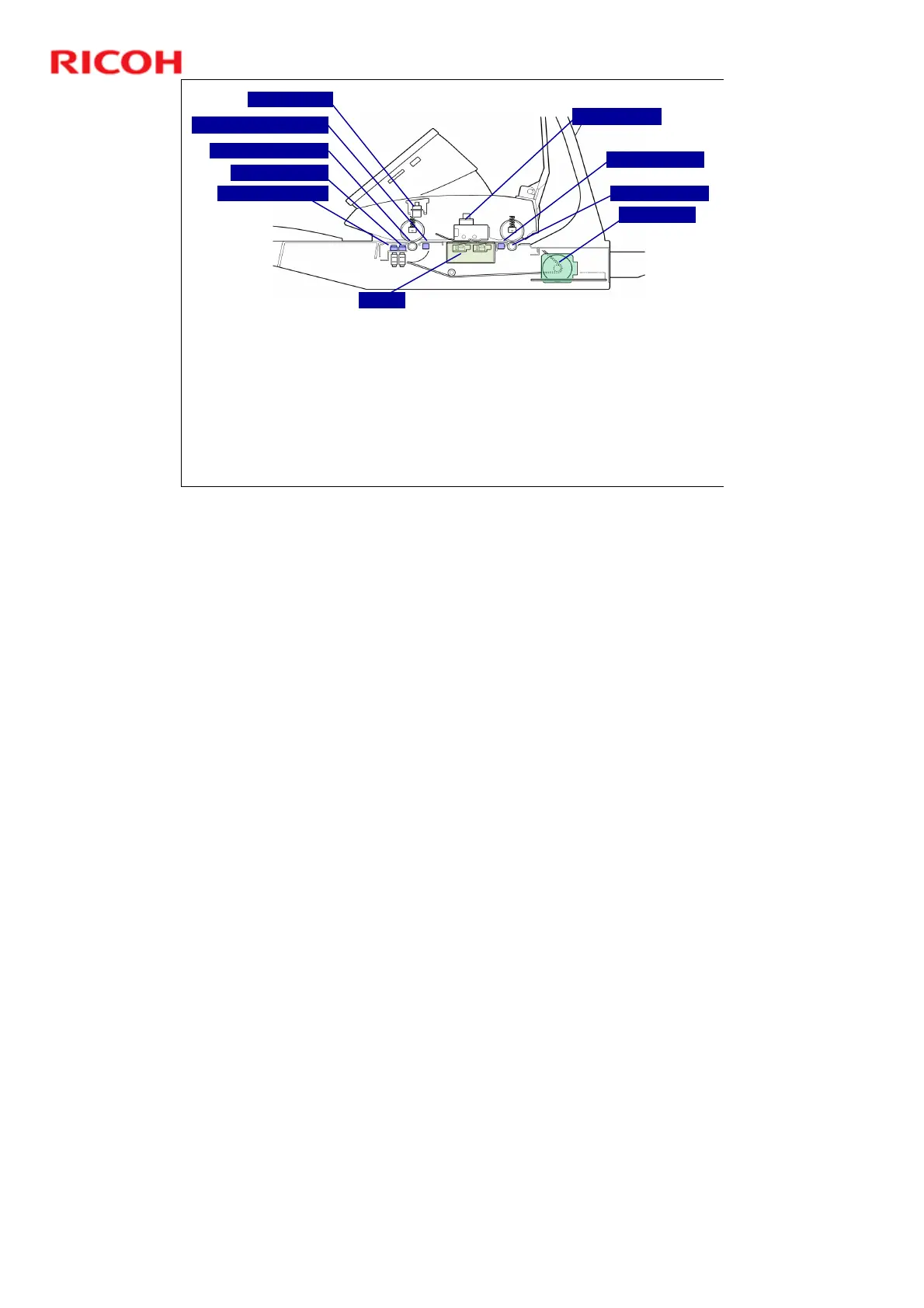
Registration sensor: Detects the leading edge of the original and stops feed long
enough for the operator to align the original manually if it is not straight.
CIS unit: Scans the original and sends the data to the SIB in the scanner unit.
Original exit sensor: Detects the leading and trailing edges of the original to check the
original feed timing.
Scanner motor: Drives the scanner entrance roller and the exit roller via a single timing
belt.
Two safety switches (micro-switches) on the left side of the scanner unit disconnect
power to the scanner unit when the scanner unit cover is opened. This prevents the CIS
unit from switching on while the cover is open.
Original stop key (red button on the right side of the scanner unit): Press this to
interrupt scanning if a problem occurs during scanning (jam, wrinkling, skew).
Original Width Sensors
Original Set Sensor
Original Entrance Roller
Original Registration Sensor
Safety Switches
Original Stop Key
Scanner Motor
Original Exit Roller
Original Exit Sensor
CIS Unit
No additional notes



 To Next Page