The provided document is an operating manual for the RICOH GR III digital camera. It covers various aspects of the camera's functions, technical specifications, usage, and maintenance.
Function Description
The RICOH GR III is a digital camera designed for still image and movie recording. It offers a range of shooting modes, including Program AE, Aperture Priority AE, Shutter Priority AE, and Manual Exposure, allowing users to control aperture value, shutter speed, and ISO sensitivity. The camera features various focus modes such as Auto-area AF, Select AF, Pinpoint AF, Tracking AF, Continuous AF, Manual Focus (MF), and Snap, with a focus distance range from approximately 0.06m in Macro mode to infinity. It also includes an internal ND filter for exposure control and a Shake Reduction (SR) system to reduce image blurring.
For image processing, the camera offers multiple "Image Control" settings like Standard, Vivid, Monotone, Soft Monotone, Hard Monotone, Hi-Contrast B&W, Positive Film, Bleach Bypass, Retro, and HDR Tone, allowing users to customize the image atmosphere. It supports D-Range Correction for highlight and shadow areas and Noise Reduction for both slow shutter speeds and high ISO sensitivities.
Playback functions include displaying single or multiple images, rotating images, and connecting to AV devices. Users can edit and process images directly on the camera, including RAW development, resizing, cropping, levels adjustment, white balance correction, color moiré correction, and base parameter adjustments. Movie editing functions allow for cutting and dividing movie files.
The camera's settings can be customized extensively, including saving frequently used settings to the mode dial (USER1, USER2, USER3), customizing button functions (ADJ. lever, Fn button, ISO button, Drive button, Movie/Wireless button), and configuring display and sound settings. It also has power-saving features like auto power-off and display dimming.
Connectivity options include USB for computer connection, Bluetooth® for communication with smart devices, and Wireless LAN for image transfer and remote control via the "Image Sync" app.
Important Technical Specifications
- Lens: 6 elements in 4 groups (2 aspherical lens elements), Focal Length: 18.3 mm (approx. 28 mm in 35 mm equivalent focal length), Aperture: F2.8 to F16.
- Image Sensor: Primary color filter CMOS, Size: 23.5 mm × 15.6 mm, Effective Pixels: Approx. 24.24 megapixels.
- Sensitivity: ISO 100 to ISO 102400 (Auto, Manual).
- Image Stabilization: 3-axis sensor-shift shake reduction (SR).
- Anti-Aliasing Filter Simulator: Moiré reduction using SR unit (Off, Low, High).
- Dust Removal: Image sensor cleaning using ultrasonic vibrations “DR II”.
- File Format (Still Image): RAW (DNG 14-bit), JPEG (Exif 2.3), DCF 2.0 compliant, Color space: sRGB, AdobeRGB.
- Recorded Pixels (Still Image):
- [3:2] L (24M: 6000×4000), M (15M: 4800×3200), S (7M: 3360×2240), XS (2M: 1920×1280)
- [1:1] L (16M: 4000×4000), M (10M: 3200×3200), S (5M: 2240×2240), XS (1.6M: 1280×1280)
- File Format (Movie): MPEG4 AVC/H.264 (MOV), Recorded pixels: Full HD (1920×1080, 60p/30p/24p).
- Sound Recording: Built-in stereo microphone.
- Recording Time (Movie): Up to 25 minutes or 4 GB.
- Storage Medium: Internal memory (approx. 2 GB), SD/SDHC/SDXC memory card (UHS-I compatible).
- Focus Type: Hybrid AF (image plane phase-matching and contrast detection).
- Focus Range: Normal: Approx. 0.1 m to infinity, Macro mode: Approx. 0.06 to 0.12 m.
- Shutter Speed: 1/4000 to 30 seconds (limitation by aperture), Bulb timer (10 to 20 minutes), Bulb, Time.
- EV Compensation: Still image: ±5 EV (1/3 EV steps), Movie: ±2 EV (1/3 EV steps).
- White Balance: Auto, Multi Auto, Daylight, Shade, Cloudy, Fluorescent (Daylight Color, Daylight White, Cool White, Warm White), Tungsten, CTE, Manual, Color Temperature.
- LCD Monitor: 3.0 inch TFT color LCD (aspect ratio 3:2), Approx. 1037K dots, Wide viewing angle, Air-gapless tempered glass, Capacitive sensing touch panel.
- Wireless LAN: IEEE 802.11b/g/n (HT20), Frequency: 2412 to 2462 MHz (Ch 1 to Ch 11).
- Bluetooth®: v4.2 BLE (Bluetooth Low Energy), Frequency: 2402 to 2480 MHz (Ch 0 to Ch 39).
- Interfaces: USB Type-C (battery recharge, camera power supply, data transfer: MTP, video output: DisplayPort over USB-C), Hot Shoe (P-TTL auto flash compatible), Lens Adapter Pin.
- Battery Type: Rechargeable battery DB-110 (3.6 V, 1350 mAh, 4.9 Wh).
- Battery Life: Approx. 200 images (recordable), Approx. 180 minutes (playback).
- Dimensions: Approx. 109.4 mm (W) × 61.9 mm (H) × 33.2 mm (D).
- Weight: Approx. 257 g (with battery and SD card), Approx. 227 g (body only).
Usage Features
- Initial Setup: Users are guided through setting the battery and memory card, turning on the camera, setting the language, date, and time, and formatting the memory card.
- Basic Shooting: The manual explains how to shoot in Program mode, activate autofocus, and view captured images.
- Exposure Control: Users can select various exposure modes (P, Av, Tv, M) and adjust exposure compensation. Bulb, Time, and Bulb Timer modes are available for long exposures.
- Focusing: Multiple AF modes are available, including manual focus with focus peaking for precise control. A "Full Press Snap" function allows quick shooting at a preset focal distance.
- Drive Modes: Options include Single Frame Shooting, Continuous Shooting, Bracketing, Multi-exposure, Interval Shooting, and Interval Composite (for star trails).
- White Balance: Manual white balance and color temperature adjustments are possible for accurate color reproduction.
- Movie Recording: The camera supports Full HD movie recording with sound, and users can switch between still image and movie modes.
- Playback and Editing: Images and movies can be reviewed, deleted, protected, copied to memory cards, and transferred to communication devices. In-camera editing tools allow for various adjustments.
- Customization: The ADJ. lever and Fn button can be assigned to frequently used functions for quick access. User modes allow saving and recalling custom camera settings.
- Connectivity: The camera can connect to computers via USB for data transfer and to communication devices (smartphones/tablets) via Bluetooth® or Wireless LAN using the "Image Sync" app for remote control, image transfer, and time synchronization.
Maintenance Features
- Battery Charging: The rechargeable battery DB-110 can be charged using the provided USB cable and power adapter. Charging takes approximately 2.5 hours.
- Memory Card Formatting: New or previously used memory cards should be formatted with the camera to ensure proper operation.
- Sensor Maintenance: The camera includes "Pixel Mapping" to correct defective pixels and "Dust Removal" using ultrasonic vibrations to clean the image sensor.
- Camera Care: Recommendations include avoiding physical shocks, protecting the lens and monitor, cleaning the lens with a blower or soft cloth, and cleaning the camera after use in harsh environments.
- Storage: Store the camera in a dry, cool place, away from extreme temperatures, humidity, dust, dirt, severe vibration, chemicals, and strong magnetic fields. Remove the battery if not used for a long period.
- Condensation Prevention: To prevent condensation, place the camera in a plastic bag when moving between areas with sharply different temperatures or high humidity.
- Troubleshooting: The manual provides a comprehensive troubleshooting guide for common issues related to power supply, shooting, and playback/deletion.
- Firmware Updates: It is recommended to update the camera firmware to the latest version for optimal performance.
- Warranty Policy: The camera comes with a 12-month warranty against defects in material or workmanship, provided it has not been mishandled or damaged.

 Need help?
 General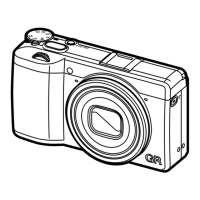

 To Next Page