EasyManua.ls Logo

Ricoh THETA V - User Manual

Ricoh THETA V
86 pages
Print Icon
To Next Page IconTo Next Page
Loading...
RICOH THETA - User Guide
file:///C|/r22/en/support/manual/index.html[2019/11/12 2:03:29]
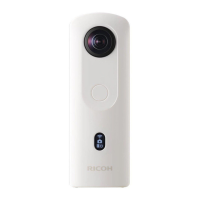
RICOH THETA SC2
(Model: R03030)
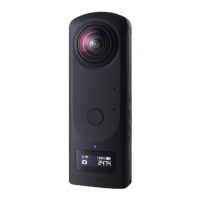
RICOH THETA Z1
(Model: R02020)
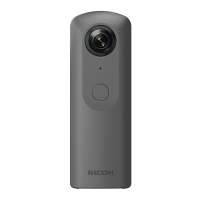
RICOH THETA V
RICOH THETA SC
RICOH THETA
User Guide

Other manuals for Ricoh THETA V

Question and Answer IconNeed help?

Do you have a question about the Ricoh THETA V and is the answer not in the manual?

Summary

Preparation

Charging

Learn the procedure and time required to charge the camera's built-in battery.

Connecting to a Smartphone via Wireless LAN

Steps to establish a Wi-Fi connection between the camera and a smartphone.

Updating the Camera Firmware

Updating the Camera Firmware Using a Computer

Procedure for updating camera firmware via a computer connection and software.

Updating the Camera Firmware Using a Smartphone

Procedure for updating camera firmware directly from a smartphone application.

Shooting Still Images

Shooting Still Images While Connected to a Smartphone

How to capture still images remotely using a connected smartphone.

Shooting Videos

Shooting Videos While Connected to a Smartphone

How to record videos remotely using a connected smartphone.

Viewing and Sharing Using a Smartphone

Viewing Captured Still Images and Videos

Accessing and viewing photos and videos from the camera on a smartphone.

Transferring Captured Still Images and Videos to a Smartphone

Moving photos and videos from the camera's internal memory to a smartphone.

Viewing and Sharing Using a Computer

Importing Still Images and Videos to a Computer

Transferring photos and videos from the camera to a computer via USB.

Changing the Settings

Checking and Changing the Shooting Conditions

Customizing camera settings like exposure, white balance, and shutter speed.

Checking and Changing the Camera Settings

Managing Wi-Fi password, Bluetooth, and other camera configurations via app.

Additional Information

Safety Precautions

Essential safety guidelines to prevent harm to users and damage to the device.

Summary

Preparation

Charging

Learn the procedure and time required to charge the camera's built-in battery.

Connecting to a Smartphone via Wireless LAN

Steps to establish a Wi-Fi connection between the camera and a smartphone.

Updating the Camera Firmware

Updating the Camera Firmware Using a Computer

Procedure for updating camera firmware via a computer connection and software.

Updating the Camera Firmware Using a Smartphone

Procedure for updating camera firmware directly from a smartphone application.

Shooting Still Images

Shooting Still Images While Connected to a Smartphone

How to capture still images remotely using a connected smartphone.

Shooting Videos

Shooting Videos While Connected to a Smartphone

How to record videos remotely using a connected smartphone.

Viewing and Sharing Using a Smartphone

Viewing Captured Still Images and Videos

Accessing and viewing photos and videos from the camera on a smartphone.

Transferring Captured Still Images and Videos to a Smartphone

Moving photos and videos from the camera's internal memory to a smartphone.

Viewing and Sharing Using a Computer

Importing Still Images and Videos to a Computer

Transferring photos and videos from the camera to a computer via USB.

Changing the Settings

Checking and Changing the Shooting Conditions

Customizing camera settings like exposure, white balance, and shutter speed.

Checking and Changing the Camera Settings

Managing Wi-Fi password, Bluetooth, and other camera configurations via app.

Additional Information

Safety Precautions

Essential safety guidelines to prevent harm to users and damage to the device.

Ricoh THETA V Specifications

General IconGeneral
Still Image Resolution5376 x 2688
Video Resolution3840 x 1920 (4K)
Lens ApertureF2.0
Internal Storage19GB
External Microphone SupportYes
Dimensions45.2 x 130.6 x 22.9 mm
Weight121g
Image Sensor1/2.3" CMOS
Effective PixelsApprox. 12 megapixels
Video Resolution (Full HD)1920 x 1080
Battery LifeApprox. 80 minutes
Battery Life (Still Images)Approx. 300 shots
ConnectivityWi-Fi, Bluetooth
Microphone4-channel microphone
Camera ResolutionApprox. 14MP
Storage MediaInternal Memory Only

Videos

How to Use the Ricoh Theta V Camera for 360 Photos

Related product manuals