EasyManua.ls Logo

Ricon 20-600H - User Manual

Ricon 20-600H
24 pages
Print Icon
To Next Page IconTo Next Page
Loading...
20-600H
www.rikontools.com
20-600HM1
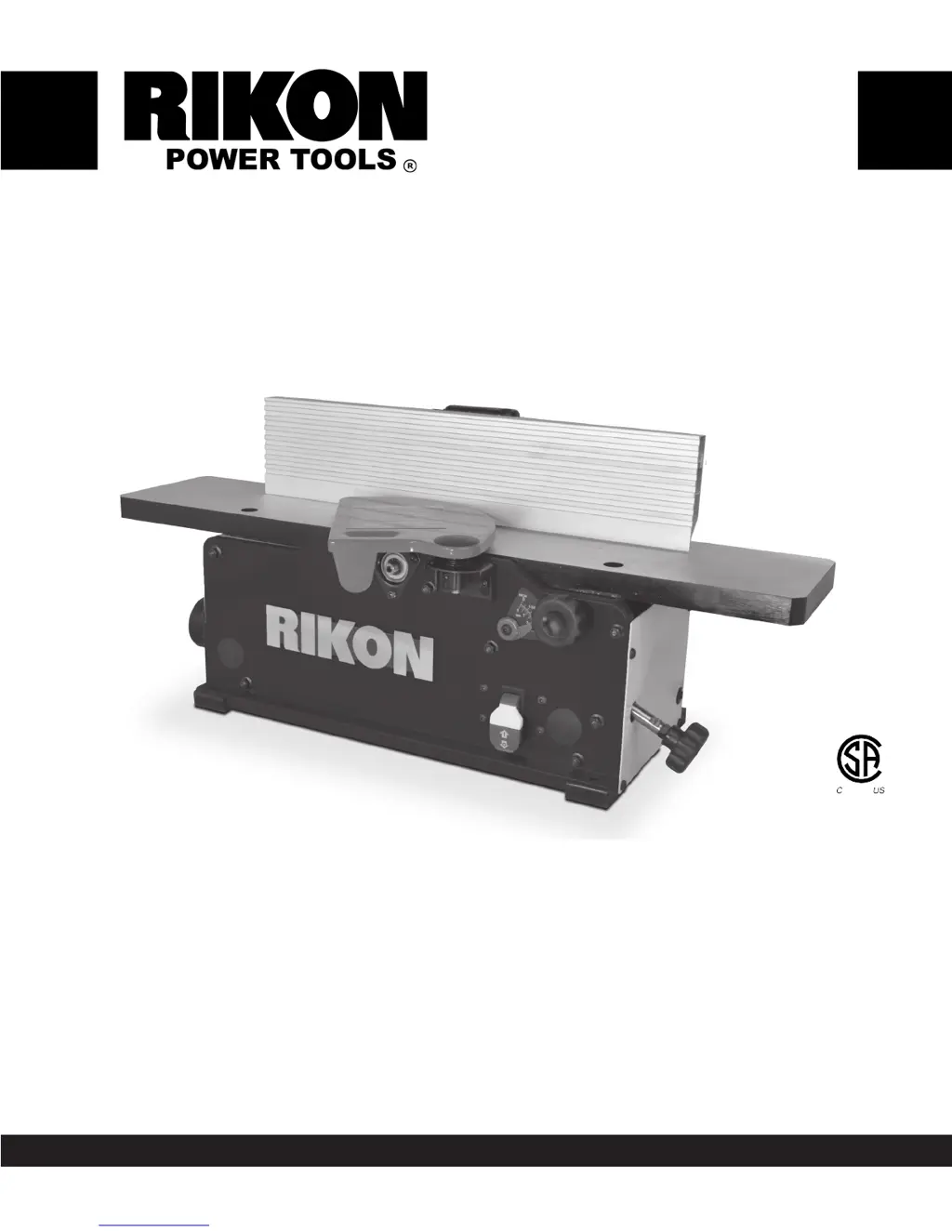
6” Benchtop Jointer
with Helical-Style Cutterhead
Operators Manual
Record the serial number and date of purchase in your manual for future reference.
Serial Number: _________________________ Date of purchase: _________________________
For technical support or parts questions, email techsupport@rikontools.com or call toll free at (877)884-5167
262149

Questions and Answers

  • C
    Connor JohnsonAug 18, 2025
    Why won't my Ricon 20-600H machine start?
    • J
      Jessica PrattAug 18, 2025
      There are several reasons why your Ricon Cutter might not be starting: * It may not be getting power. Check the power source, plug, and wiring. * The fuse might be blown. Inspect the fuse and replace it if necessary. * The ON/OFF switch might be malfunctioning. Check its position, and contact your local dealer for repair or replacement if needed. * The motor could have failed. Inspect the motor for failed components, and contact your dealer for repair or replacement.
  • J
    Jared WoodAug 20, 2025
    What to do if circuit breakers trip or fuses are blown on my Ricon 20-600H Cutter?
    • T
      tinaperezAug 20, 2025
      If the circuit breakers trip or fuses blow on your Ricon Cutter, consider these potential causes and solutions: 1. The circuit size might be incorrect for the machine. Check the circuit/fuse rating and the motor's amps, and install the correct rated breaker/fuse. 2. The motor might be overloaded due to taking too heavy of a cut. Try taking lighter cuts when planing lumber. 3. You might be using an extension cord. Avoid using an extension cord, or use a heavier gauge cord.
  • S
    Susan AndersonAug 22, 2025
    Why does my Ricon 20-600H Cutter machine bog down in the cut?
    • E
      edavisAug 22, 2025
      Your Ricon Cutter machine may bog down in the cut due to: * Excessive depth of cut. Decrease the depth of cut. * Feed rate being too fast. Reduce the feed rate. * Dull knives. Replace or sharpen the knives.
  • J
    joann29Aug 26, 2025
    What causes a rough, raised, or fuzzy milled surface on my Ricon Cutter?
    • R
      Randy ThompsonAug 26, 2025
      A rough, raised, or fuzzy milled surface on your Ricon Cutter can be caused by: * Lumber with a high moisture content. Reduce the moisture content by drying the lumber, or switch to properly seasoned lumber. * Dull knives. Rotate insert knives to new sharp edges.
  • C
    Charles EdwardsAug 27, 2025
    Why is the cutting rate not consistent on my Ricon 20-600H Cutter?
    • A
      Antonio SchneiderAug 27, 2025
      Inconsistent cutting rates on your Ricon Cutter can stem from: * Loose belts. Check the pulleys and belts for proper tension and wear. * Chips and dust build-up on parts. Unplug the machine and thoroughly clean all parts.
  • A
    Ann AndersonAug 30, 2025
    What causes 'chatter' marks and slowdown when jointing with my Ricon 20-600H?
    • J
      Jessica BatesAug 30, 2025
      Chatter marks and slowdown during jointing with your Ricon Cutter can be attributed to: * Feed rate being too fast. Slow down the feed rate. * Excessive downward pressure on the cutter-head knives. Apply less downward pressure.
  • J
    Justin MunozSep 1, 2025
    Why is jointed stock concave on the front or middle of the board when using my Ricon Cutter?
    • F
      Frank CarpenterSep 1, 2025
      If jointed stock is concave on the front or middle of the board when using your Ricon Cutter, it could be because: * The outfeed table is set higher than the knives. Lower the outfeed table level with the cutter- head & knives. * The table is out of level. Raise the table ends.
  • G
    George HensleySep 4, 2025
    Why is my jointer fence not accurate at 90° or 45° on my Ricon Cutter?
    • C
      Christine DominguezSep 4, 2025
      If your jointer fence is not accurate at 90° or 45° on your Ricon Cutter, it might be because: * The fence stops are not properly adjusted. Readjust the fence stops. * The locking handles are loose. Check all handles to ensure they are properly tightened before starting the machine.
  • K
    Kathleen ClarkeSep 7, 2025
    What causes a glossy milled surface on my Ricon 20-600H?
    • C
      Calvin WilliamsonSep 7, 2025
      A glossy milled surface on your Ricon Cutter can result from: * A cutting depth that is too shallow. Increase the depth of cut slightly. * Dull knives. Rotate insert knives to new sharp edges. * A feed rate that is too slow. Increase the feed rate.
  • T
    Timothy WilliamsSep 9, 2025
    What causes small raised lines running along the surface when using my Ricon Cutter?
    • S
      Stephanie LopezSep 9, 2025
      Small raised lines running along the surface when using your Ricon Cutter are often caused by: * Nicked or broken knives. Rotate insert knives to new sharp edges.

Summary

Safety Instructions

Safety Symbols

Explains symbols like DANGER, WARNING, CAUTION, and NOTICE used in the manual.

General Safety

Outlines fundamental safety rules for operating power tools and the jointer.

Electrical Safety

Details crucial safety measures related to the tool's electrical connections and grounding.

Extension Cords

Provides guidelines for selecting and using appropriate extension cords safely.

Specific Safety Instructions for Jointers

Lists safety precautions specific to the operation and use of jointers.

Getting to Know Your Machine

Contents of Package

Lists the items included in the jointer's package and unpacking instructions.

Installation

Moving & Installing the Jointer

Covers safe methods for moving and securely installing the jointer.

Tools Required for Assembly

Lists the tools needed for the minimal assembly of the jointer.

Assembly

Fence Assembly Procedure

Step-by-step guide for assembling the jointer's fence.

Cutterhead Guard Assembly

Instructions for installing the cutterhead guard for safety.

Dust Port Assembly

Details on attaching the dust port for dust collection.

Table Adjustment Knob Assembly

Procedure for attaching the infeed table adjustment knob.

Switch Assembly

Explains the operation of the on/off switch and lockout feature.

Operation

Starting and Stopping Jointer

Instructions on how to safely start and stop the jointer.

Direction of Grain

Guidance on feeding wood with the grain for optimal results.

Jointer Operation

Basic principles and functions of the jointer for planing wood.

Feeding the Workpiece

Describes the correct technique for feeding workpieces through the jointer.

Setting Depth of Cut

How to adjust the jointer to achieve the desired depth of cut.

Adjustments

Fence Adjustments

Procedures for moving and tilting the jointer fence.

Setting the Fence to 90° and 135°

Steps to set and adjust the fence to specific angles.

Rotating or Replacing Knife Inserts

Guide on how to rotate or replace the cutterhead knife inserts.

Table Adjustments

Instructions for aligning and adjusting the infeed and outfeed tables.

Replacing the Drive Belt

Steps for removing and installing the jointer's drive belt.

Maintenance

Wiring Diagram

Illustrates the electrical connections of the jointer.

Troubleshooting

Parts Diagram

Parts List

Accessories

Notes

Warranty

Ricon 20-600H Specifications

General IconGeneral
BrandRicon
Model20-600H
CategoryCutter
LanguageEnglish