Contents
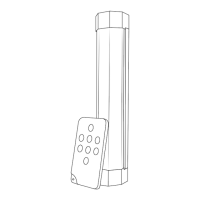
• Vault Lite IR180
• Infra-red remote fob
• USB-C charging cable
• Ferrous tting strip
• Bankstick Adaptor
• Instruction Manual
Note: due to constant development, enclosed
accessories may differ.
Torchlight Operation
• Hold power button to turn torchlight
on / off
Floodlight Operation
• Tap power button to turn oodlight
on / off
• Double tap power button to change
colour (white / red / green)
• Hold power button to increase or decrease
brightness
Remote Instructions
• Turn on Vault Lite IR180 as described above
• Use infra-red wireless remote to control
illustrated functions
USB Output Operation
• Connect USB compatible device to USB-A
output. Charging will start automatically
Note: if charging does not commence,
disconnect and reconnect USB cable
Charging Instructions
• Use the supplied USB-C cable to charge from
any CE/UL approved 5V USB power source.
Low battery: ashing red LED power indicator
During charging: ashing blue LED power
indicator
Fully charged: constant blue LED power
indicator
Note: the low battery indicator is a guide only
and may illuminate at all times when the torch
function is in use. This is perfectly normal and
not a cause for concern.


 To Next Page