AARIA
40
1
17
10
11
12
14
13
15
16
18
9
10
8
6
5
4
7
7
3
2
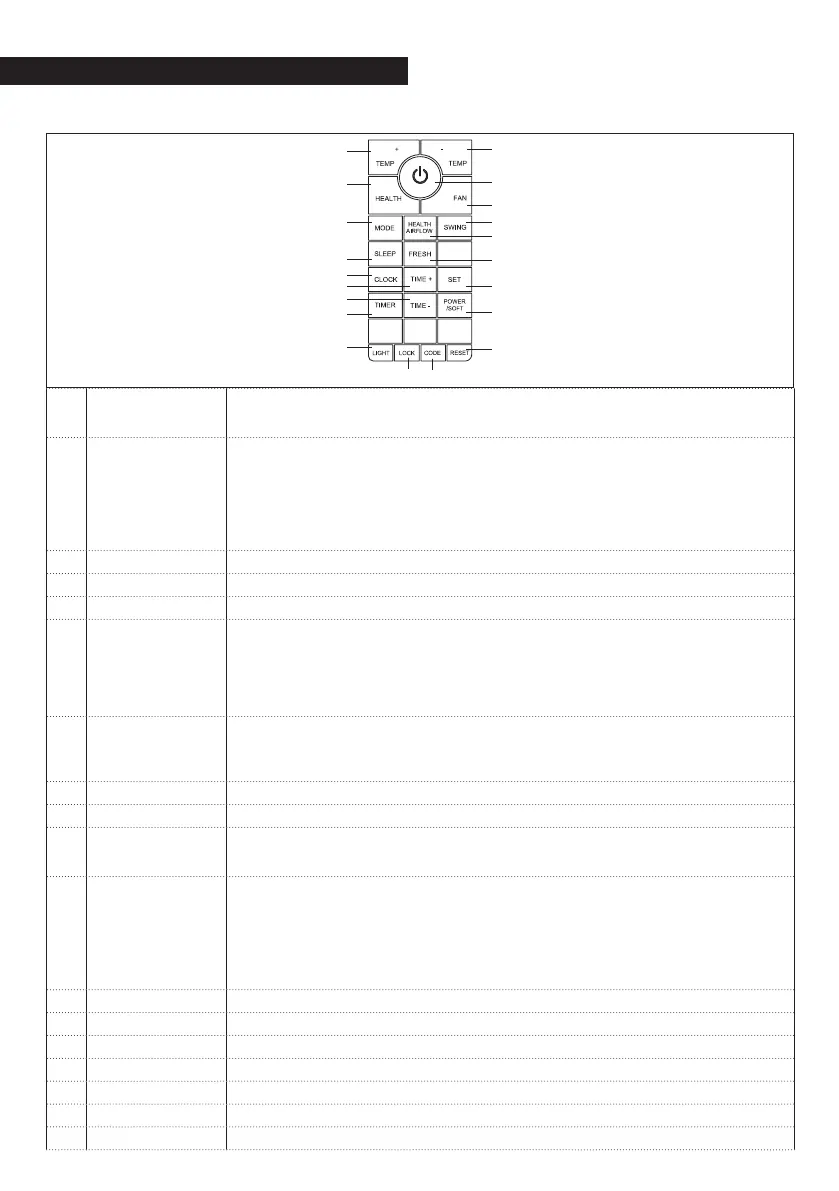
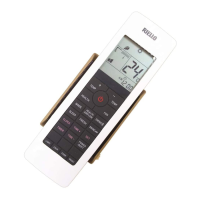
Keys
1 CODE
Transmission channel code with indoor unit. Communication between indoor
unit and wireless control happen only if the transmission channel set with the
wireless control is the same of the one set on the indoor unit (channel A)
2 LIGHT
Controls the turning on and off or the display’s internal led light on the indoor
unit and of the beep:
- Pressing once the display turns on and there is a beep
- Pressing twice the display turns off and there is a beep
- Pressing three times the display turns off after a few minutes, the beeper
remains on
- Pressing four times the display and the beeper both turn on
3
Timer Select: Timer-On, Timer-Off, Timer On-Off.
4
CLOCK Selects the clock
5
SLEEP Selects Night Mode
6
METHOD
Selects the Operating Mode between:
AUTO : Automatic
COOL: Cooling
DRY : Dehumidification
FAN : Ventilation
HEAT : Heating
7
TIME (+), (-)
Sets the time and timer
With each pressure on the keys the temperature value shall be increased or decreased
by 1 minute
If the button is kept pressed time will change quickly
8
HEALTH Activates the ioniser (only available on some models)
9
ON-OFF Turns the unit on and off
10
TEMP (+), (-)
Sets the desired temperature
With each pressure on the keys the temperature value shall be increased or decreased
by 1 degree
11
fan
Selects the fan speed between:
LOW: Low
MED: Medium
HI: high
AUTO: Automatic
When the speed is set on Auto, the unit shall adapt the ventilation speed to the
temperature in the room.
12
SWING Activates and deactivates the powered air louvre
13
HEALTH AIR FLOW Sets the Health air flow mode
14
FRESH Not available
15
SET Confirms the input settings
16
POWER/SOFT Sets the Power/Soft function
17
LOCK Activates and deactivates the key and display block on the remote control
18
Reset
Resets to the default values


 To Next Page