AARIA
48
15. Auto
The unit changes operating mode
automatically, switching between cooling and
heating mode, to keep the room temperature
constant.
The temperature’s set values are pre-set by
the programme.
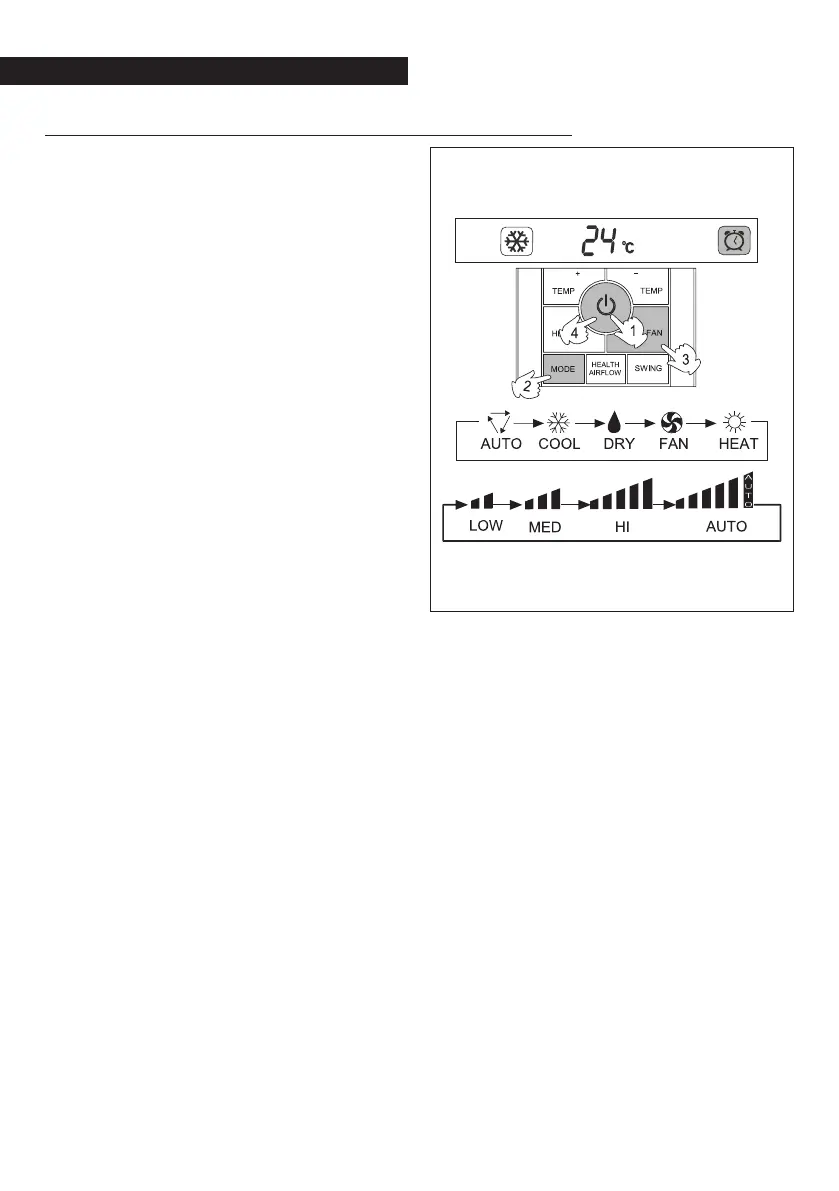
Activation
Press the on-off button.
Activate the mode button.
Select auto
Activate the fan button to change the fan’s
speed.
The unit shall operate at the ventilation speed
shown on the display.
Deactivation
Press the on-off button.
The unit turns off.
The programming is stored by the remote
control and is activated every time that the
user presses the on-off button.


 To Next Page