EasyManua.ls Logo

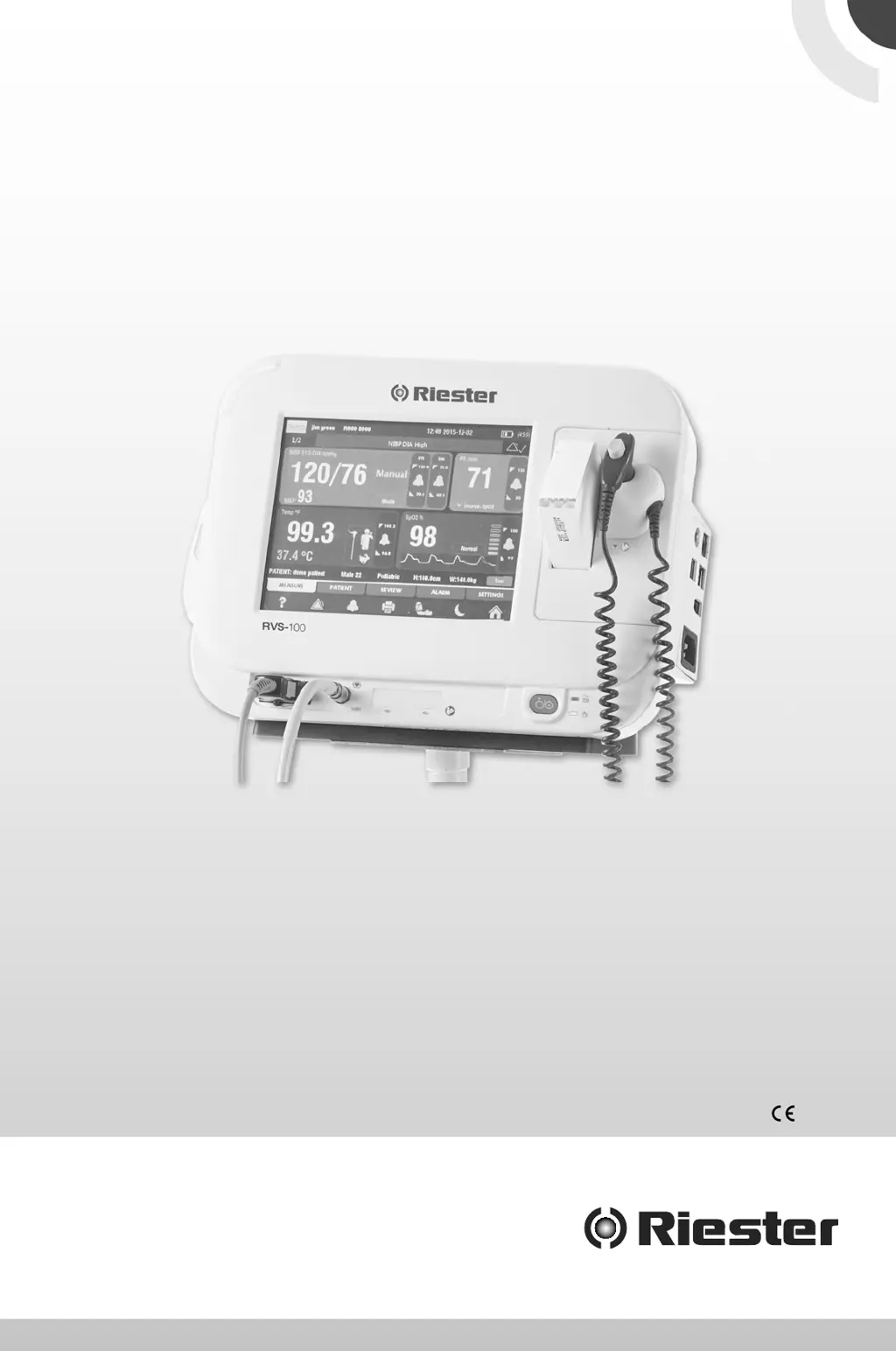
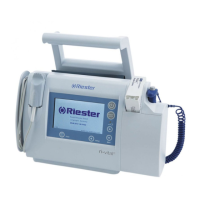
Riester RVS-100 - User Manual

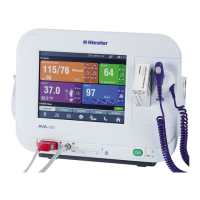
Riester RVS-100
38 pages
Print Icon
To Next Page IconTo Next Page
Loading...
RVS-100 Vital Signs
Monitor User Manual
0124

Other manuals for Riester RVS-100

Questions and Answers

  • C
    Cassidy DavisAug 3, 2025
    What to do if my Riester Medical Equipment device has automatically shut down?
    • M
      Megan KellyAug 3, 2025
      If your Riester Medical Equipment device shuts down automatically, it may be due to insufficient battery charge. Connect the device to an AC power supply to recharge the battery.
  • K
    Kristin SantosAug 7, 2025
    Why is my Riester RVS-100 Medical Equipment printer not working?
    • T
      Tiffany SantosAug 8, 2025
      If the printer on your Riester Medical Equipment isn't working, try the following: * Load paper according to the user manual. * Ensure the printer cover is fully closed. * Allow the printer to cool down before starting the operation again.
  • L
    Lisa RileyAug 12, 2025
    What to do if my Riester Medical Equipment fails to start up?
    • A
      Antonio MooreAug 12, 2025
      If your Riester Medical Equipment fails to start, try these steps: 1. Open the device. 2. Ensure the external power supply system is functioning correctly. 3. Connect the power cable or insert the battery. 4. Connect the device to an AC power supply to recharge the battery.
  • S
    Sandra GriffinAug 16, 2025
    What to do if the scanner on my Riester Medical Equipment doesn’t work?
    • C
      Carla SantanaAug 16, 2025
      If the scanner on your Riester Medical Equipment isn't working, connect the scanner to the main USB port, ensuring the connection is secure. If it still doesn't work, try changing the scanner to one that functions properly.
  • E
    Elizabeth GreerAug 20, 2025
    What to do if my Riester RVS-100 Medical Equipment printer paper jams?
    • B
      Brandy FisherAug 20, 2025
      If the printer paper is jamming in your Riester Medical Equipment, ensure you are using the correct paper (width 48 mm, length 15 m) and that you install the paper according to the user’s manual or product diagram.
  • D
    Derek ThomasAug 25, 2025
    What to do if my Riester Medical Equipment screen is blank?
    • R
      rogersantonioAug 25, 2025
      If your Riester Medical Equipment screen is blank, first turn on the device. If the screen remains blank, press the touchscreen to illuminate it.
  • K
    Kayla HarrisAug 29, 2025
    What to do if printer paper does not fit in my Riester RVS-100 Medical Equipment?
    • A
      Aaron StevensAug 29, 2025
      If the printer paper doesn't fit in your Riester Medical Equipment, use the correct paper (width 48 mm length 15m). Install the paper according to the user manual or product diagram. If problems persist, turn the device off and then start it again.

Summary

RVS-100 Vital Signs Monitor User Manual

About this Manual

Explains the manual's purpose, conventions, and safety information.

General Safety Information

Critical safety precautions and warnings for device operation and patient care.

Device Overview and Components

Details the main unit, front, side, rear, and bottom view components.

Device Operations and Setup

Unpacking and Initial Setup

Steps for unpacking, checking contents, and preparing the device for first use.

Getting Started: Powering On

Instructions for powering up the monitor, including self-diagnostic procedures.

Connecting and Using Accessories

Guidance on attaching necessary peripherals like sensors and cables.

Device Configuration and Settings

Covers language, date/time, demo modes, general device options, and network settings.

Patient Monitoring Procedures

Non-Invasive Blood Pressure (NIBP)

Detailed guide on NIBP measurement, limitations, modes, and safety.

Pulse Oximetry (SpO2) Monitoring

Instructions for SpO2 measurement, safety, probe application, and limitations.

Pulse Rate (PR) Measurement

Information on PR display and selecting the source for pulse rate measurement.

Body Temperature Measurement

Procedures for temperature measurement, probe positioning, and settings.

Alarms and Alert Management

Understanding Alarm Types and Levels

Classifies alarms into physiologic, technical, and prompt messages with severity levels.

Alarm Indicators and Notifications

Explains how the monitor uses visual (LEDs) and audible signals for alarms.

Setting and Managing Alarms

Covers setting alarm volume, pausing, acknowledging, resetting, and configuring alarm parameters.

Data Management and Maintenance

Reviewing Patient Measurements

How to access, review, delete, and print patient measurement data.

Battery Installation and Care

Instructions for installing, optimizing, checking, and disposing of the device battery.

Cleaning and Disinfection Procedures

Guidelines for cleaning the monitor, sensors, cuffs, and probes.

Device Accessories and Specifications

SpO2 Accessories Listing

Details compatible SpO2 sensors, extension cables, and their part numbers.

NIBP and Temperature Accessories

Lists available NIBP cuffs, temperature probes, and miscellaneous items.

Product Specifications Overview

Provides safety, environmental, physical, power, and hardware specifications for the monitor.

Troubleshooting and Support

Resolving Common Device Issues

Provides solutions for startup failures, blank screens, printer issues, and scanner problems.

Understanding Prompt Information

Explains system messages related to paper, battery, storage, and sensor status.

Applicable Standards and Compliance

Lists relevant medical device standards and directives the monitor adheres to.

Riester RVS-100 Specifications

General IconGeneral
BrandRiester
ModelRVS-100
CategoryMedical Equipment
LanguageEnglish

Related product manuals