CPU ID: Each xLogic CPU is required to have a unique
cloud identity, which is configured here.
Name: Enter your Username for the MQTT broker
account you created.
Password: Enter your Password for the MQTT broker
account you created.
Param tab settings
This tab is used to enter the messages you wish to publish
to the cloud MQTT server for this block.
1. Fill in the first parameter you wish to send. Click the
Add button to add more parameters to the message.
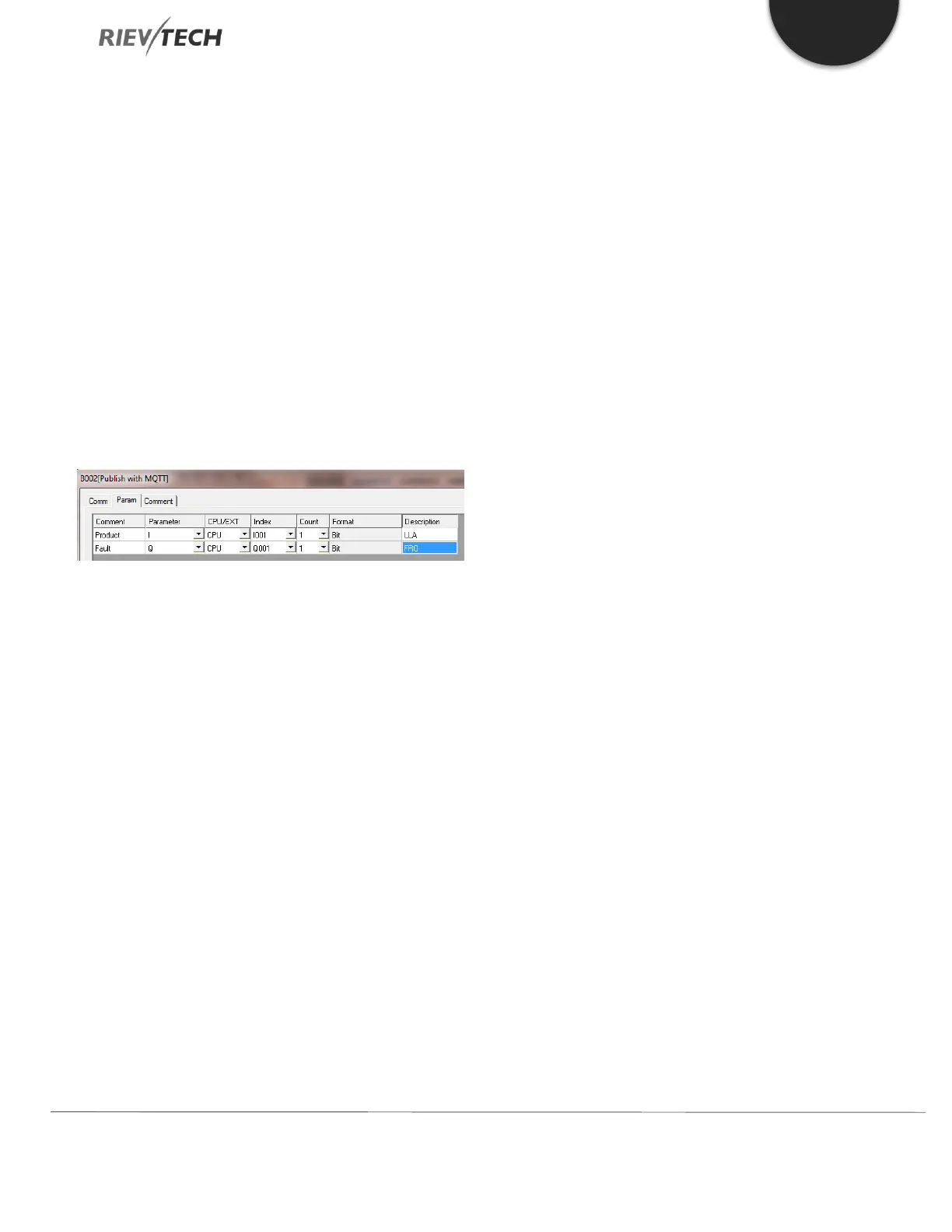
Figure 63 - MQTT Publish Param Settings
The above shows the configuration for publishing a digital
input (I001), Product Low-Level Alarm and a digital output
(Q001), Fault Relay Output. Please remember MQTT is
similar to SMS in that you are limited to the number of
characters you can send in each message, so keep your
comment and description as concise as possible.
Comment: This will be the first few characters of your
message.
Parameter: Use the drop-down box to select which
xLogic parameter this message refers to. Choices are:
I – A digital input state
Q – A digital output state
AI – An analogue input value
AQ – An analogue output value
F – A digital flag state
AF – An analogue flag value
M – A middle coil register state
AM – An analogue register value
REG – A register value
CPU/EXP: If using IO, select which unit, CPU or
expansion unit it is referring to.
Index: Select the start index/IO channel of the data.
Count: Select, 1 – 8, the number of values starting from
the index entered.
For example, if you selected as per the above
picture and changed the Count from 1 to 4, then
the message would provide the state of digital
inputs, I001 to I004.
Format: Automatically filled in dependant on the
Parameter selected.
Description: A few characters which will be added to
the end of the message.
A maximum of 16-parameters can be added to each
message.
Click OK button to save your settings.


 To Next Page
 Loading...


