Programmable Relay ● User Manual for ELC, EXM and PR Series 240 2020 v6.0 ● © Rievtech Co.,
Ltd. ● www.rievtech.com
MQTT Publish Status Codes
Connection Refused: unacceptable protocol
version
Connection Refused: identifier rejected
Connection Refused: server unavailable
Connection Refused: bad username or
password
Connection Refused: not authorized
Wait to connect to the server.
The PING data packet is being sent.
Time to time start send the published data to
the server and wait for server response
(QoS1).
Timeout – Disconnect and retry server
connection.
Successful response to server response
(QoS1) .
Successful connection to the server and ready
to Publish.
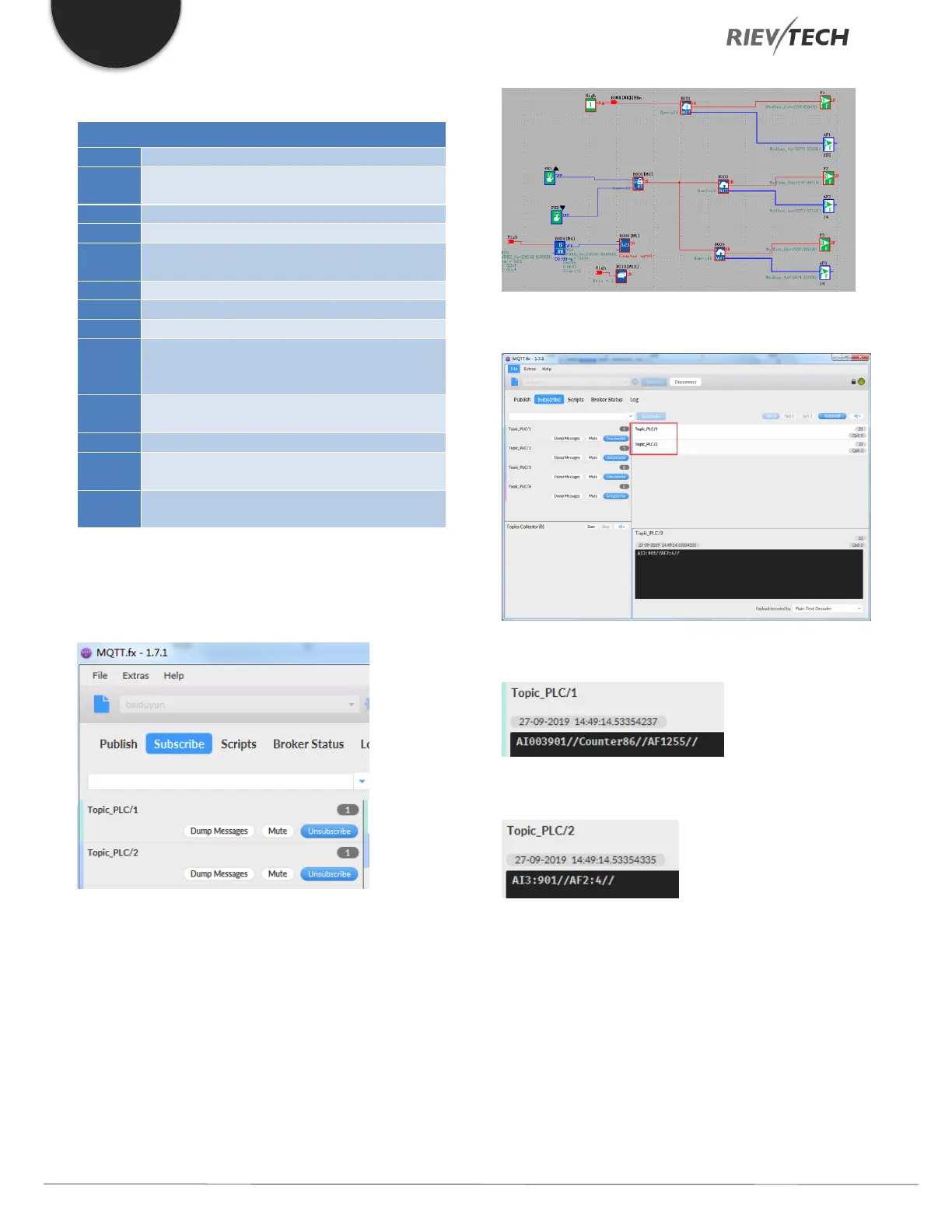
Subscribe to Topic_PLC/1 and Topic_PLC/2 on the MQTT
client software MQTT.fx.
Press the up button on the LCD panel to trigger the
publish blocks, see the online monitoring screenshot
below:
You will receive two messages on the MQTT.fx software:
Topic_PLC/1 content:
Topic_PLC/2 content:
This indicates that the PLC successfully published
information to the MQTT server.



 To Next Page