8. How to Configure an Ethernet CPU?
Some of the xLogic CPUs have a built-in Ethernet port and
some models also contain a built-in web server. This
chapter is concerned with the configuration of an Ethernet
CPU, which has not got a built-in web server. The xLogic
CPUs this applies to is:
ELC-12DC-DA-R-N
ELC-12AC-R-N
ELC-22DC-DA-R-N
To configure the Ethernet settings for any of the above
you will require our free Ethernet Device Manager
software. See Configuring Your Ethernet xLogic CPU for
details.
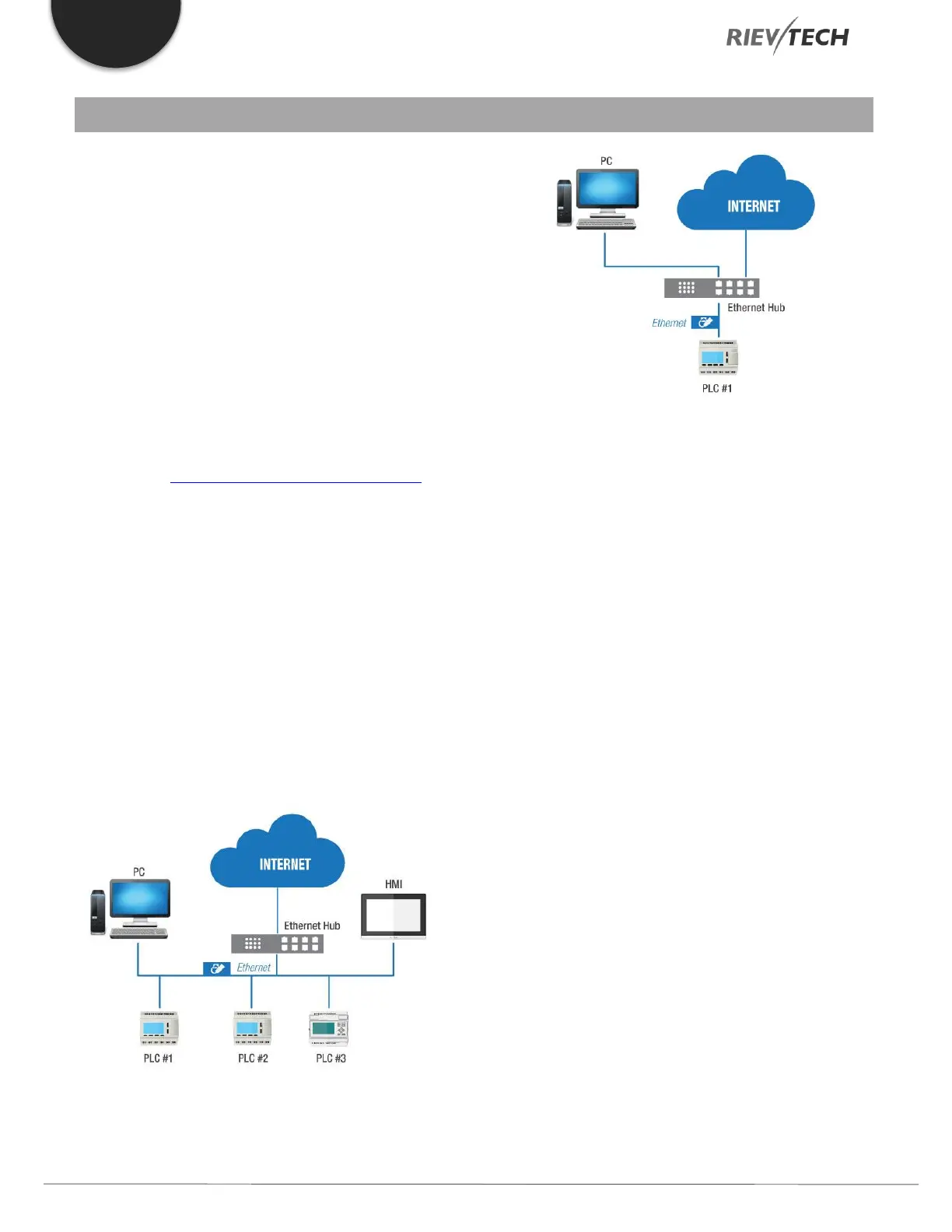
Ethernet network
If the application requires a system where more than one
main xLogic CPU is needed and these CPUs have to
communicate with each other over an Ethernet network,
then our Ethernet xLogic CPUs are perfect for such a task.
What’s more, is the Ethernet network can also be used to
upload/download projects from/to the xLogic CPUs.
Furthermore, the visualization of the whole system is
possible using our FREE SCADA software.
The Ethernet CPU default IP address is 192.168.0.250 and
the network mask is 255.255.255.0.
To ensure correct communication with our xLogic Ethernet
CPUs, all devices on the network must be on the same
network segment and each device on the network must
have a different IP address otherwise conflicts will occur.
When using Ethernet Device Manager software’s Search
function, it will find any xLogic Ethernet CPU connected to
the network regardless of its IP settings. Furthermore, the
software allows you to configure your xLogic CPU network
settings to match your PC’s network segment if you wish.
If you wish to use the network segment of the CPU, then
you must change the settings of your PC.


 To Next Page
 Loading...


