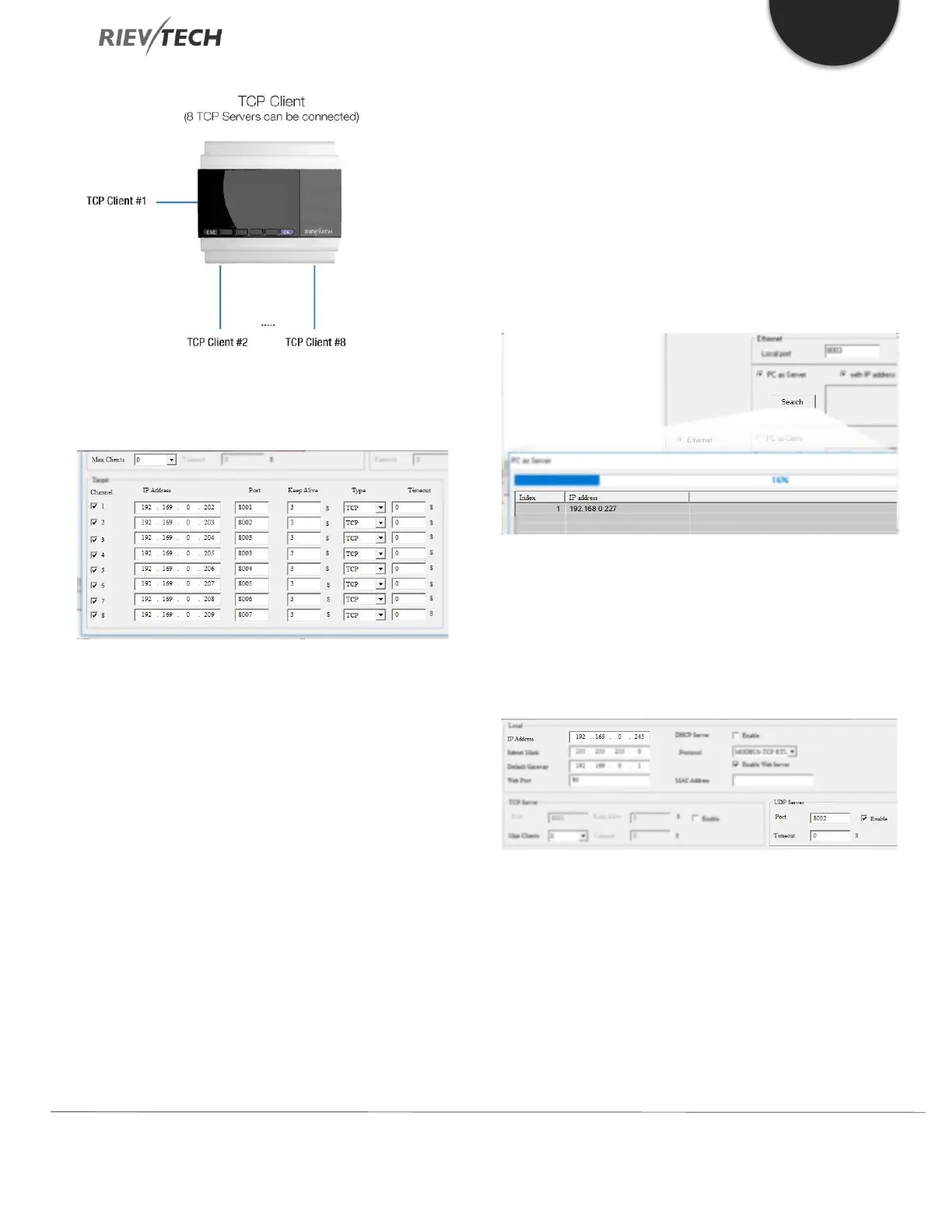
All the 8 Servers can be connected, and the data
transmission can be processed separately.
If we set Max Clients to 0, then the CPU will only act as a
TCP Client, and 8 TCP servers can be connected at the
same time.
IMPORTANT: EACH TCP SERVER MUST HAVE A UNIQUE
PORT NUMBER SETTING. SO, IF YOU HAD A NETWORK
WHICH HAD THREE MODBUS/TCP SLAVES, THEN ONLY
ONE COULD USE THE MODBUS/TCP DEFAULT PORT 502.
xLogicsoft works as TCP server and waits for the CPU to
logon (The PC IP address is 192.168.0.227):
CPU as a UDP Server
The CPU can work as a UDP server, you can use your
software to connect with it via UDP or make several CPUs
communicate via UDP too.
After the connection is created, the CPU and the software
can communicate based on the MODBUS TCP protocol.
How to Logon to the built-in Web Server
Only the new ELC-12DC-DA-R-N and PR-Ethernet series
have a built-in web server. You can use a PC, mobile



 To Next Page