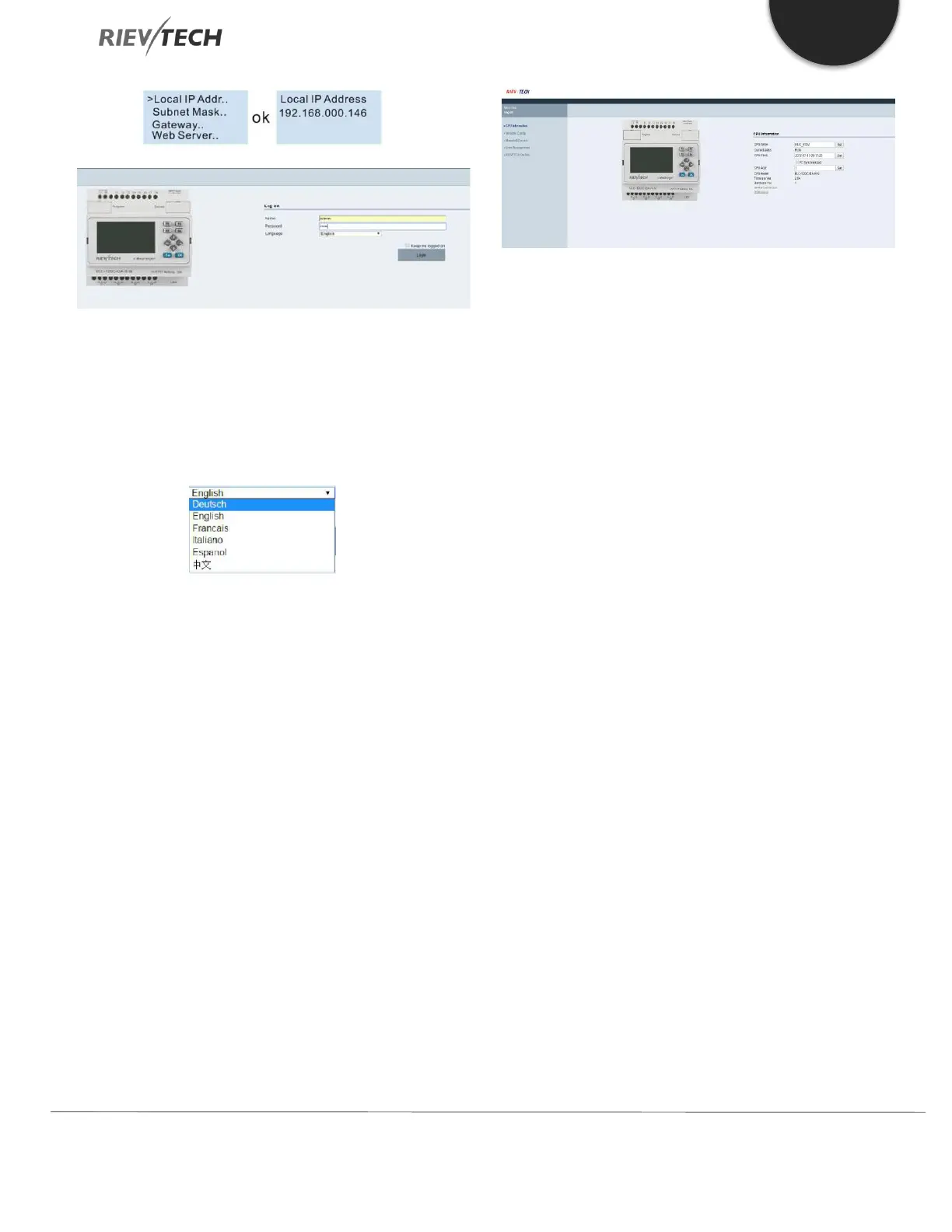
Name: The default name is admin.
Password: The default password is admin.
Language: Our web server supports six languages. You can
choose your language.
Keep me logged on: When you choose “Keep me logged
on”, then you click on “Log on” and you log on to the web
server successfully. You will always stay in the login state.
If you close the browser, then open it again and input the
IP address, you will be automatically logged in. You can
click on the “Log off” to exit the login status.
Log on: Click on it to log on to the web server.
Check CPU information
After logging on to the web server, the web server will
display the information of the CPU.
CPU name: Current CPU name.
Current status: Display the status of PLC
CPU clock: When you click on the “CPU information”, “CPU
clock” will display the current time of the PLC. Select the
“PC synchronized”, then click on “Set”, the PC time will be
written in PLC.
CPU Addr: Display CPU ID address. You can change the ID
of the PLC.
Example:
If you input “5”, and click on “Set”, the CPU ID will be set
to 5.
CPU model: Display CPU model.
Firmware Ver: Display Firmware Version.
Hardware Ver: Display Hardware Version.
GPRS connection: (For EXM series CPU) Display
“Connected” or “Not connected”.
GSM signal: (For EXM series CPU) Display GSM signal.
Variable Configure:
“Variable config” interface


 To Next Page
 Loading...


