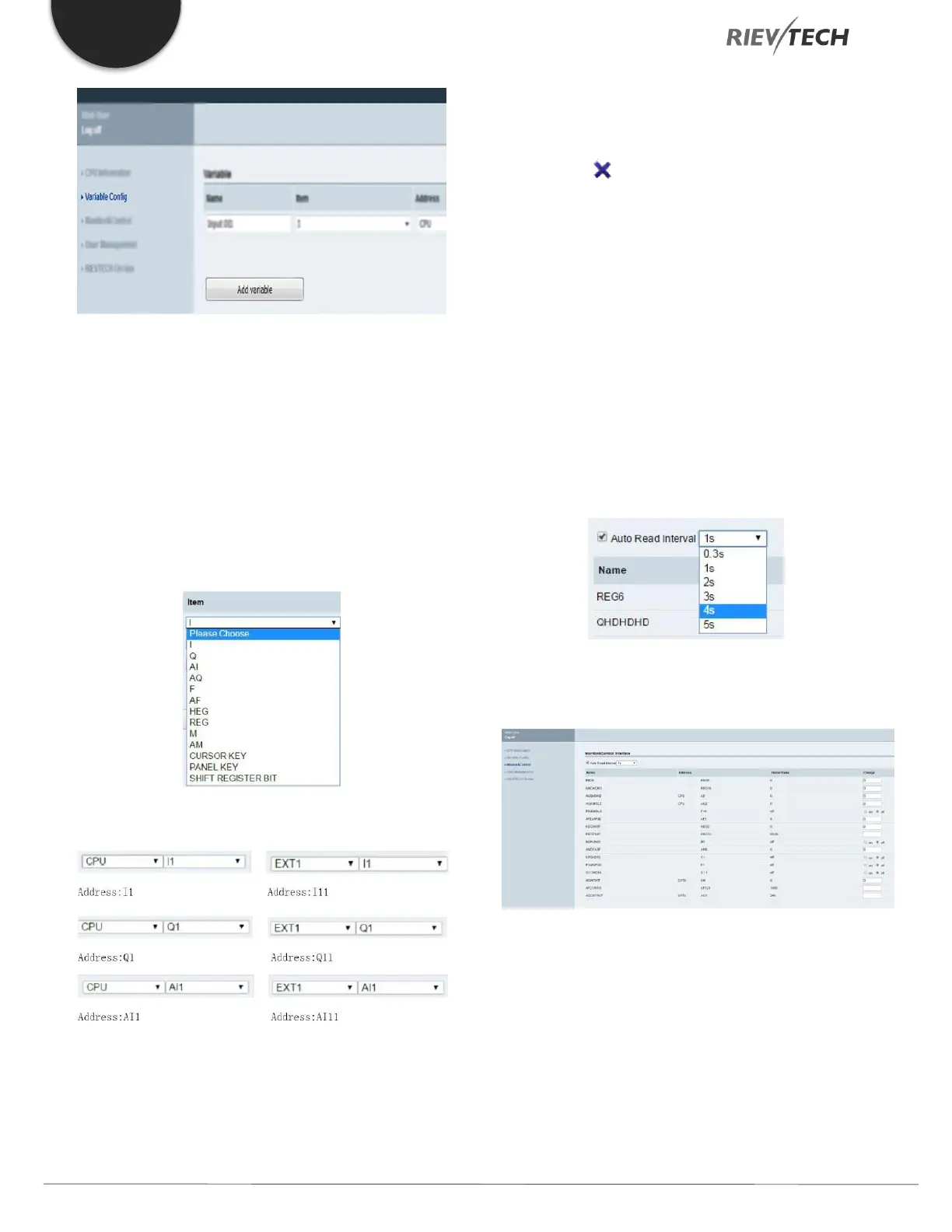
You can click on “Add Variable” to add a variable. And you
can change or delete a variable as well.
Up to 16 variables can be configured:
Name: You can define a name for the variable. (Maximum
of 8 characters)
Item: You can configure 13 kinds of variables. (These
variables are in xLogicsoft)
Address:
Type: The data length of the variable. Includes BIT, WORD,
DWORD. If you use a timer or counter, you should choose
a TIMER or COUNTER.
Display Format: Display format includes: BOOL, SIGNED,
UNSIGNED, HEX, BINARY.
DEL: Click on to delete variables.
Save Variable: After finishing the configuration of the
variables, you have to click on “Save Variable”, then you
can monitor and control variables using “Monitor &
Control”.
Monitor & Control
On this page, you can monitor and control variables. The
web server refreshes data automatically.
Auto refresh: choose “Auto Read Interval” and choose the
refresh time.
The web server refreshes the current value of variables
every 0.3s-5s. The default auto refresh time is 1 second.
Name: Display the name of a variable.
Address: Display the address of a variable.
Status/Value: Display the current status or value of
variables.
Change: Change the current status of a variable. When
you change the current


 To Next Page
 Loading...


