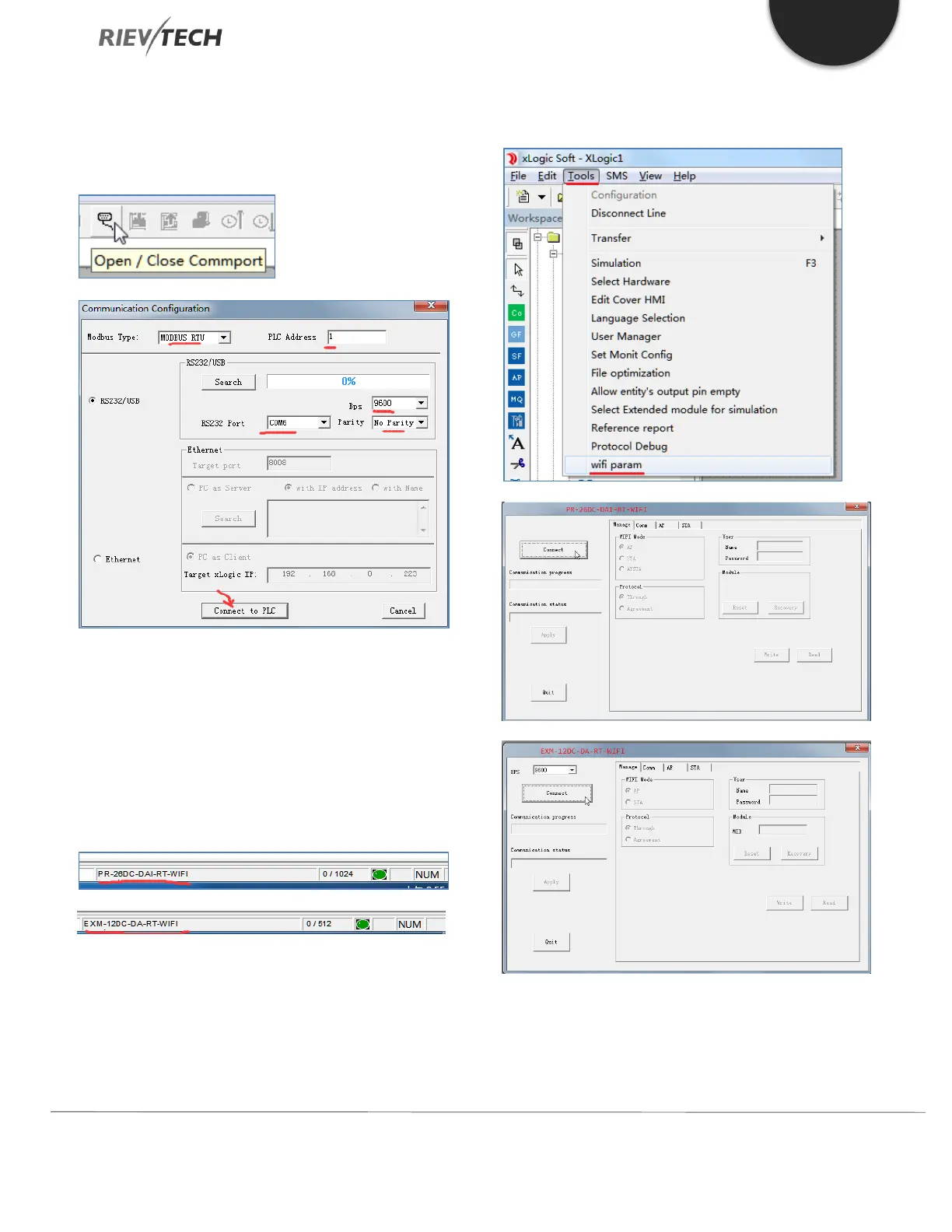
8.5.1. Connecting xLogicsoft to PLC
Open the serial port and chose the COM port assigned to
the USB, RS232 or RS485 cable by your PC.
Click the ‘Connect to PLC’ button.
8.5.2. Open/Create a Program with Correct
PLC Model
Chose the correct model name in the software to match
the hardware you are connecting to, for example PR-
26DC-DAI-RT-WIFI, or EXM-12DC-DA-RT-WIFI.
8.5.3. Configure Wi-Fi Settings in
xLogicsoft
The configuration windows of PR-26DC-DAI-RT-WIFI and
EXM-12DC-DA-RT-WIFI are different. The main differences
are:



 To Next Page