AP: The Wi-Fi of the PLC is used as an Access Point. It
creates a Wi-Fi network to which you can connect another
Wi-Fi devices such as a phone, tablet, or PC.
STA: the Wi-Fi of the PLC is used as Terminal Mode. This
enables the PLC to join an existing Wi-Fi network.
APSTA: Allows the PLC to use both AP and STA modes.
Protocol:
The default is ‘Through’ mode and does not need to be
changed.
User:
The PR-26DC-DAI-RT-WIFI does not use this setting, and
it can be left as default. The EXM-12DC-DA-RT-WIFI needs
to be configured the same username and password which
is used when connecting with a modern browser. The
default is ‘admin’ for both.
Module:
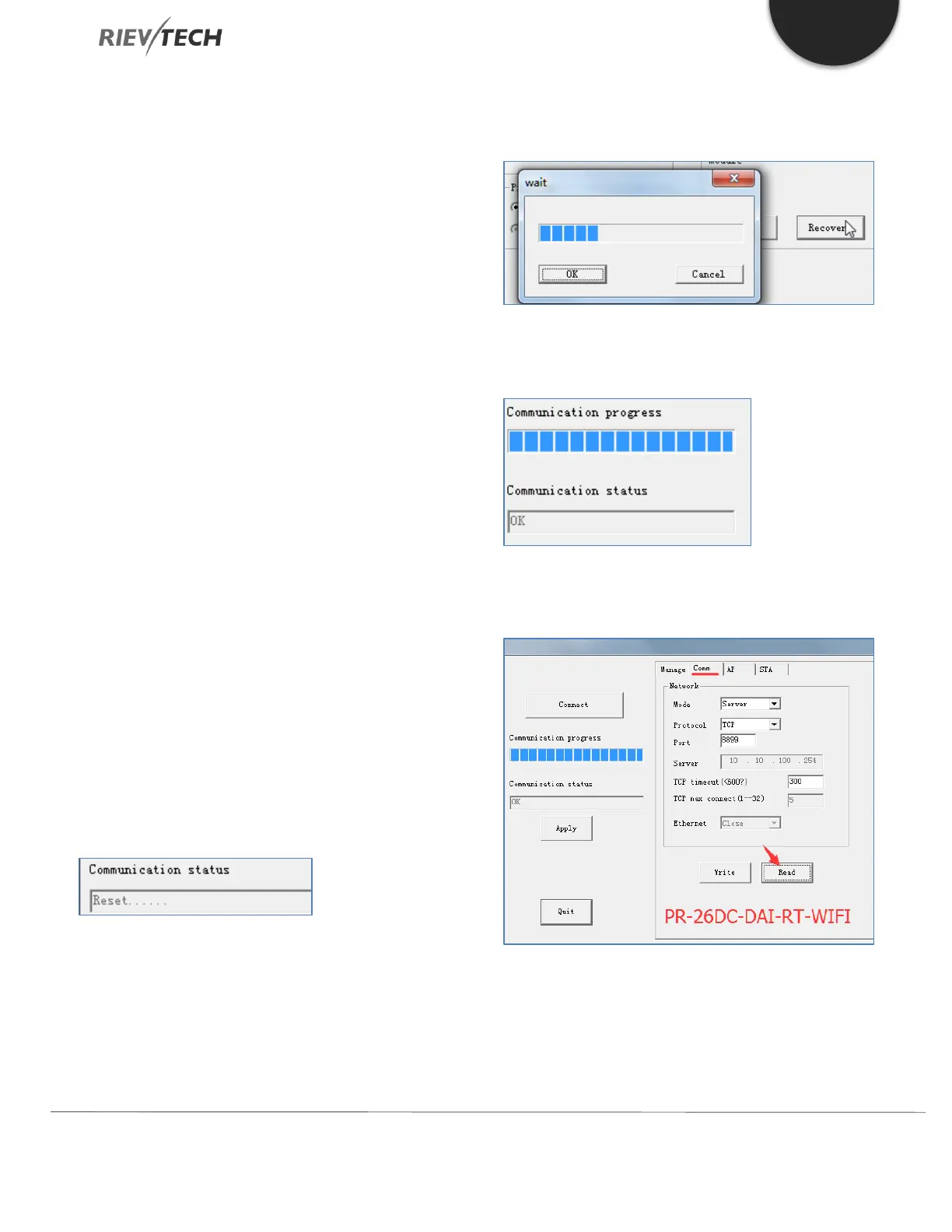
Reset: Restart the Wi-Fi component, but does not restart
the PLC.
After clicking the Reset button, ‘Reset….’ Will be displayed
under the right progress bar, which means the Reset
command has been sent to the Wi-Fi module, and is
waiting for a while to complete the restart.
Recovery: Restores the Wi-Fi component back to factory
default settings.
After clicking the ‘Recovery’ button, the following window
will appear. Wait for the progress bar to reach 100%, then
click the ‘OK’ button. Recycle the power to the CPU to
complete restore to factory default settings.
Once the settings have been configured, clock the ‘Write’
button to save them.
Select the ‘Comm’ page and click the ‘Read’
button:


 To Next Page
 Loading...


