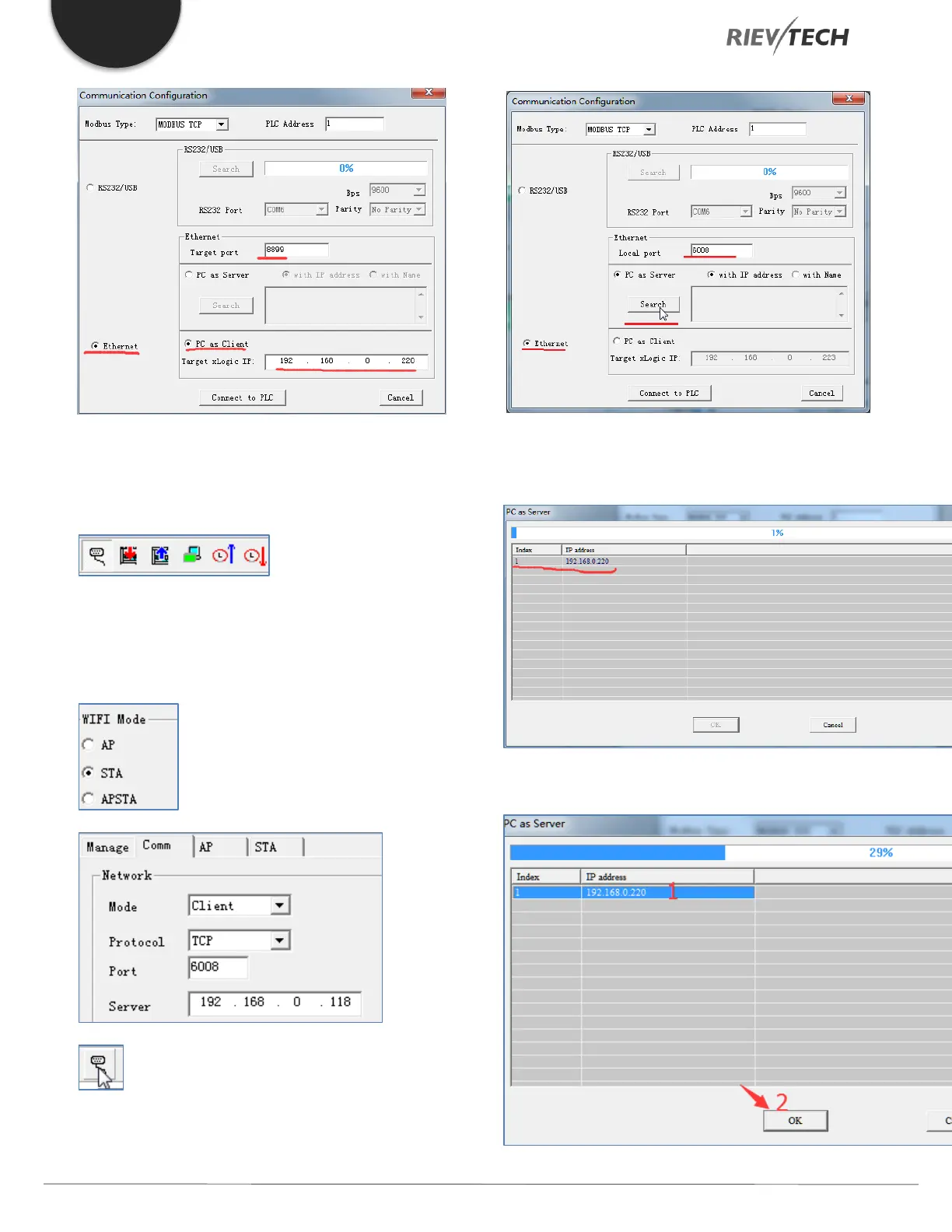
Click the ‘Connect to PLC’ button and the read/write
buttons in xLogicsoft become available if it is successfully
connected to the PLC:
8.5.6. Setting the PLC as a Client Example
The PLC is used as a Server. The Wi-Fi module works in
Server mode.
Click this button in xLogicsoft to Open the serial
port configuration window. The settings in the software
are configured as follows:
Click the ‘Search’ button and the search window below will
appear. Found devices will appear in the list below:
Select the IP and click the ‘OK’ button below.



 To Next Page