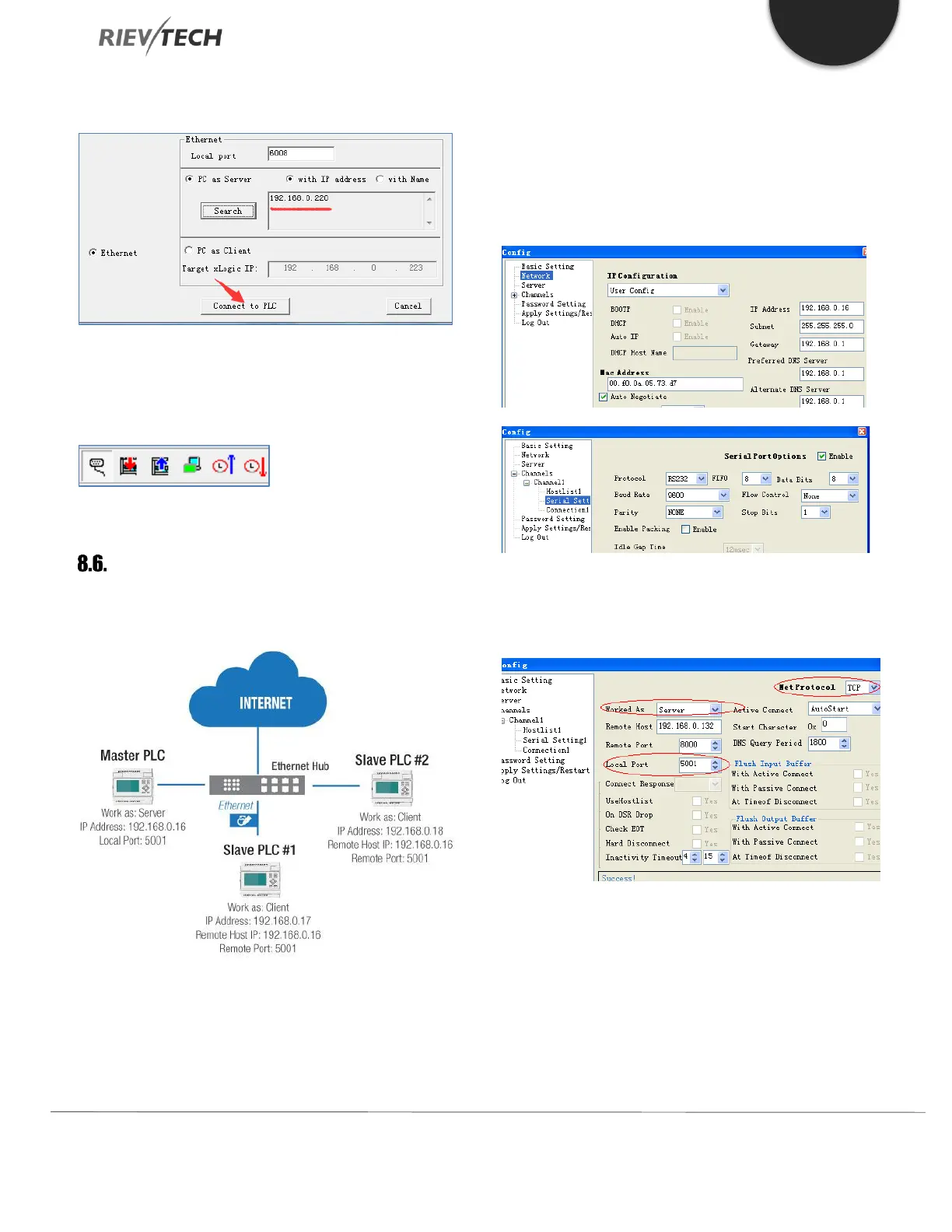
The IP just selected appears in the following figure:
Click the ‘Connect to PLC’ button and the read/write
buttons in xLogicsoft become available if it is successfully
connected to the PLC:
How to Establish Communication
Between CPUs via Ethernet?
Hardware Connection
First, you must configure each xLogic Ethernet CPU with
its own unique settings using the Device Manager
software.
Example:
Master PLC works as Server. Its IP address is 192.168.0.16
and the local port shall be set as 5001.
As this configuration shows:
Work as: Server
Local port: 5001
The items with a red circle marked must be the same as
above.
Slave 1 setting:
The IP address is 192.168.0.17



 To Next Page