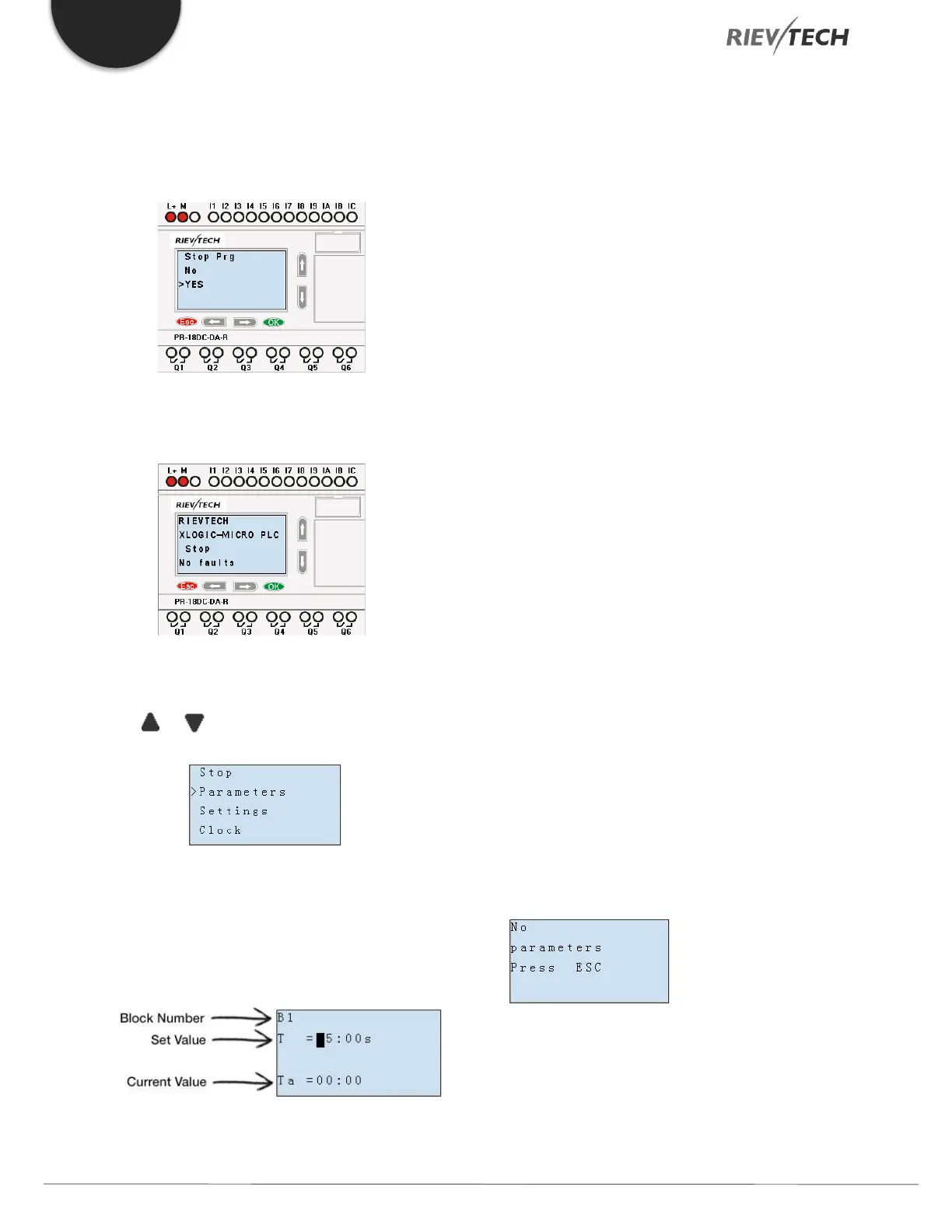
1. Move the cursor to “Run/stop”: Press “UP” or
“DOWN” key.
2. Move the cursor to "Yes": Press OK key.
After pressing ESC key, you’ll find out your program has
changed to “stop” status as shown below:
5.4.3. Set Parameter
1. Under the FUNCTION PAGE, select “Parameters”:
Press or key
2. Confirm by pressing the OK key.
Then xLogic displays the first parameter, so you can
modify as you like. If there is no parameter to set/modify,
you can press ESC key to return.
No parameter to edit, press ESC key to return
3. Select the parameter you intend to modify.
4. Select a specific value of that parameter which you
want to edit, then press the OK key.



 To Next Page