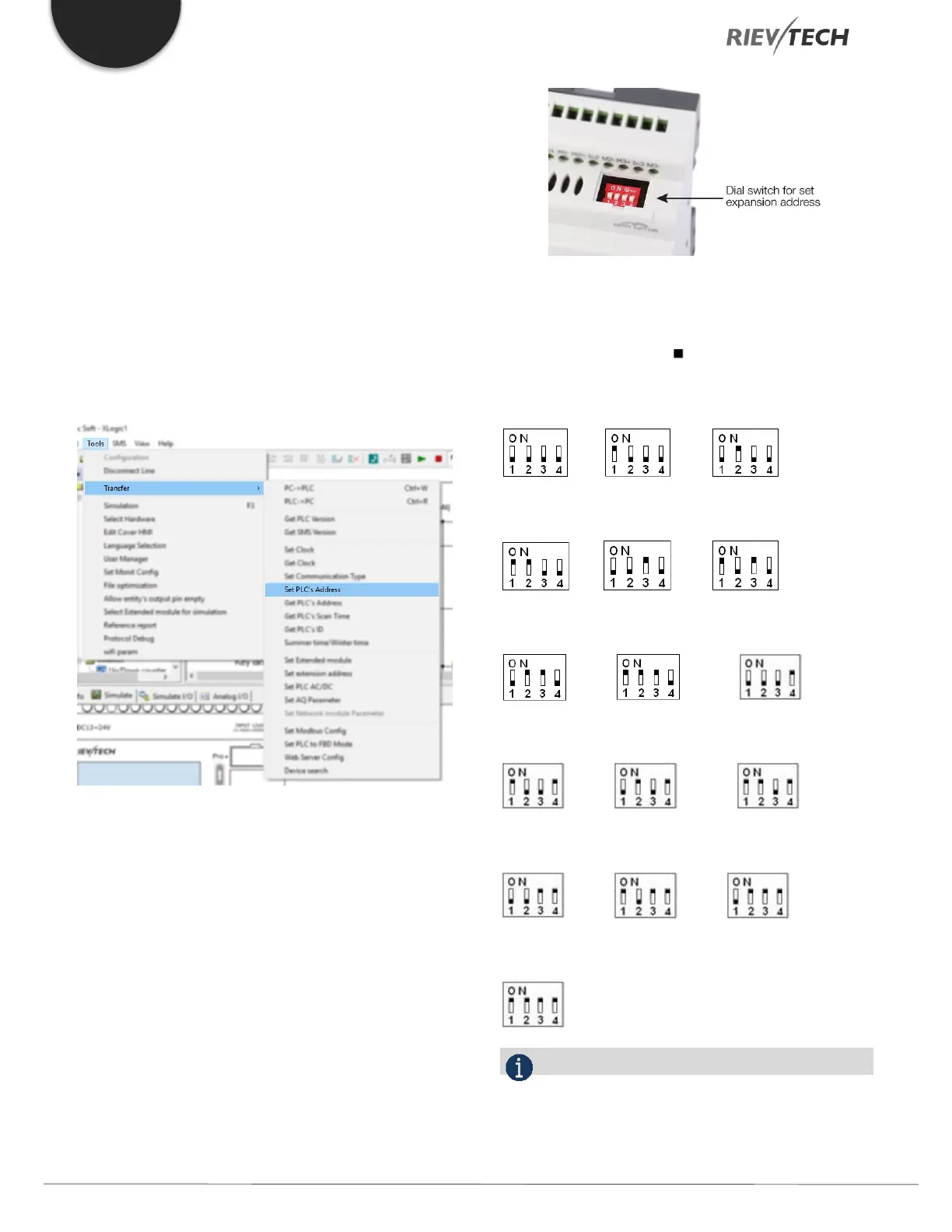
You can set the CPU address by the menu Tools->
transfer-> set PLC’s address in xLogicsoft.
Set Address of PR-Expansions. (PR-E-16DC-DA-R, etc.)
Plastic Cover
Using a screwdriver, remove the plastic cover and to reveal
dip switches.
Set the dip switches to achieve the address you require as
detailed below.
Up to 16 expansion units (includes IO, AQ, AI, PT100
modules) can be connected to the CPU.
Figure 33 Expansion Address Dip Switches
The default address of PR-E expansions is 1 and the dip
switches are set as below ( means the switch position):
Address 1: Address 2: Address 3:
Address 4: Address 5: Address 6:
Address 7: Address 8: Address 9:
Address 10: Address 11: Address 12:
Address 13: Address 14: Address 15:
Address 16:
NOTICE:



 To Next Page