1. The expansion unit address MUST be set
before power is applied otherwise the settings will not
take effect.
2. You can freely mix both AC and DC CPUs and
expansion units.
3. If the communication is established between
CPU and expansion units, the LED indicator on the top of
the expansion units will turn to RUN (Green). (If the LED
is red, it means the CPU cannot communicate with it).
4. If more than one expansion module is
connected to CPU at the same time, the address of each
expansion module must be different from each other,
otherwise, the system (CPU + expansions) would run
abnormally. As long as each expansion unit has a unique
address, they can be connected in any order whatsoever.
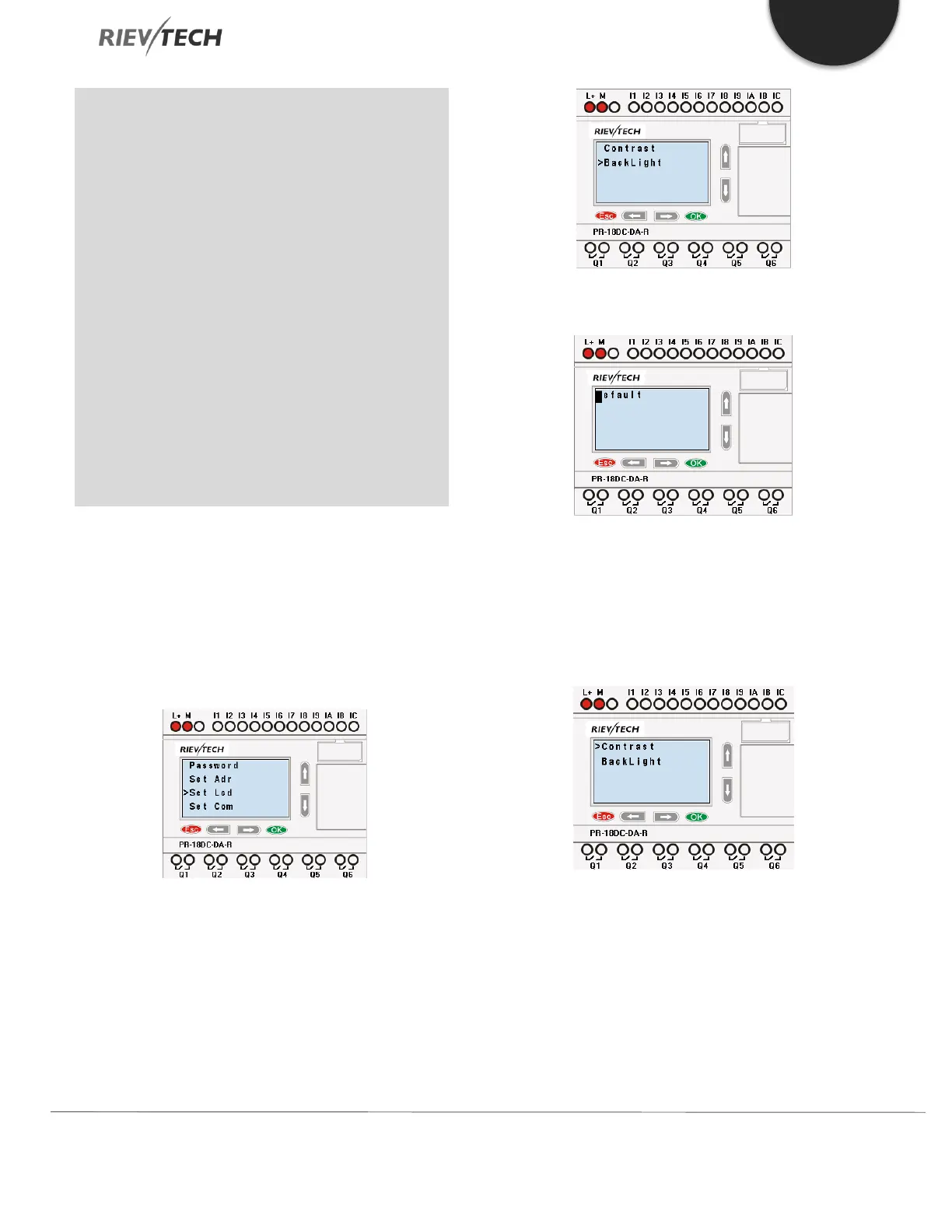
5.4.6. Setting LCD Backlight and Contrast
The backlight of CPU can be set with an “ON” time of 10
seconds or “ON” all the time. This is set as follows:
1. Select “Set...” menu and click OK.
2. Select “Set LCD” menu and click “OK”
3.Select "Backlight” menu and click "OK"
4. The default is 10 seconds, and another option is
"Always On". Confirm with "OK"
Modify the contrast
Confirm with "OK"



 To Next Page