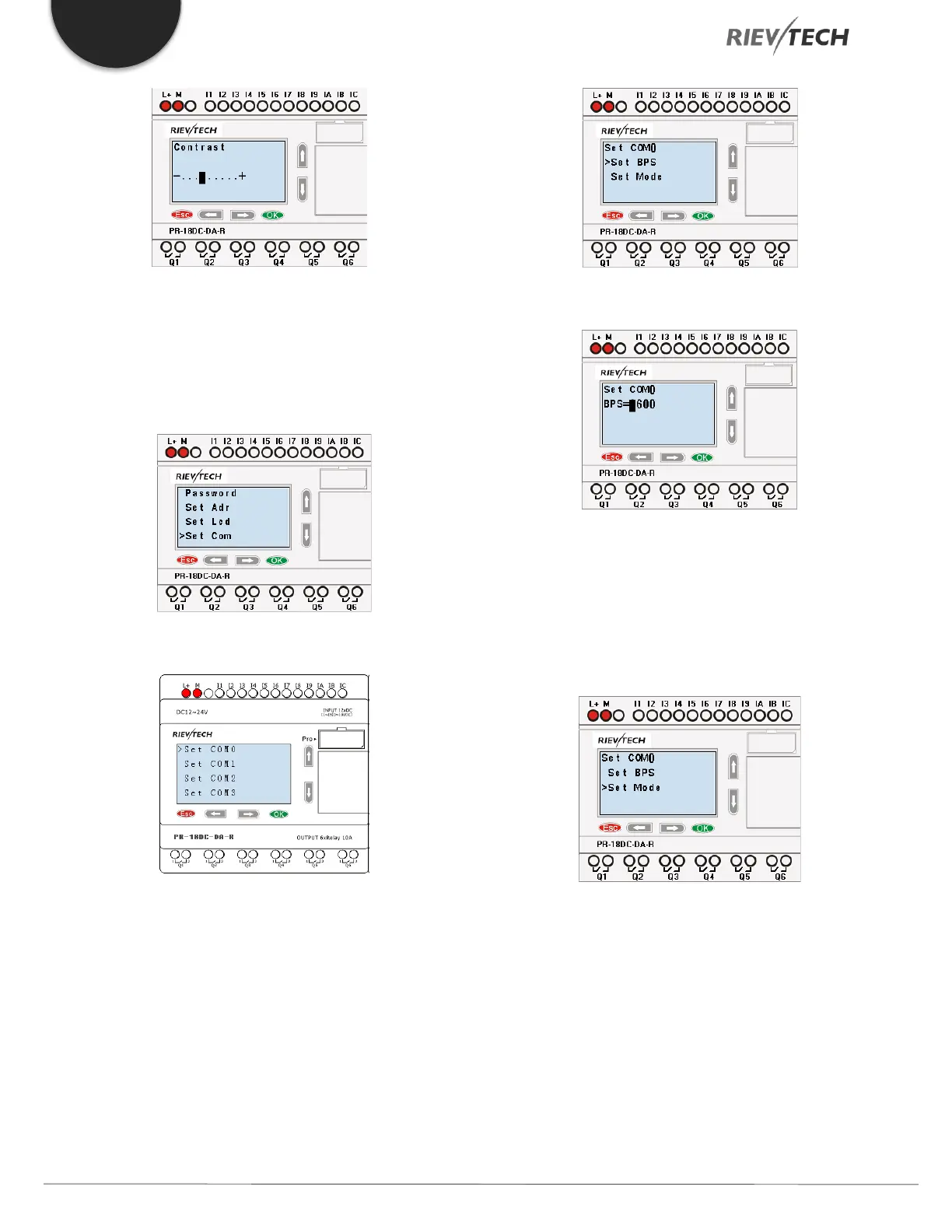
Modify the contrast with Left or Right key and
confirm with "OK".
5.4.7. Set Communication Parameters
Select "Set Com" menu from the menu "Set...”.
Confirm with "Ok"
COM0: RS232 port or programming port.
COM1: RS485 port (For the PR-RS485 expansion module
when connected to PR-14, PR-18, PR-24, ELC-18, ELC-22,
ELC-26 CPU)
COM2: Built-in RS485 port for PR-14 and PR-24 CPU.
COM3: Ethernet port for ELC-22-N CPU, reserved for
other series CPU.
Confirm with "OK"
Change it by pressing Up and Down keys.
And confirm with "OK"
Set Modbus Protocol
Confirm with "OK"



 To Next Page