NOTICE:
It is advisable to Enable this feature so as to
prevent false triggers such as liquid in a tank, moving
over a sensor and then uncovering it again, whilst the
tank may be moving.
7. Keyword for Confirmation – If this option is
NOT selected, then it is sufficient to send SMS
confirmation to the CPU with no text. If selected,
then the confirmation sent MUST be the text
entered in this section.
If preferred, this block may be used to send an email or
call a contact instead of sending an SMS.
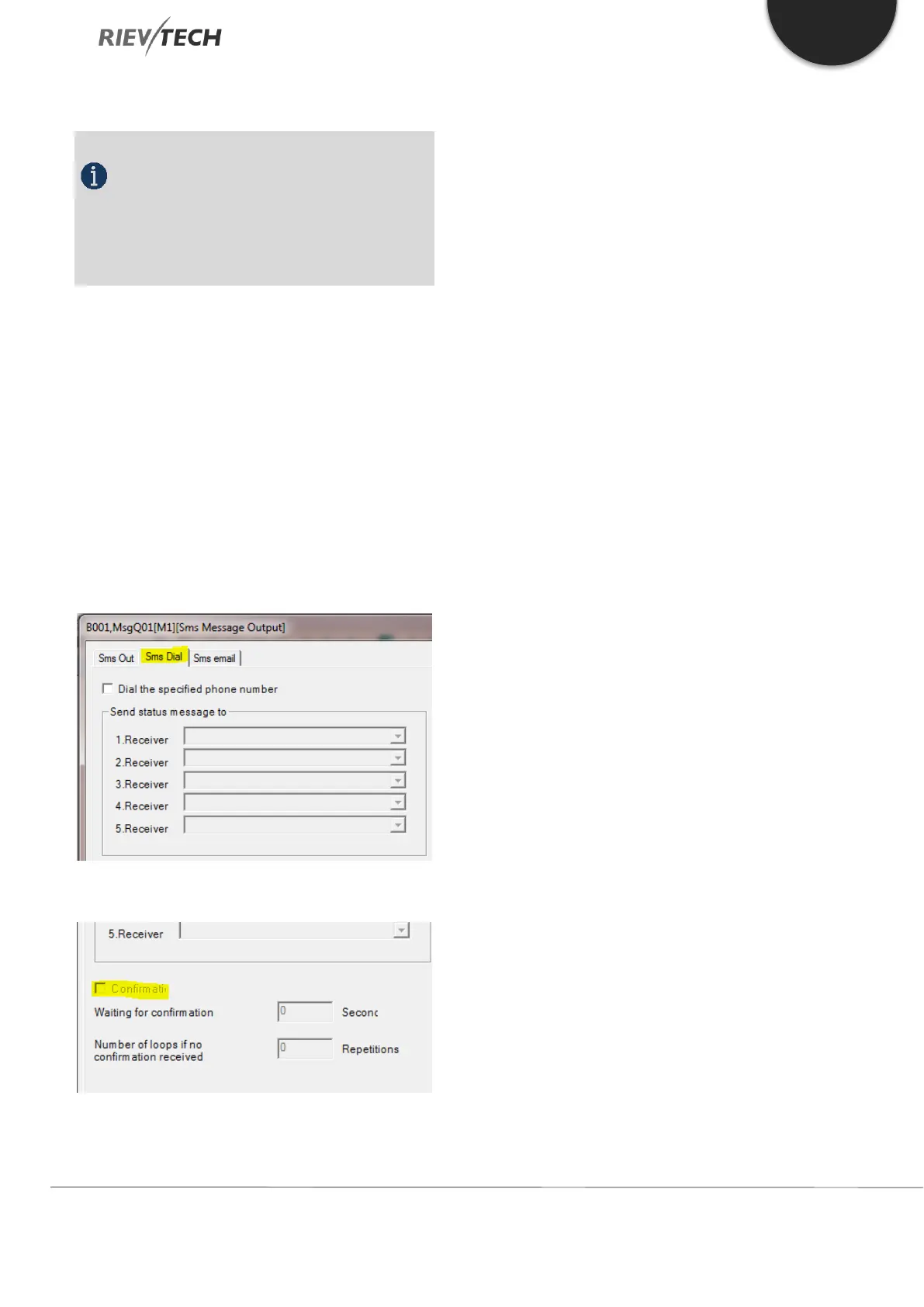
SMS Dial – Call Contact(s)
When the EN pin has been activated, the CPU will dial
the phone number(s) stored in the pre-set receivers:
With confirmation function activated:
If the receiver does not answer the call from the CPU
within a certain pre-set time, it will dial the next number.
The ‘Waiting for confirmation’ setting determines the
length of time before the next number is attempted.
This process is repeated until either a call is answered
or the end of the list is reached.
If you require the CPU to try a number of times, then by
configuring the Repetitions field with the number of
retires required will make the CPU repeat the loop for
the set number.



 To Next Page