Optical De
vice
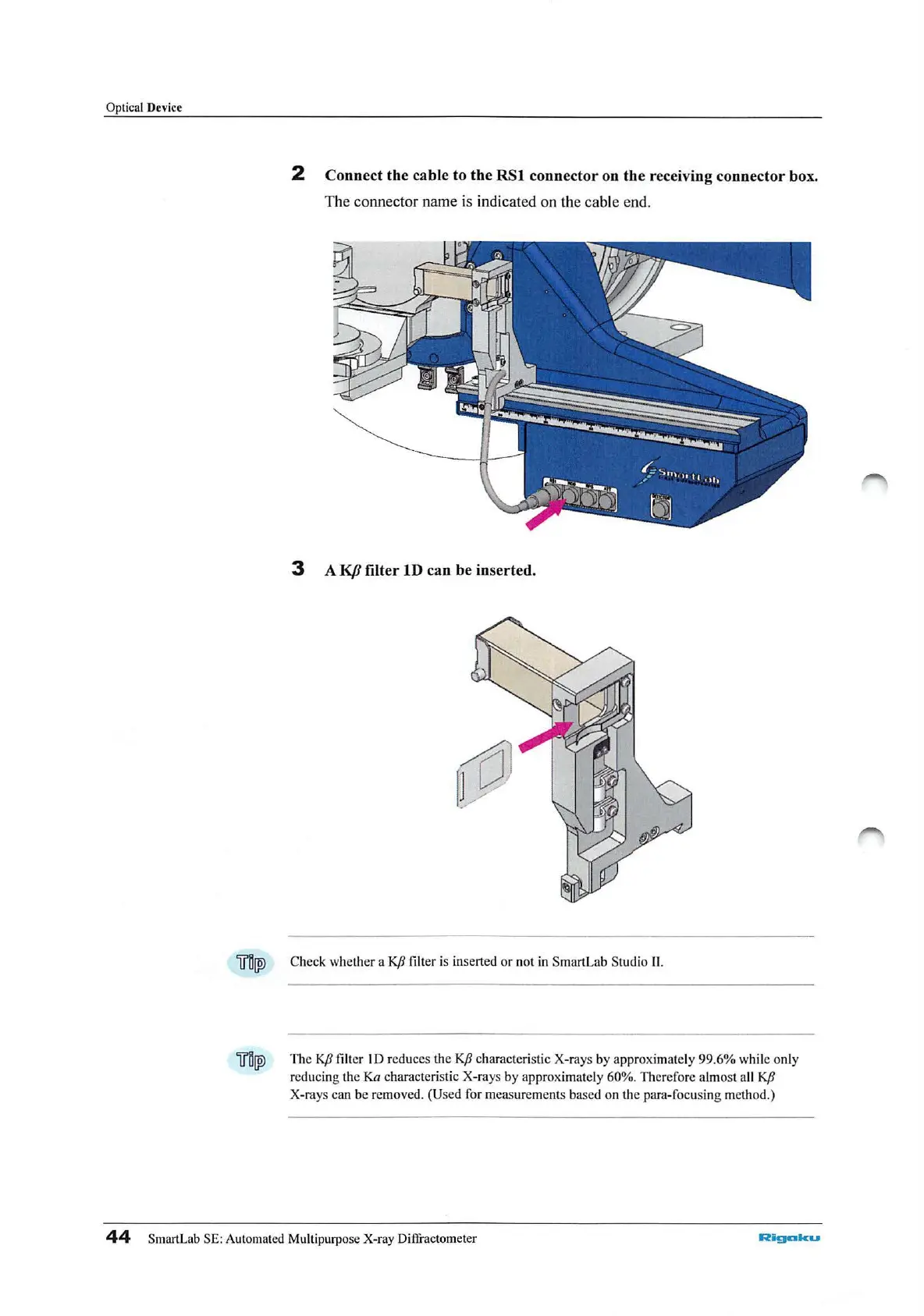
2 Connect the cable to the
RSl
connector on the receiving connector box.
The connector name is indicated on the cable end.
3 A
KfJ
filter
lD
can be inserted.
"iiil[W
Check whether a
KfJ
filt
er
is inserted
or
not in SmartLab
St
udio
II.
"iiil[W
The
KfJ
filter
ID
reduces the
KfJ
charact
er
istic X-rays by approximately
99
.
6%
while only
reducing the
Ka
characteristic X-rays by approximately 60%. Therefore almost all
KfJ
X-rays can be removed. (Used for measurements ba
se
d on the para-focusing m
et
h
od.)
44
SmartLab SE: Automated Multipurpo
se
X-ray Diffractometer
Rigalku



 To Next Page