Optical
Device
I Attenuator
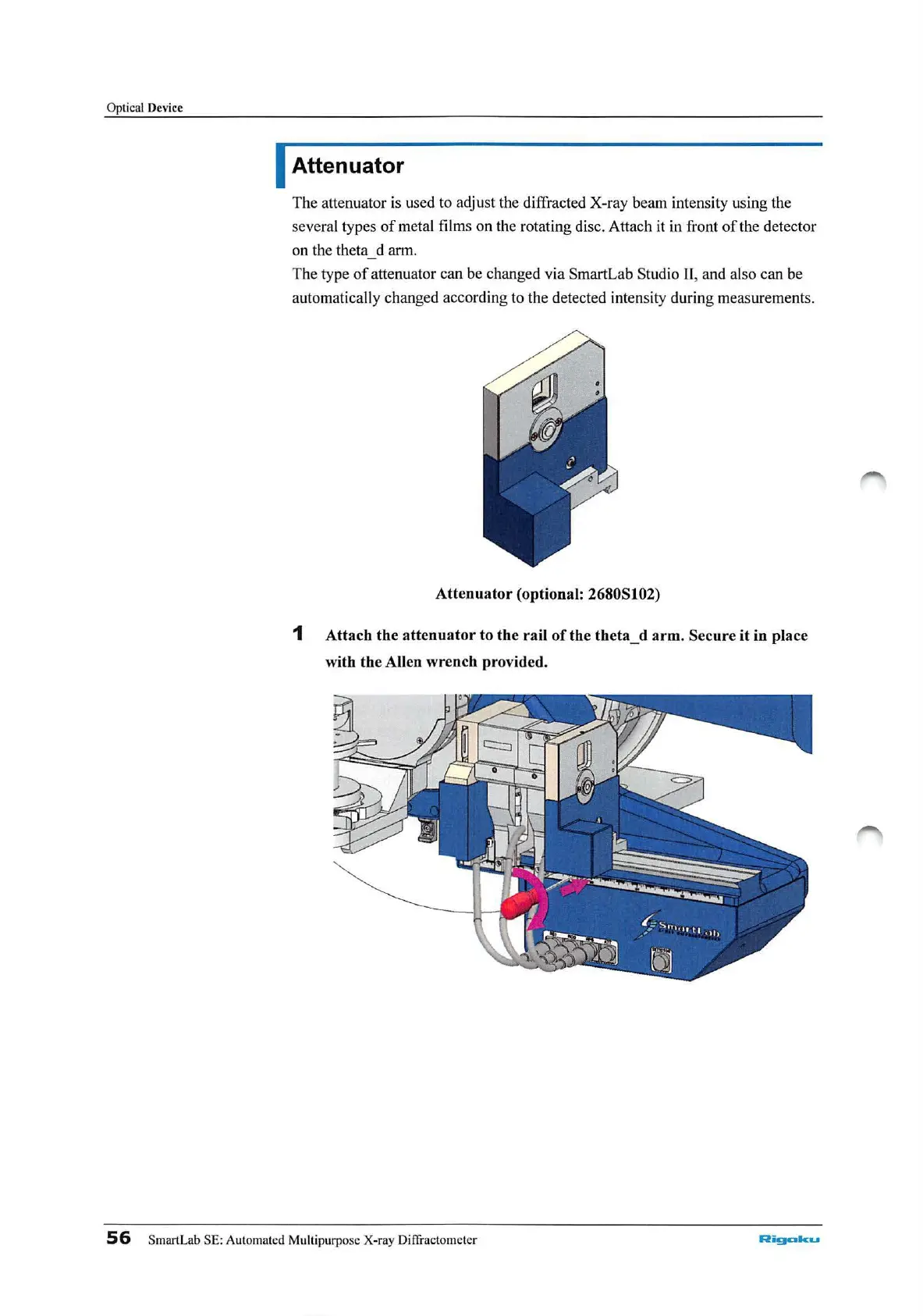
The attenuator
is
used to adjust the diffracted X-ray beam intensity using
th
e
several types
of
metal films on the rotating disc. Attach it
in
front
of
the detector
on the theta d arm.
The type
of
attenuator can be changed
via
SmartLab Studio
II
, and also can be
automat
ic
ally changed according to the detected intensity during measurements.
Attenuator
(optional: 2680Sl02)
1
Attach
the
attenuator
to
the
rail
of
the
theta_d
arm.
Secure
it
in place
with the Allen wrench provided.
56
SmartLab SE: Automat
ed
Multipurpose X-ray Diffi'actometer
Rigcda
...



 To Next Page