Sample Plate
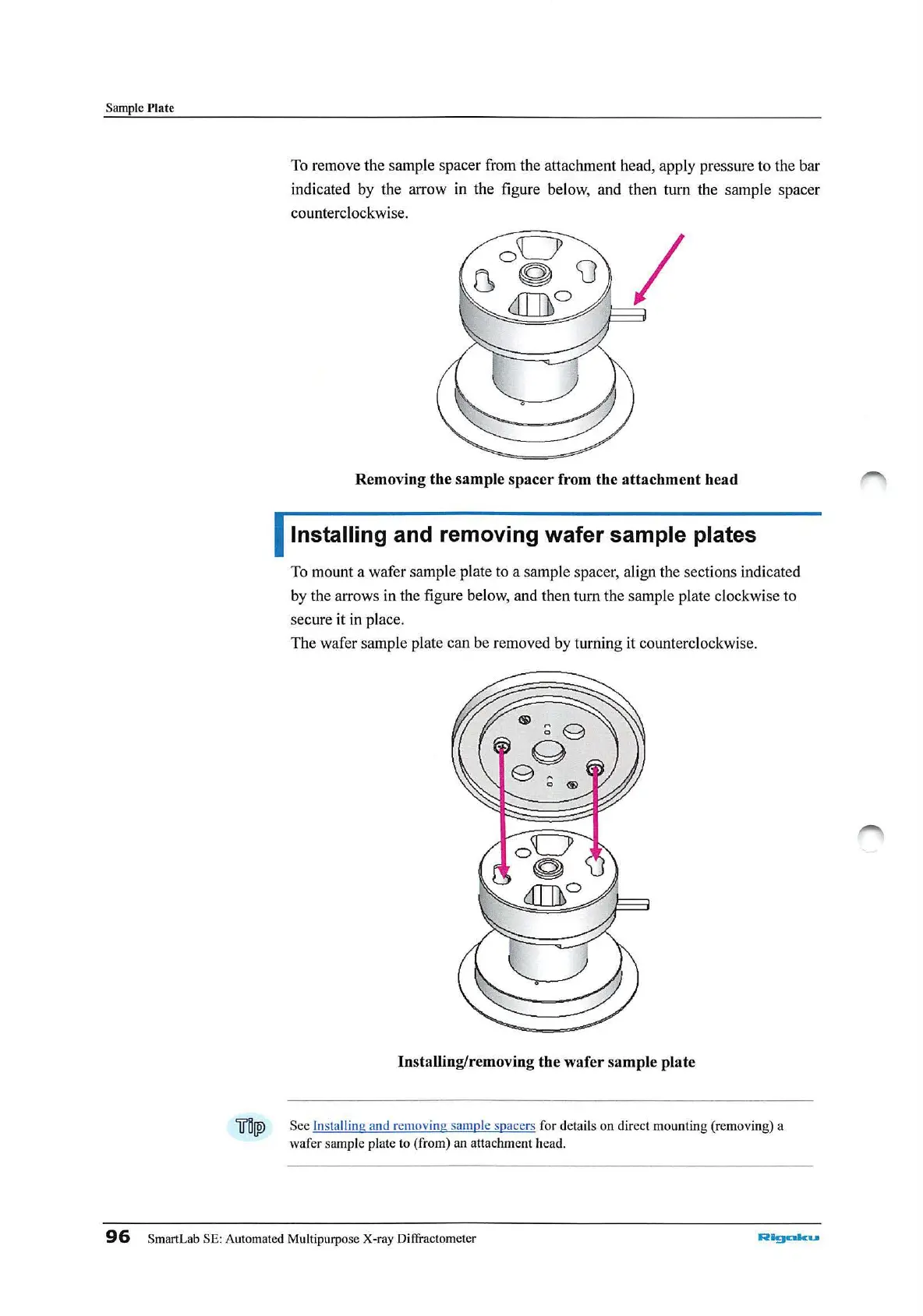
To
remove the sample spacer from the attachment head, apply pressure to the bar
indicated by the arrow in the figure below, and then turn the sample spacer
counterclockwise.
Removing the sample
spacer
from the attachment head
Installing and removing wafer sample plates
To
mount a wafer sample plate to a sample spacer, align the sections indicated
by the arrows in the figure below, and then turn the sample plate clockwise to
secure it
in
place.
The wafer
sa
mple plate can be removed by turning it counterclockwise.
Installing/removing the wafer sample plate
iJ'IIW,
See
In
stalling and remov
ing
sample spacers
for
details
on
dir
e
ct
mounting (removing) a
wafer
samp
le plate to (from) an attachment head.
96
SmartLab SE: Automated Multipurpose X-ray Diffractometer
Algcllku



 To Next Page