Contact us at support@RIGDOO.tech
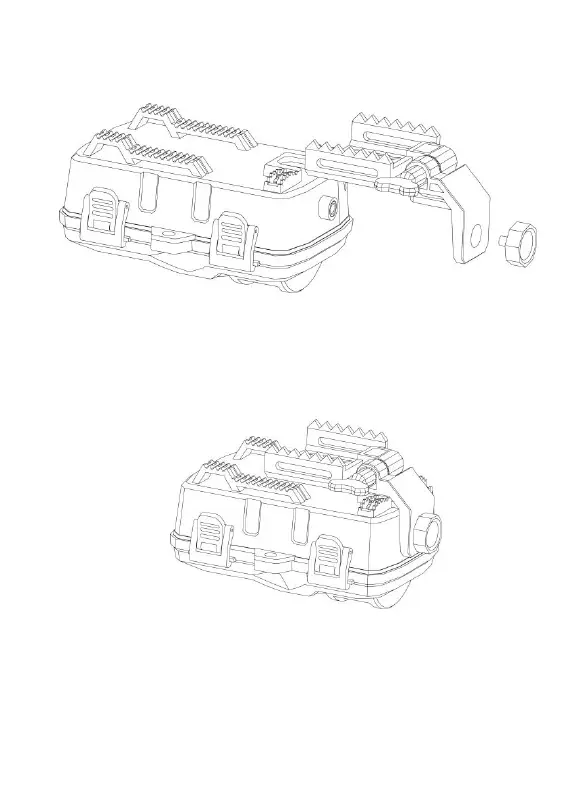
1.Insert the back bracket onto the camera and secure it by tightening the
bottom nut.
Adjust the angle of the bracket to the desired position.
Once you have set the desired angle, fix the bracket in place to prevent it
from moving or shifting.
By following these steps, you will be able to properly install the back
bracket onto the camera, adjust the angle, and securely fix it in place.
2. Pass the strap through the gap in the northern bracket.
3. Go to the other side of the tree, pass the belt through the buckles.
4. Adjust the position of the camera then tightens the belt.


 To Next Page