EasyManua.ls Logo

Righton Retinomax Screeen - User Manual

Righton Retinomax Screeen
112 pages
Print Icon
To Next Page IconTo Next Page
Loading...
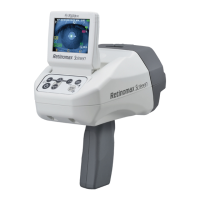
Hand Held Auto Refractometer
Instructions
November 2018
D054-E

Table of Contents

Questions and Answers

  • L
    latoya77Aug 17, 2025
    What to do if the Righton Retinomax Screeen Measuring Instruments printer does not receive measurement data?
    • H
      holly84Aug 17, 2025
      If the printer isn't receiving data from the main unit, check for obstructions between the devices and remove them, or relocate to an area without obstacles. Ensure the printer is within 6 meters of the main unit, with an angle less than 45 degrees between the front of the main unit and the printer's light receiving window. Note that in ”CONT” mode or when “Transmitting from Memory function” is enabled, the transfer range cannot exceed 50cm. Also, verify that the ID number of the printer matches the ID number of the main unit by checking the OUTPUT screen and the DIP switch in the printer.
  • M
    Mrs. Heidi Horton MDAug 22, 2025
    What to do if Righton Retinomax Screeen Measuring Instruments printer power lamp flashed pink color?
    • W
      William BurnettAug 22, 2025
      If the printer power lamp is flashing pink, make sure that the paper holder cover is closed. Also, check if the print roll is set correctly.
  • T
    taylorseanAug 25, 2025
    What to do if the Righton Retinomax Screeen charge lamp flashes during charging?
    • J
      James DoyleAug 26, 2025
      If the charge lamp flashes with long intervals (3 seconds on, 0.5 seconds off), check the room temperature and ensure it is between 10°C and 35°C. Charging will restart when the temperature is within this range. If the charge lamp flashes with short intervals (0.5 seconds each), reconnect the main unit or printer. If you suspect a defect, contact your dealer.
  • R
    Ronald NicholsAug 28, 2025
    How to fix Righton Measuring Instruments when nothing prints?
    • N
      Nicholas MooreAug 28, 2025
      If nothing is printing, first ensure that the printer is powered on. Verify that you are using the designated print roll. Check that the paper holder cover is closed. Make sure the paper roll is inserted correctly and that the printer is set to output.
  • S
    Shelly HolderAug 30, 2025
    What to do if the Righton Measuring Instruments screen switches off automatically?
    • S
      Sarah GonzalezAug 30, 2025
      The instrument may be in Standby mode. Also, the screen may switch off automatically if the grip cover is not properly equipped. Make sure the grip cover is correctly attached.
  • S
    Sara WilliamsSep 2, 2025
    Why is my Righton Retinomax Screeen printer not turning on when connected to the station?
    • D
      David MccormickSep 2, 2025
      If the printer connected to the station does not turn on, first check if the printer is correctly connected to the station. Also, check the contacts (all 5 of them) for dirt; if they are dirty, wipe them off with a dry cloth. Finally, ensure that the station is powered on.
  • M
    Mark LopezSep 5, 2025
    What to do if the Righton Retinomax Screeen battery pack cannot be installed?
    • M
      michael92Sep 5, 2025
      If the battery pack cannot be installed, check to make sure it is in the correct orientation.
  • C
    christophertaylorSep 8, 2025
    What to do if charging is not started even if the Righton Measuring Instruments main unit is set on the station?
    • R
      Richard SmithSep 8, 2025
      If charging doesn't start when the main unit is on the station, ensure that the main unit is set firmly in the station. Also, check the contacts (all 4 of them) for dirt. If they are dirty, wipe them off with a dry cloth.
  • N
    Nicholas TaylorSep 10, 2025
    Why does my Righton Retinomax Screeen Measuring Instruments power switch off automatically?
    • D
      Diane Brewer MDSep 12, 2025
      The automatic power off function may be enabled. Alternatively, the instrument might be switching off automatically because the battery is low. In this case, charge the battery. Another possibility is that the battery charging contacts (all 4 of them) are dirty. If so, turn off the power and clean the pins on both the main unit and the station.
  • G
    George YatesSep 12, 2025
    What to do if the Righton Retinomax Screeen Measuring Instruments battery pack is set in the printer, but the power lamp does not light?
    • T
      Tara NortonSep 12, 2025
      If the battery pack is set in the printer but the power lamp doesn't light, check that the battery pack is correctly installed. If the lamp disappeared after blinking orange for 5 seconds, recharge the battery pack.

Summary

Safety Precautions

General Handling and Operation Safety

Covers intended use, disassembly, and safe measuring operations.

Installation and Transport Safety

Guidelines for safe installation, transport, and storage conditions.

Battery Pack Safety

Precautions for handling, charging, and using the battery pack.

System Components and Operation Panel

Operation Panel Functions

Explains the buttons, symbols, and their operations on the control panel.

Setup and Configuration

Battery Charging Procedures

Detailed steps for charging the main unit, printer, and spare battery packs.

Measurement Operations

Measurement Modes and Procedures

Explains AUTO, CONT, CHILD/QUICK modes and how to start measuring.

Maintenance and Troubleshooting

Troubleshooting Common Issues

Addresses problems with the main unit, station, and printer.

Righton Retinomax Screeen Specifications

General IconGeneral
Axis1° to 180°
DisplayLCD
PrinterBuilt-in thermal printer
Power SupplyAC adapter
Pupil Diameter Measurement Range2.0mm to 8.0mm

Related product manuals