EasyManua.ls Logo

Rikon Power Tools 20-800H - User Manual

Rikon Power Tools 20-800H
24 pages
Print Icon
To Next Page IconTo Next Page
Loading...
20-800H
www.rikontools.com
20-800HM1
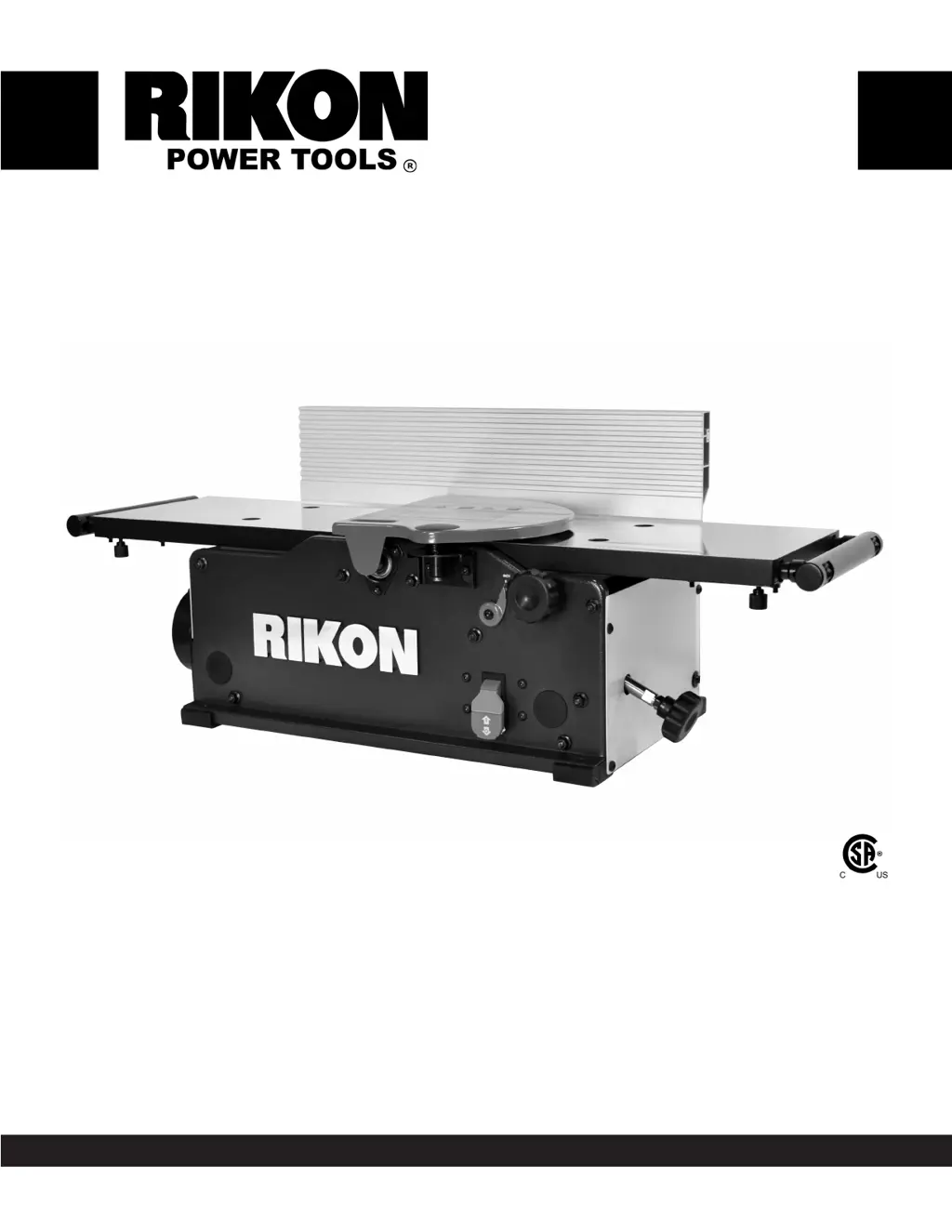
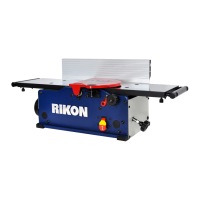
8 Benchtop Jointer
with Helical-Style Cutterhead
Operators Manual
Record the serial number and date of purchase in your manual for future reference.
Serial Number: _________________________ Date of purchase: _________________________
For technical support, email techsupport@rikontools.com - For parts questions, email parts@rikontools.com
The serial number can be found on the specication label on the rear of your machine.

Questions and Answers

  • H
    hnguyenAug 17, 2025
    Why my Rikon Power Tools 20-800H Power Tool will not start?
    • D
      David PalmerAug 17, 2025
      If your Rikon Power Tools Power Tool won't start, there are several potential causes: * **No power:** Check the power source, plug, and wiring. * **Blown fuse:** Inspect the fuse and replace it if necessary. * **ON/OFF switch malfunction:** Verify the switch position. If it's not functioning, contact your local dealer for repair or replacement. * **Motor failure:** Examine the motor for any failed components. Contact your dealer for repair or replacement.
  • J
    Justin JohnsonAug 20, 2025
    Why do circuit breakers trip when using Rikon Power Tools 20-800H Power Tool?
    • D
      David MorrisAug 20, 2025
      If the circuit breakers trip or fuses blow when using your Rikon Power Tools Power Tool, consider these factors: * **Incorrect circuit size:** Ensure the circuit/fuse rating matches the motor's amperage. Install a correctly rated breaker/fuse. * **Motor overload:** Reduce the strain on the motor by taking lighter cuts when planing lumber. * **Extension cord usage:** Avoid using an extension cord, or use a heavier gauge cord if necessary.
  • H
    hfrazierAug 22, 2025
    What to do if Rikon Power Tools Power Tool bogs down when cutting?
    • C
      Cory LoveAug 23, 2025
      If your Rikon Power Tools Power Tool bogs down during cutting, it could be due to: * **Excessive depth of cut:** Try decreasing the depth of cut. * **Excessive feed rate:** Reduce the feed rate. * **Dull knives:** Replace or sharpen the knives.
  • I
    ijacobsAug 25, 2025
    How to prevent tear out with Rikon Power Tools 20-800H?
    • S
      Sarah DuncanAug 26, 2025
      If the milled surface is torn when using your Rikon Power Tools Power Tool, also known as 'chip out' or 'tear out', consider these solutions: * **Cutting against the grain:** Ensure you cut with the grain. For figured woods, take shallow cuts to minimize tear-out. * **Cut depth:** Reduce the cutting depth to 1/16" or less. * **Dull knives:** Rotate insert knives to reveal new sharp edges.
  • J
    Jennifer PrattAug 27, 2025
    Why is the milled surface rough with Rikon Power Tools 20-800H Power Tool?
    • T
      Tyler RushAug 28, 2025
      If the milled surface grain is rough, raised, or fuzzy when using your Rikon Power Tools Power Tool, here are some possible solutions: * **High moisture content:** Reduce the moisture content by drying the lumber, or switch to properly seasoned lumber. * **Dull knives:** Rotate insert knives to new sharp edges.
  • M
    Michelle FrancoAug 31, 2025
    Why is the cutting rate inconsistent on my Rikon Power Tools Power Tool?
    • B
      bfuentesAug 31, 2025
      If the cutting rate of your Rikon Power Tools Power Tool isn't consistent, consider the following: * **Loose belts:** Check the pulleys and belts for proper tension and any signs of wear. * **Debris build-up:** Unplug the machine and thoroughly clean all parts to remove chips and dust.
  • B
    Brendan MaynardSep 2, 2025
    Why is the milled surface glossy after using Rikon Power Tools 20-800H?
    • T
      Teresa WatsonSep 2, 2025
      If the milled surface is glossy when using your Rikon Power Tools Power Tool, consider the following: * **Shallow cutting depth:** Increase the depth of cut slightly. * **Dull knives:** Rotate insert knives to new sharp edges. * **Slow feed rate:** Increase the feed rate.
  • G
    Gabriela RodriguezSep 5, 2025
    How to fix chatter marks on Rikon Power Tools 20-800H?
    • B
      Briana Burton MDSep 5, 2025
      If you notice 'chatter' marks on lumber or the cutterhead slows down when jointing with your Rikon Power Tools Power Tool, consider the following: * **Excessive feed rate:** Slow the feed rate down. * **Excessive downward pressure:** Apply less downward pressure on the cutter-head knives.
  • G
    gary38Sep 7, 2025
    What causes raised lines on the surface from Rikon Power Tools Power Tool?
    • M
      Michael ArmstrongSep 8, 2025
      If small raised lines are running along the surface after using your Rikon Power Tools Power Tool, it is probably because knives are nicked or broken. Rotate insert knives to new sharp edges.
  • E
    eingramSep 12, 2025
    Why is jointed stock concave after using Rikon Power Tools 20-800H?
    • T
      Teresa ColemanSep 12, 2025
      If jointed stock is concave on the back end of the board after using your Rikon Power Tools Power Tool, it's likely because the knives are set higher than the outfeed table. Raise the outfeed table level with the cutter- head & knives.

Summary

Specifications

Motor and Cutterhead Specs

Details on motor, cutterhead diameter, speed, and inserts.

Cutting and Material Dimensions

Max depth/width, min stock sizes, table and fence dimensions.

Performance and Physical Data

Dust port, noise level, overall size, and net weight.

Safety Instructions

Safety Symbols and General Precautions

Explanation of symbols and overall safety advice.

Pre-Operation Safety Checklist

Essential steps and checks before using the machine.

Safety Instructions (Continued)

Guards, Tools, and Accidental Starts

Importance of guards, tool removal, and preventing accidental starts.

Safe Operating Practices

Rules on machine use, balance, user condition, and securing work.

Health, Dust, and Extension Cords

Dust protection, extension cord use, and additional safety resources.

Electrical Safety and Extension Cords

Electrical Safety Guidelines

Critical guidelines for safe electrical connections.

Extension Cord Usage and Gauges

Recommendations and warnings for extension cords.

Specific Jointer Safety and Warnings

Specific Jointer Safety Rules

Detailed safety rules specific to jointer operation.

California Proposition 65 Warnings

Information on California's chemical exposure warnings.

Getting to Know Your Machine

Machine Component Identification

Labels and identification of major jointer components.

Package Contents and Unpacking

List of items included and procedures for unpacking.

Installation

Moving and Positioning the Jointer

Safe methods for moving and positioning the jointer.

Tools Required for Assembly

List of tools needed for assembly.

Assembly

Fence Assembly Procedure

Step-by-step guide for assembling the fence.

Assembly (Continued)

Cutterhead Guard Assembly

Instructions for installing the cutterhead guard.

Assembly Details

Dust Port and Knob Assembly

Attaching the dust port and table adjustment knob.

Switch Operation and Safety Lockout

Explanation of the power switch and lockout feature.

Operation

Starting and Stopping the Jointer

Procedures for turning the jointer on and off.

Feeding Wood with the Grain

Guidance on feeding wood with the grain for best results.

Basic Jointer Operation Steps

General function and steps for using the jointer.

Operation Details

Safe Workpiece Feeding Techniques

How to properly feed material through the jointer.

Setting the Depth of Cut

How to adjust the depth of cut setting.

Adjustments

Fence Position and Angle Adjustment

How to adjust the fence position and tilt.

Setting Fence to 90° and 135° Stops

Adjusting fence to specific angles with positive stops.

Adjustments (Continued)

Knife Insert Maintenance

Procedure for rotating or replacing cutterhead knife inserts.

Table Adjustments

Table Alignment and Adjustment

How to align and adjust the infeed and outfeed tables.

Extension Support Adjustments

Extension Support Leveling

Adjusting the table extension supports for proper alignment.

Drive Belt Replacement

Drive Belt Replacement Procedure

Steps for replacing the drive belt.

Maintenance

Pre-Use Inspection and Cleaning

Pre-operation checks, cleaning, and maintenance.

Knife, Bearing, and Table Care

Inspecting knives, lubricating bearings, and table maintenance.

Belt Tension and Wiring Diagram

Checking belt tension and electrical schematic.

Parts Diagram

Jointer Component Diagram

Visual representation of all jointer components with numbers.

Parts List

Part Number Reference List

Detailed list of parts with key numbers and part numbers.

Warranty

5-Year Limited Warranty Terms

Terms and conditions of the product's warranty.

Troubleshooting

Troubleshooting Common Jointer Issues

Guide to diagnosing and fixing common problems.

Rikon Power Tools 20-800H Specifications

General IconGeneral
Model20-800H
Voltage120V
Blade Speed3000 FPM
Motor1/2 HP
Chisel Capacity1/4 to 1 inch

Related product manuals