Connect the power wires.
Connect the black and white wires on the wiring harness to
the black (hot) and white (neutral) wires coming out of your
electrical box.
Use the included wire nuts
to secure and protect the
connections.
The red wire is optional,
and should only be
connected if you wish to
control other lights with
your Spotlight Cam.
If you don’t have clearly colored
black and white wires coming out
of your electrical box, consult
with a licensed electrician.
To Auxiliary
Auxiliary Light Control
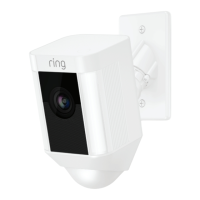
Your Spotlight Cam has an advanced motion detection
system. If you’d like other lights (such as floodlights) to be
triggered by the motion detector in your Spotlight Cam,
wire them according to this diagram.
Your connected lights also turn on when you manually
enable your Spotlight Cam lights in the Ring app.
Total power draw of connected
lights must not exceed 150 watts.
1514
Spotlight_Cam_Wired_Hardwire_Kit_MANUAL_v7.indd 14-15 6/1/20 9:19 PM


 To Next Page
