Need help?
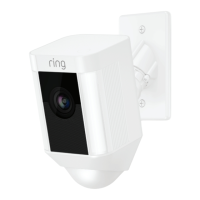
Do you have a question about the ring Spotlight Cam Mount and is the answer not in the manual?
Critical safety guidelines for installation, covering electrical shock and fire risks.
Overview of all hardware and accessories provided in the Spotlight Cam package.
Visual guide demonstrating how to assemble the Spotlight Cam's components.
Guidance on selecting the appropriate mounting style for different installation locations.
Instructions to safely turn off power at the fusebox before proceeding with installation.
Steps for preparing the backbox, including securing it and grounding.
Detailed procedure for connecting the camera's power wires to the home's electrical system.
How to attach the backbox cover securely to the installed backbox.
Steps to connect and lock the Spotlight Cam unit into the mounted backbox cover.
Instructions for inserting and tightening the security screw to finalize the camera attachment.
Steps to turn power back on at the fusebox after installation.
Information on the recommended mounting height for best motion detection range.
Guidance on positioning the camera for accurate motion detection by adjusting the angle.
Instructions on downloading and accessing the Ring application for setup.
Reminder to have the Wi-Fi password ready for the app setup process.
Steps to connect the Spotlight Cam to the Ring app and complete setup.
Explains the meaning of the white light indicator during software updates.
Guide for wiring additional lights to be triggered by the Spotlight Cam's motion detection.
 General
| Resolution | 1080p HD |
|---|---|
| Field of View | 140° diagonal |
| Audio | Two-way talk with noise cancellation |
| Motion Detection | Advanced motion detection with customizable motion zones |
| Adjustability | Adjustable mounting bracket |
| Connectivity | Wi-Fi |
| Siren | 110 dB siren |
| Dimensions | 12.6 cm x 6.91 cm x 7.59 cm (4.96 in x 2.72 in x 2.99 in) |
| Compatibility | Works with Alexa |
| Mounting Type | Wall mount |
| Installation | DIY installation |


 To Next Page