Need help?
Do you have a question about the Rinnai Brivis DGH Manual Controller and is the answer not in the manual?
Initial setup involves fitting batteries and powering on the thermostat for the first time.
Instructions on how to turn the thermostat off, with the environment temp remaining visible.
Enabling and behaviour of the thermostat's backlight after button presses.
Press ▲ or ▼ buttons to adjust the desired temperature setting.
The symbol (1) indicates that the thermostat is currently in heating mode.
Press the [RESET] button on the back to restore original factory settings.
When the low battery indicator flashes, replace the batteries immediately.
Diagram showing thermostat connection points and power supply wiring.
Steps for fixing the back board, inserting batteries and attaching the thermostat.
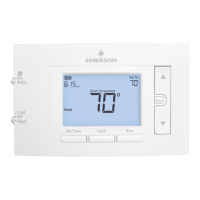
The Brivis Digital Room Thermostat is a user-friendly manual thermostat designed to control room temperature effectively. It features a clear LCD display that provides essential information at a glance, including the current temperature, the set temperature, and various status indicators.
The primary function of this thermostat is to regulate the heating system in a room. Users can manually set their desired temperature, and the thermostat will activate or deactivate the heating to maintain that set point. The device operates on a 2 x 1.5V AA battery power source, offering typical operation for approximately one year. It is designed for indoor use, indicated by its IP30 protection class, meaning it is protected against solid objects larger than 2.5 mm but not against liquids. The thermostat is compatible with 36V AC or DC systems and can handle a maximum load of 1.0 Amp per terminal, with a total maximum of 1.0 Amp across all terminals.
The thermostat is designed for straightforward operation. Upon fitting the batteries and pressing the ON/OFF button, the LCD will flash the set temperature before displaying the working mode icon and the current environment temperature. The factory default set temperature is 18°C.
The installation process is designed to be simple and user-friendly. It involves a few key steps:
The Brivis Digital Room Thermostat is designed for minimal maintenance. The primary maintenance task involves replacing the batteries when indicated by the low battery warning. The reset function allows users to easily restore the device to its default settings if needed, which can be useful for troubleshooting or reconfiguring the thermostat. The robust design and clear indicators contribute to a hassle-free user experience, ensuring reliable temperature control with straightforward upkeep.
 General
| Brand | Rinnai Brivis |
|---|---|
| Model Type | DGH |
| Category | Thermostat |
| Type | Manual |
| Control Type | Manual |
| Compatibility | Brivis Ducted Gas Heaters |
| Temperature Control | Manual |
| Functions | Temperature Adjustment |
| Installation | Wall Mounted |


 To Next Page