TIDE SETTING
-
Press the MODE button to view MENU. Use UP & DOWN buttons to scroll to TIDE menu
item.
-Press MODE to select to TIDE MODE.!
-HOLD MODE/SET in for 3 seconds to enter beach setting.!
-To toggle between REGIONS use UP & DOWN. When you find desired region press MODE/
SET.!
-Use UP & DOWN to toggle through to your desired COUNTRY. Press MODE/SET to lock in
your country.!
-Use UP & DOWN to toggle to desired BEACH.!
-Press MODE/SET to save selected beach.!
-Once you set your beach you can use UP & DOWN to toggle through all tide information for
today as well as past and future tides.
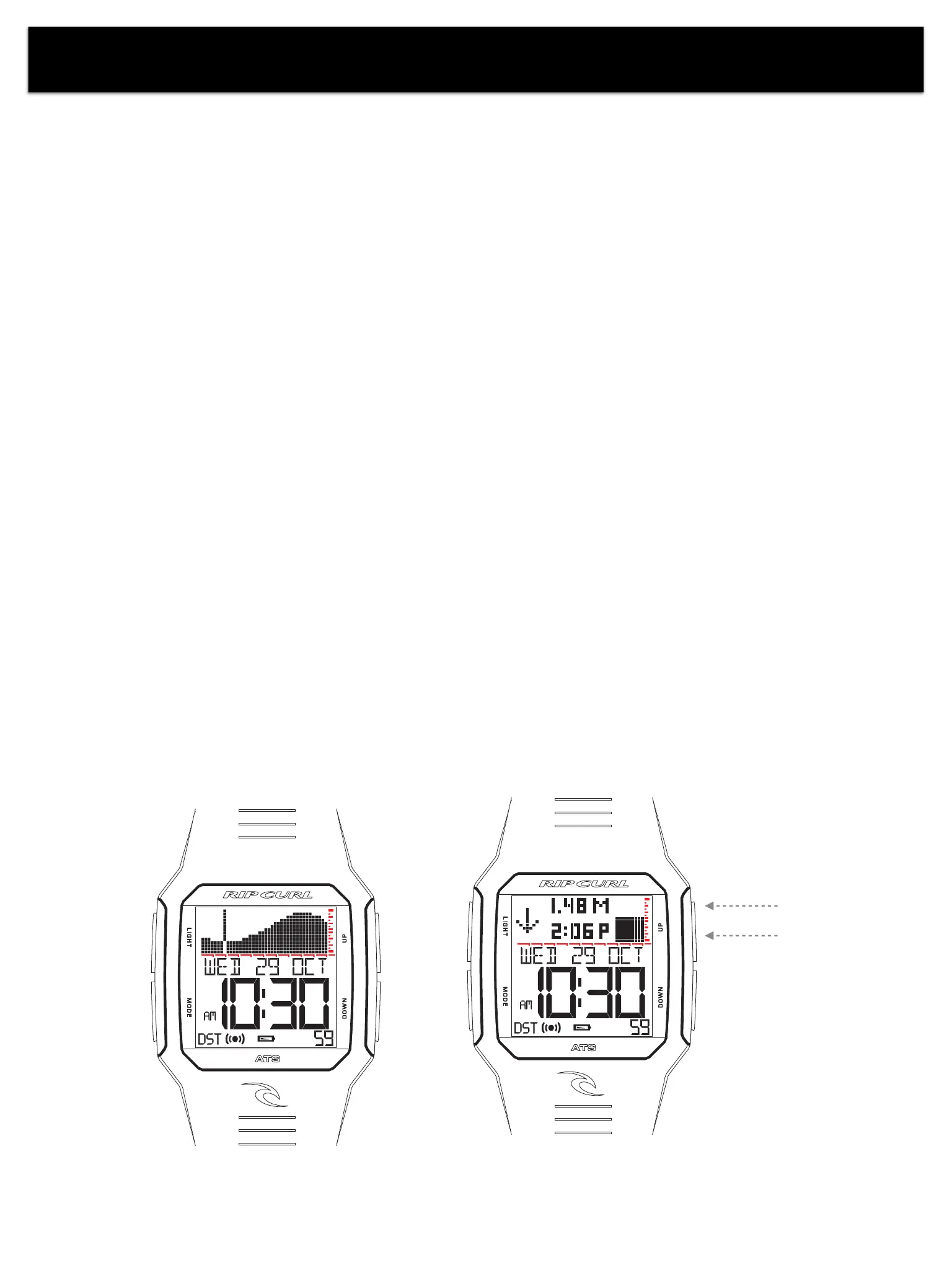
DETAILED VIEWGRAPH VIEW
Customizable Tide Display
- In TIME MODE press UP & DOWN to switch between Detailed View or Graph View
-
Graph View - 'At-a-glance' tide display is scaled for each unique location and clearly illustrates
spring and neap tides. Actual tide heights are displayed 8 hours into the future and 2 hours into
the past.
- Detailed View - Clearly displays current tide height and direction, including the numeric time and
numeric height the of next tide.
Next Tide Height
Next Tide Time
4
RIFLES / MAUI TIDE













 To Next Page