GETTING TO KNOW YOUR MP3 PLAYER
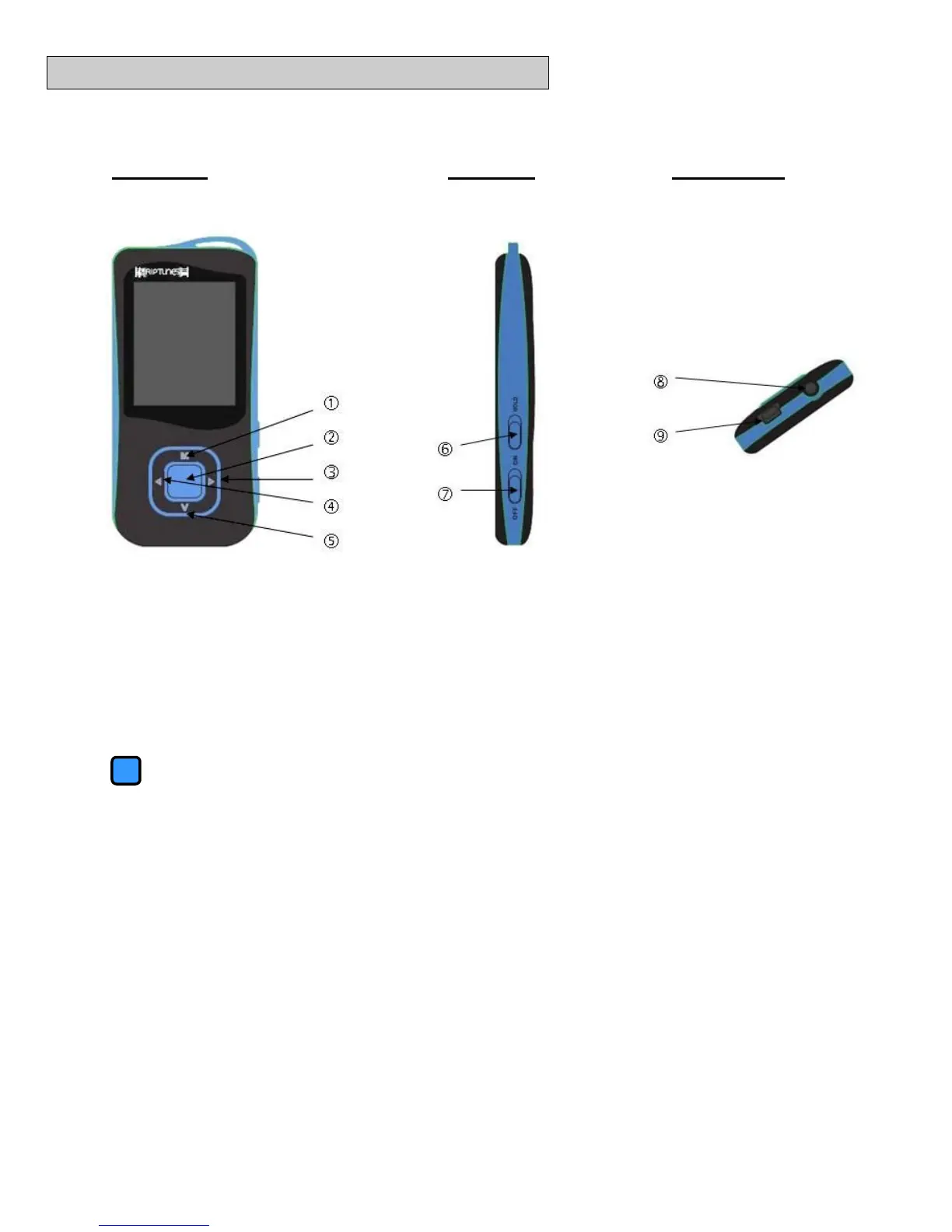
Front View Side View Bottom View
Buttons and Controls
M Menu button - Enter or exit from menus and sub-menus and confirm
selections. While in any mode, press and hold “M” to access the main
menu.
Play/Pause - Press and hold to enter sleep mode.
► Next - While playing music or video, press and hold to Fast Forward.
◄ Previous - While playing music or video, press and hold to Rewind.
V Volume Control - While playing music or video, press the V button and
then use the arrow buttons to adjust volume.
Hold Toggle switch that locks the MP4 device from use. While locked, buttons
will not function.
ON/OFF Turns the Digital Media Player on or off.
Earphone Jack 3.5 mm standard earphone connector
USB Jack USB Jack – Interface with a USB cable to a PC to manage media files.



 To Next Page