PLAYING MUSIC
From the Main Menu, use the“◄” or “►” buttons and select Music.
1. Press “M” to enter Music mode.
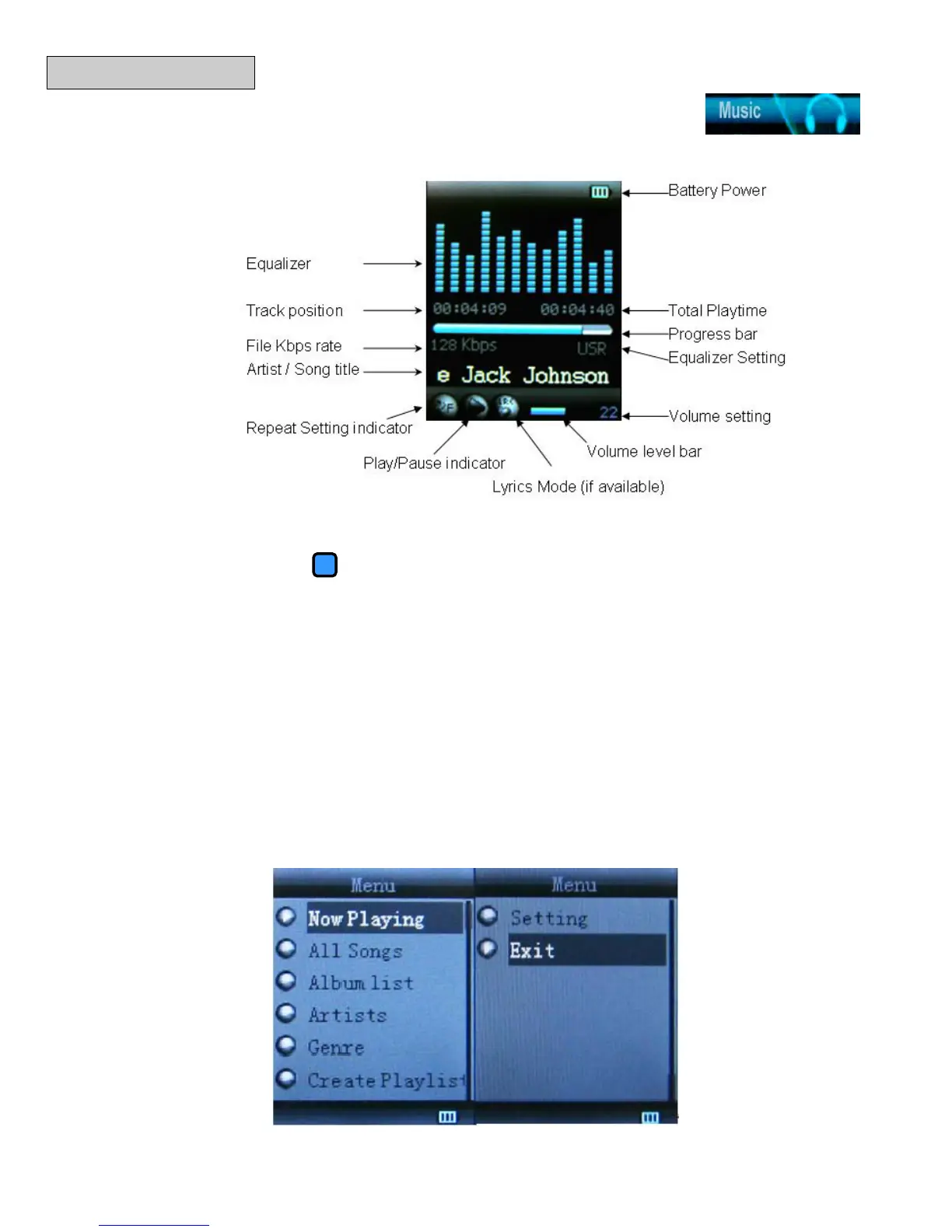
In Music Mode:
a. Press the “
M” button to select music from a different folder or directory.
b. Press the (“Play/Pause”) button to begin playing the currently selected
music. Press again to pause.
c. Press the “
◄” or “►” button to select the previous or next song.
d. While a song is playing, press and hold the “◄” or “►” button to fast forward or
rewind.
e. Press the “V” button to adjust the volume. Use the “◄” or “►” button to
increase or decrease the volume, and then press “V” to confirm.
f. If the Lyrics Mode icon is illuminated, press and hold the “M” button to enter
Lyrics Mode. The Lyrics Mode will only be available if a “.lrc” file is associated
with the current song.
Music Options
While a song is playing, press the “M” button to enter the Music Play Setting menu.



 To Next Page