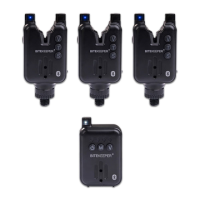
HOW TO USE
Turning On Alarm:
Press and hold the Power button located on the left side (refer to the
picture above) for one second. You will see both LEDs flash once, and
hear two loud beeps. This indicates that the alarm is on.
Adjusting Volume
To adjust the volume, briefly press the V button to cycle through the 7
different volume levels, from quietest to loudest. Once you reach the
desired volume level, stop pressing the button. Your volume is now
successfully set.
Tone Adjustment
Briefly press the T button to cycle through the 7 different tones in
diatonic scale: Do, Re, Mi, Fa, Sol, La, Si. Once you hear the desired
tone, stop pressing the button. Your tone is now successfully set.
Adjusting Sensitivity
To adjust the sensitivity, briefly press the S button. Each press will emit
a beep, and there are seven different sensitivity settings. One beep
indicates the lowest sensitivity setting, and seven beeps indicate the
highest.
Standby Mode
The alarm will enter standby mode (low power consumption mode) after
10 seconds of inactivity. When the bite occurs, the alarm will be
reactivated automatically.
Change LED Color
While the alarm is on, press and hold the S button to cycle through the
multi-color run LED color options - the color will periodically change to
blue, red, green and yellow in turn, and you will hear a beep when the
color changes. Once the color you like shows, release the button, the
run LED will remain on in the color for around 10 seconds before going


 To Next Page
 Loading...