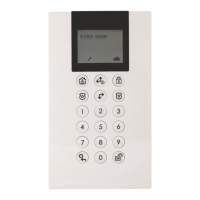
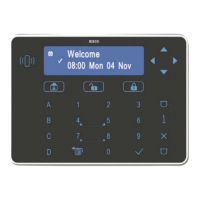
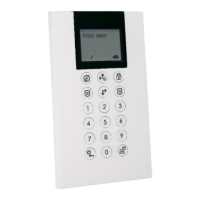
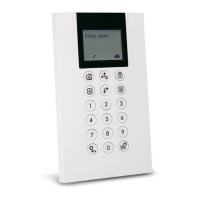
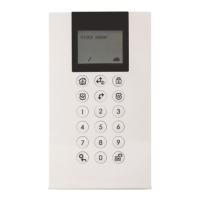
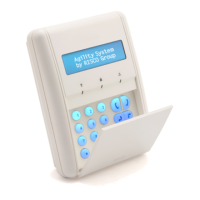
The LightSYS LCD Keypad and LCD Proximity Keypad (Models: RP432KP, RP432KPP) are user-friendly interfaces designed for simple operation and programming of LightSYS and ProSYS security systems. These keypads provide visual and audible feedback through an LCD screen and various LED indicators, making system status clear to the user.
Function Description:
The keypad serves as the primary interface for arming and disarming the security system, accessing user functions, and performing various system operations.
Control Keys:
- Away (Full Setting) Key: Used in Normal Operation mode to arm the system in Away mode. In User Functions menu, it's used to change data.
- Stay (Part Setting) Key: Used in Normal Operation mode to arm the system in Stay mode. In User Functions menu, it's used to change data.
- Disarm/OK Key (6/OK): Used to disarm (unset) the system after a user code is entered. It also terminates commands and confirms data to be stored. This key is equivalent to the #6 key on ProSYS keypads.
- Scroll Up/System Status Key (ⓘ): Used to scroll up a list or move the cursor to the left. It also provides the system status.
- Scroll Down Key: Used to scroll down a list or move the cursor to the right.
- User Functions/Back Key: In Normal Operation mode, it enters the User Functions menu. In User Functions menu, it moves back one step. This icon is equivalent to the * icon on ProSYS keypads.
Emergency Keys (activated by pressing two keys simultaneously for at least two seconds):
- Fire Alarm (4 and 6): Activates a Fire alarm.
- Emergency Alarm (7+ and 9): Activates an Emergency alarm.
- Police (Panic) Alarm (2 and 8): Activates a Police (Panic) alarm.
Function Keys (1A, 2B, 3C, 5D): Used to arm (set) groups of zones by default or to activate prerecorded series of commands (macros). Activation requires pressing for 2 seconds.
Numeric Keys (0-9): Used to input numbers when required.
Indicators:
- Power (ن):
- On: System operating properly from AC power, backup battery in good condition, no troubles.
- Off: No power.
- Slow Flash: System in programming.
- Rapid Flash: System trouble (fault).
- Ready (✓):
- On: System ready to be armed.
- Off: System not ready to be armed.
- Slow Flash: System ready to be armed (set) while exit/entry zone is open.
- Arm (Set) (?):
- On: System armed in Full Arm or Stay Arm (Part Set) mode.
- Off: System disarmed (unset).
- Slow Flash: System in Exit Delay.
- Rapid Flash: Alarm condition.
- Stay / Bypass (Part Set/Omit) (?):
- On: System in Stay Arm (Part Set) or Zone Bypass (omit) mode.
- Off: No bypass zones in system.
- Tamper (T):
- On: Zone/keypad/external module has been tampered.
- Off: All zones operating normally.
- Fire (?):
- On: Fire alarm.
- Off: Normal operation.
- Flashing: Fire circuit problem.
- LED (Red) Arm / Alarm: Behaves in the same manner as the Arm (Set) indicator.
Important Technical Specifications:
- Current Consumption:
- RP432 KP: 13.8V +/-10%, 48 mA typical/52 mA max.
- RP432 KPP: 13.8V +/-10%, 62 mA typical/130 mA max.
- Main Panel Connection: 4-wire BUS, up to 300 m (1000 ft) from Main Panel.
- Dimensions: 153 x 84 x 28 mm (6.02 x 3.3 x 1.1 inch).
- Operating Temperature: -10°C to 55°C (14°F to 131°F).
- Storage Temperature: -20°C to 60°C (-4°F to 140°F).
- Prox. RF Frequency (RP432KPP): 13.56MHz.
- Compliance: Complies with EN 50131-3 Grade 2 Class II.
Usage Features:
- Keypad Settings: Individual settings for each connected keypad.
- Access by pressing 6/OK for two seconds.
- Navigate using scroll keys.
- Options include Brightness, Contrast, Keypad's buzzer volume, Language (ProSYS mode only), and Panel type (RP432/RP128).
- The LightSYS Language option can always be accessed by simultaneously pressing the scroll up and 6% keys.
- For ProSYS versions prior to 5, the keypad language should match the panel language.
- Select RP432 for LightSYS (default) or RP128 for ProSYS.
- Proximity Tag (RP432KPP): Used by applying the tag within a 4 cm distance from the front bottom of the keypad.
- Automatic Upgrade: During a LightSYS panel remote upgrade, the keypad software may automatically upgrade. This process takes approximately three minutes, displaying an upgrade icon (1) and the power icon (0), with flashing LED lights. Disconnection during this period should be avoided.
Maintenance Features:
- Testing: The product should be tested at least once a week to ensure proper functionality.
- Troubleshooting: The LED indicators provide visual cues for system status and potential troubles (e.g., rapid flash of the power LED indicates a system trouble/fault).
- Software Upgrades: The keypad's software can be automatically upgraded during a panel upgrade, ensuring it remains current with system enhancements.
The LightSYS LCD Keypad and LCD Proximity Keypad are designed for reliability and ease of use, providing a comprehensive interface for managing security systems.

 Need help?
 General

 To Next Page