ComColor FW Series User’s Guide
9
9-2
About Ink Cartridges
Appendix
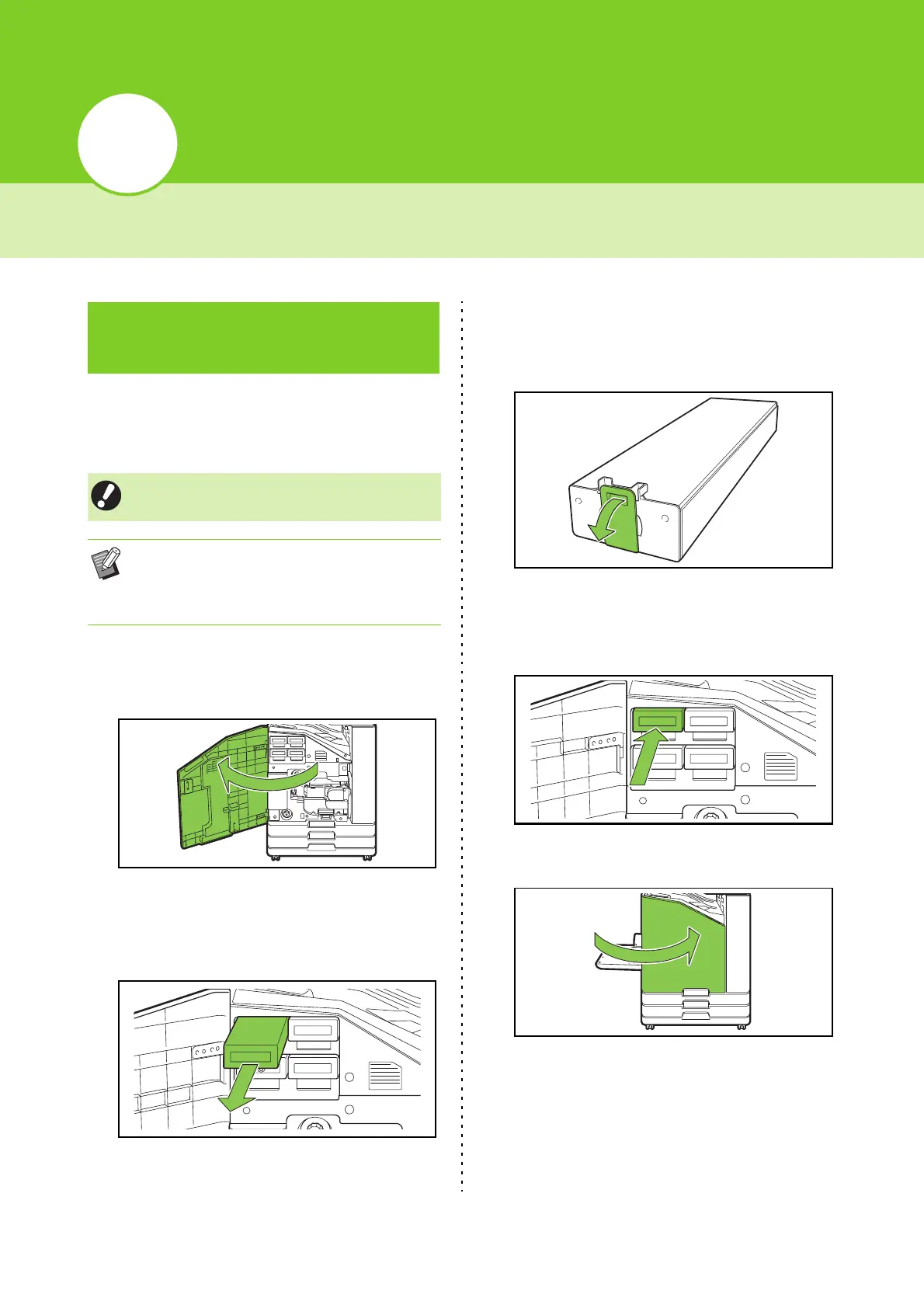
When ink runs out, the ink replacement message is
displayed and printing stops. Replace the cartridge
of the color shown.
1
Open the front cover.
2
Remove the ink cartridge identified
as empty.
Confirm the color of the ink cartridge.
3
Remove the cap of the new ink
cartridge.
Affix the removed cap on the old ink cartridge.
4
Insert the new ink cartridge.
Position the ink cartridge so that the ▼ mark faces
upward, and insert it until it stops.
5
Close the front cover.
Ink Cartridge
Replacement
• Do not remove the ink cartridge until the ink
replacement message is displayed.
• When the remaining amount of ink is low, the
remaining ink indicator on the touch panel
screen flashes. Prepare a new ink cartridge for
the color that flashes.
C
Y









 To Next Page