Cause of the problem (2)
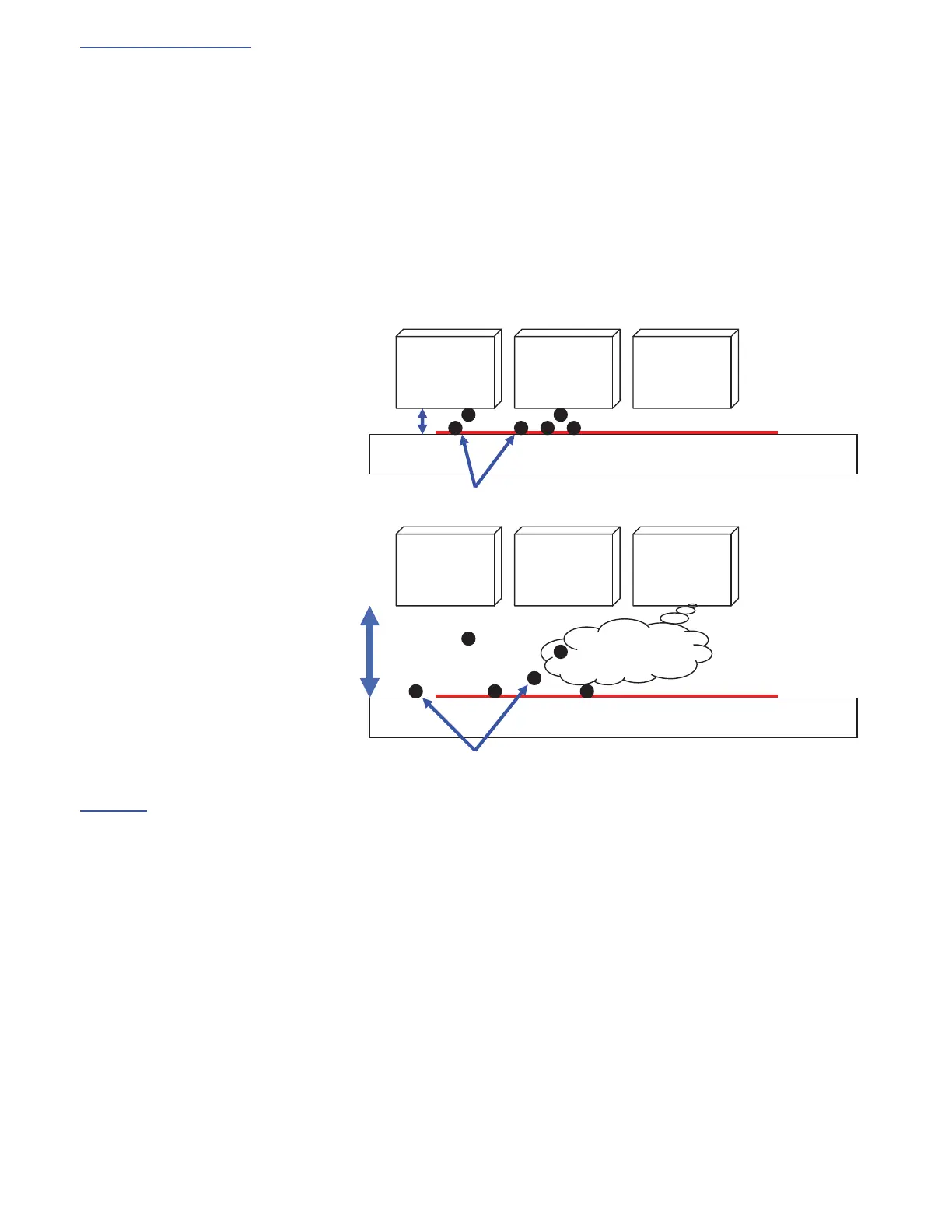
The gap between Print Head and the transfer belt is too far.
- Ink mist, a minute particle of ink, may be sometimes generated from Print Head during printing.
- Such ink mist drifts in the air and comes toward the transfer belt.
- Most of them reach to the paper on the transfer belt so it is a problem.
- But if the gap between Print Head and the transfer belt is too far, misting ink may reach to the transfer belt and it can be
misting a cause of the problem.
- As a result, the surface of the transfer belt becomes dirty with ink and the edge of paper gets stained with ink.
- If the margin around the printing paper is reduced by menu 4.10 [Print Area], this problem occurs easily.
The gap is small (Normal)
The gap is big
Solutions
- Adjust the gap by SE mode 5.9.1.32 for HC5000. (It is possible to widen with 0.1mm step)
- The gap is alternated automatically by the paper type. If you print normal paper with envelope setting, the gap becomes
too big.(HC5500)
- Adjust print area(margin) by menu 4.10.(HC5000, HC5500)
<Tips>
- Default margin of normal paper by menu 4.10 is 5mm.(HC5000, HC5500)
- Maximum margin of normal paper by menu 4.10 is 1mm.(HC5000, HC5500)
- Default margin of envelope by menu 4.10 is 10mm.(HC5500) HC5000 cannot print with envelope.
Print Head Print Head Print Head
Transfer Belt
Paper
Ink
Print Head Print Head Print Head
Transfer Belt
㪧㪸㫇㪼㫉㩷
Ink
Ink mist



 To Next Page