2
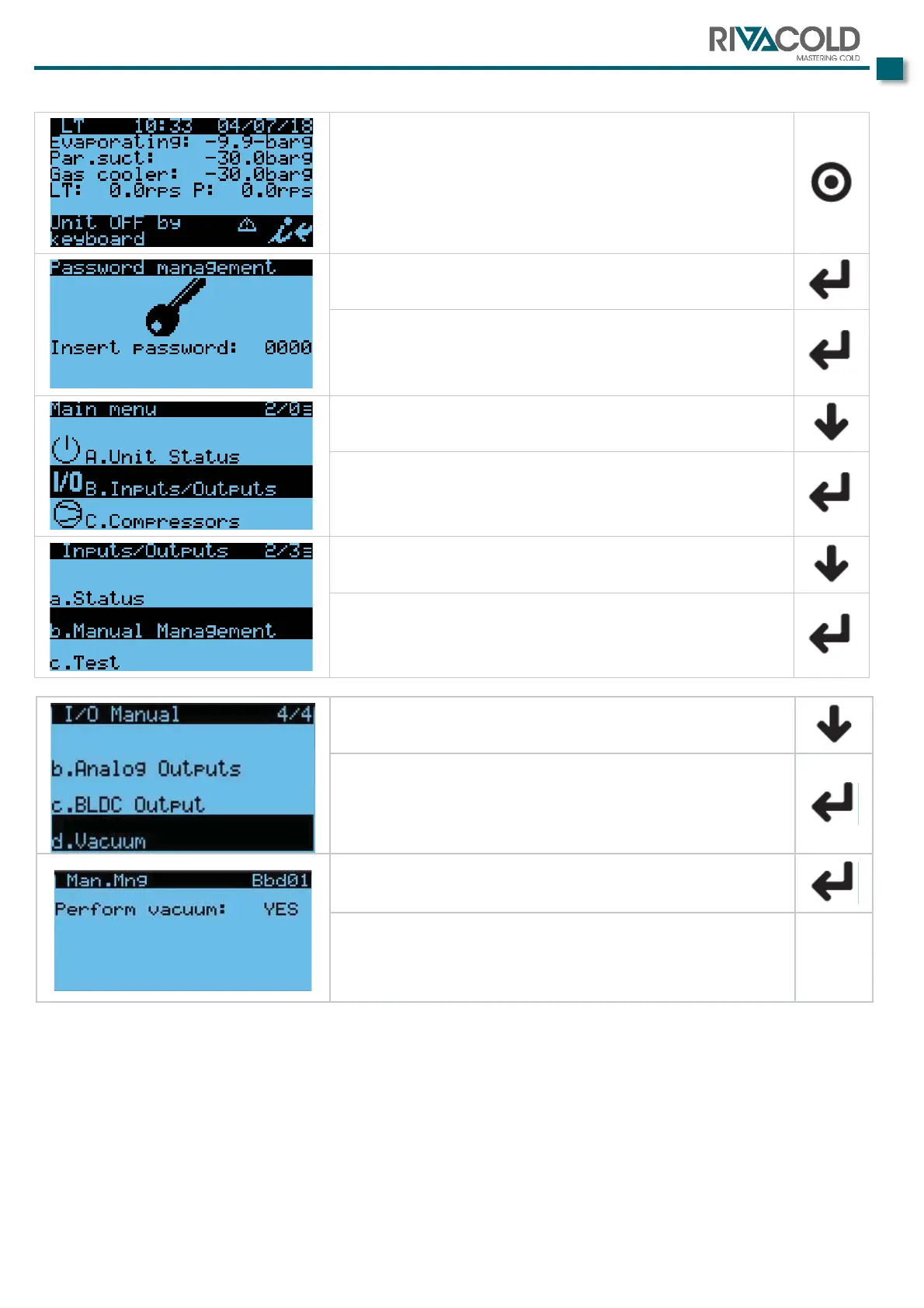
Starting from the main screen:
Press the display key
Press the key
The cursor will move onto the first figure of the password.
Enter the password “0000”. The press the key
Move down with the key
until "B. Inputs/Outputs” is highlighted, then press the key
Move down with the key
until "b. Manual Management” is highlighted, then press the
key
Move down with the key
until “d. Vacuum” appears then press the key
Press the key
move to the mask in the figure. At that point, press one of
the arrow keys to switch from NO to YES.
with the ENTER key.


 To Next Page